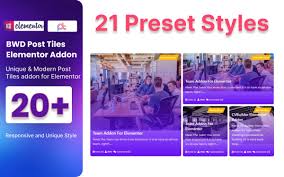

Blog Post Tiles WordPress Plugin For Elementor v1.0
Membership Category Products
Blog Post Tiles WordPress Plugin For Elementor v1.0
Live Demo: Blog Post Tiles WordPress Plugin For Elementor v1.0 Live Demo
Blog Post Tiles WordPress Plugin for Elementor v1.0 is a powerful and user-friendly plugin designed to enhance your WordPress blog by providing a stylish, grid-based layout for your blog posts. This plugin seamlessly integrates with Elementor, one of the most popular page builders for WordPress, allowing you to create visually appealing blog post grids and tiles with minimal effort.
Product Overview
The Blog Post Tiles WordPress Plugin for Elementor empowers you to transform your WordPress blog into a modern and engaging platform. With its intuitive interface and customizable features, you can effortlessly showcase your blog content in a visually appealing manner, enhancing the user experience and driving more traffic to your website.
Modern Design and User Experience
The plugin offers a range of pre-built templates and customizable options to create visually stunning blog post grids that align with your website's design aesthetic. Choose from various grid layouts, tile designs, and color schemes to create a unique and engaging look for your blog.
Main Features and Capabilities
- Customizable Grid Layouts: Display your blog posts in a clean, grid-style layout with options for one, two, or three-column designs. Each blog post is presented as a tile, allowing you to showcase featured images, titles, excerpts, and read more buttons.
- Seamless Integration with Elementor: The plugin integrates directly with the Elementor page builder, enabling you to add the Blog Post Tiles widget to any page or post with ease. Elementor's drag-and-drop editor and real-time customization options give you full control over the design and layout of your blog post grid.
- Post Metadata Display: Choose to display metadata such as the post's author, publication date, category, and comments count alongside each tile.
- Social Sharing Buttons: Add social sharing buttons to your blog post tiles, making it easy for users to share your content across their social media channels.
- Custom Query for Blog Posts: Filter posts based on custom queries such as author, date, tags, or custom taxonomies. This allows you to display specific blog content based on your needs, such as showcasing the latest posts or content from a particular author.
SEO Optimization
- SEO Friendly: The plugin is optimized for SEO, ensuring that your blog posts are presented in a way that search engines can easily crawl and index. This improves the visibility of your content on search engines, helping to drive organic traffic to your site.
- Schema Markup: The plugin supports schema markup, which helps search engines better understand your content, improving your chances of appearing in rich snippets and enhancing click-through rates.
Lazy Loading for Faster Performance
- Lazy Load Posts: To ensure your website loads quickly, the plugin supports lazy loading of blog posts, meaning posts are only loaded when they come into view. This can improve the overall speed of your site, especially for content-heavy pages.
Multiple Template Options
- Template Previews: The plugin comes with pre-built templates that you can use to display your blog posts. These templates are fully customizable to match your brand style.
- Custom Templates: You can create custom templates for displaying blog posts, adjusting the layout and including specific elements that align with your website's design.
Supports Custom Post Types
- Custom Post Types: In addition to standard blog posts, the plugin supports custom post types, allowing you to use it for other types of content like portfolios, case studies, or any custom content you want to display in a grid layout.
How to Set Up and Use the Blog Post Tiles WordPress Plugin for Elementor
- Install the Plugin: First, install the plugin by downloading it from the WordPress plugin repository or purchasing it from the developer's website. Once installed, activate the plugin through your WordPress dashboard.
- Create a New Page or Post: In the WordPress admin dashboard, go to Pages or Posts, and create a new page or post where you want to add the blog post grid.
- Launch Elementor Editor: Open the page or post in Elementor by clicking on the Edit with Elementor button.
- Add the Blog Post Tiles Widget: Drag and drop the Blog Post Tiles widget from the Elementor panel onto the page. This widget will allow you to display your blog posts in a grid layout.
- Customize Your Blog Grid: Using the Elementor editor, customize the settings for the blog grid. You can select the number of columns, enable or disable post metadata, choose the categories to display, apply sorting options, and more. You can also modify the style, including typography, colors, and hover effects.
- Preview and Publish: Once you're happy with the design, preview your page to make sure everything looks good. Afterward, click Publish to make the page live.
- Update and Maintain: The plugin will automatically update your blog post grid as you add new posts to your blog, ensuring your visitors always see the latest content.
Why Choose the Blog Post Tiles WordPress Plugin for Elementor?
The Blog Post Tiles WordPress Plugin for Elementor is ideal for website owners who want a visually appealing way to display their blog posts. By using this plugin, you can:
- Showcase blog content in a clean, modern grid layout that’s easy to navigate.
- Provide a better user experience through customizable styles, filters, and sorting options.
- Benefit from seamless integration with Elementor, making the design and customization process quick and easy.
- Improve site performance with lazy loading and SEO-friendly features.
Category: Membership
(Only For Premium Category Products !)
1. All digital products are the most recent version, with no possibility of free updates. After payment, you can request an update to the most recent version for 5 days if a new version is released. We free support within 5 days.
2. If a license is required (Excludes WHMCS license , we provide only method not license), please contact us via email or ticket for assistance with activation. Our license is only valid for activation and does not include support.
3. We provide Mobile, PHP script installation services for $19.90 / ₹1700. Please create a backup after installation as we do not support re-installation. For mobile app source code, we do not offer installation services.
4. If you have any questions, please contact us by email [email protected] or create a ticket on this page
5. Please note that any digital products presented on the website do not contain malicious code, viruses or advertising. You will receive the original files from the developers. We do not sell any products that have been downloaded from other websites.
6. The response time can last up to 6 hours.
(Only For Membership Category Products !)
Benefits of our Membership Plans
- Instant access to all plugins and all themes including all future releases
- Unlimited domain usage
- Regular Updates as of when available. Usually, updates are released daily.
- Before purchasing, please read the Terms and Conditions & Refund Policy.
- If you have any questions, please first read the FAQs.
- If you haven’t found the answer to your question, please contact us, and we will respond ASAP.
- Please note that any digital products on the website do not contain malicious code, viruses, or advertising. We buy the original files from the developers. We do not sell any products downloaded from other sites.
- Buy or download for FREE by subscribing to our VIP Membership Plan. Join the club of more than 1100+ happy members. This is the same theme as sold by the developer.
Updates:
- We offer frequent updates for one year from the date of purchase. After this period, you have to purchase the item again to receive further updates, we also offer lifetime updates as a second option.
- We regularly update products as soon as we are notified about an update, we go and download it from the author and update it on our site, but In case the current version of the product is not the latest, You can request an update for the product by contact form.
- We send regular emails advising when products have been updated so please be sure to provide an active email address when you sign up.
Support:
- Our support team is available 24/7, if you have any questions or need help in installing or configuring digital products purchased on the website, please don’t hesitate to contact form.
- Please note that we are not developers of the provided products, so our technical support capabilities are limited. We do not change product functionality and do not fix developer bugs.
(Only For WHMCS Category Products !)
- We Only provide WHMCS Module, how you can nulled any module step only !
- Instant access to all plugins and all themes
- Unlimited domain usage
- Regular Updates as of when available. Usually, updates are released daily.
- Before purchasing, please read the Terms and Conditions & Refund Policy.
- If you have any questions, please first read the FAQs.
- If you haven’t found the answer to your question, please contact us, and we will respond ASAP.
- Please note that any digital products on the website do not contain malicious code, viruses, or advertising. We buy the original files from the developers. We do not sell any products downloaded from other sites.