
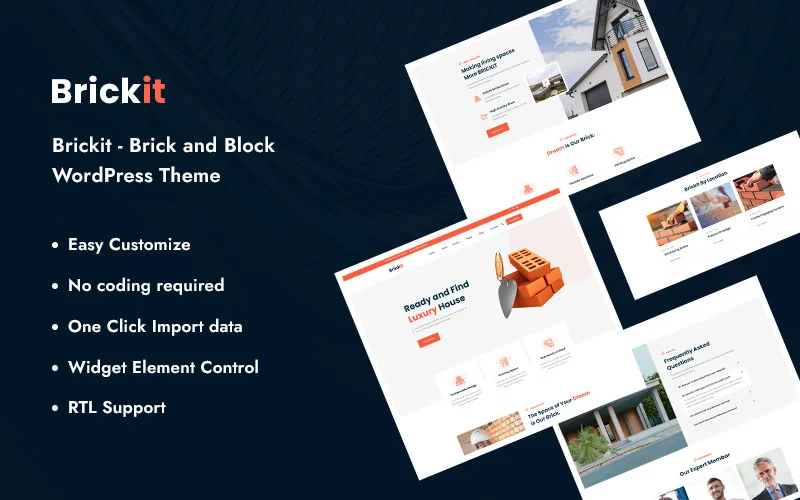


Brickit - Brick and Block WordPress Theme is a professional, industry-specific WordPress theme designed for businesses in the construction, bricklaying, masonry, or building materials sectors. It offers a clean, modern design with customizable features to help showcase your services, portfolio, and expertise in the construction and building industry.
Here’s an overview of the Brickit - Brick and Block WordPress Theme:
Brickit - Brick and Block WordPress Theme is perfect for construction companies, masonry contractors, and businesses in the building materials industry. With features like a clean design, Elementor compatibility, portfolio showcase, SEO optimization, and WooCommerce support, it offers everything you need to create a professional and functional website. Let me know if you need assistance with the setup or have any other questions!
Key Features of Brickit - Brick and Block WordPress Theme:
1. Industry-Specific Design
- Tailored for Construction & Masonry Businesses: Brickit is specifically designed to meet the needs of businesses that work with bricks, blocks, construction materials, and masonry. The theme provides the perfect foundation for showcasing your products, services, and construction projects.
- Clean & Professional Layout: The theme offers a straightforward, professional design that focuses on your offerings. It emphasizes your construction expertise while making it easy for visitors to navigate your site and find the services they need.
2. Pre-Built Demo Layouts
- Quick Setup: Brickit comes with pre-designed demo content, including layouts for different types of pages like Home, About Us, Services, Portfolio, and Contact. You can import the demo content with a single click and customize it to suit your brand.
- Multiple Layout Options: The theme provides multiple layout options, allowing you to create a custom structure for your website while ensuring consistency and professionalism.
3. Elementor Page Builder Integration
- Drag-and-Drop Page Builder: The theme is fully compatible with Elementor, a popular drag-and-drop page builder. This allows you to customize the layout, design, and content of your pages with ease, even if you don’t have coding skills.
- Pre-designed Widgets: Brickit comes with custom Elementor widgets for displaying your services, projects, team members, client testimonials, and more, making it easy to enhance the visual appeal of your pages.
4. Service & Portfolio Showcase
- Highlight Your Services: The theme allows you to showcase the different services you provide, such as bricklaying, masonry, construction consulting, and material supply. You can add service descriptions, images, and even links to detailed service pages.
- Showcase Projects: Display your completed projects with portfolio sections. Whether it's residential construction, commercial projects, or masonry work, you can add images, project descriptions, and even client feedback to each portfolio item.
- Project Filters: The theme supports portfolio filters, which allow visitors to sort and view projects based on categories, such as type of construction or location.
5. Fully Responsive and Mobile-Friendly
- Mobile Optimization: Brickit is fully responsive, ensuring that your website looks great and functions well across all devices, including smartphones, tablets, and desktops. Given the importance of mobile-friendly websites for user engagement, this feature is essential.
- Fast Loading Speed: The theme is optimized for fast loading times, which enhances the user experience and helps with SEO rankings.
6. SEO Optimized
- SEO-Friendly Structure: Brickit is built with SEO in mind, ensuring that your website's code structure is clean and well-organized for search engine crawlers. This helps improve the visibility of your site on search engines.
- SEO Plugin Compatibility: The theme works well with SEO plugins like Yoast SEO and Rank Math, allowing you to optimize page titles, meta descriptions, and other key SEO elements.
7. Customizable Header and Footer
- Header Customization: The theme offers a variety of header styles, including options for displaying your logo, navigation menu, contact details, and call-to-action buttons. You can choose a header layout that works best for your business and makes it easy for visitors to find important information.
- Footer Customization: You can also customize the footer to include key information like contact details, social media links, newsletter sign-ups, or any other elements you want to include at the bottom of every page.
8. Built-in Contact Forms and Lead Generation
- Lead Capture Forms: Brickit comes with customizable contact forms, allowing visitors to get in touch with your business for inquiries, quotes, or consultations. You can use Contact Form 7 or Elementor Forms to easily build and manage forms.
- Request a Quote: Given the nature of construction businesses, the theme includes the option to add "Request a Quote" forms to capture potential leads from clients who need pricing for specific services.
9. Social Media Integration
- Social Media Icons: The theme allows you to add links to your social media profiles (such as Facebook, Instagram, LinkedIn, or Twitter), so visitors can follow your business on social media.
- Social Sharing: If you have a blog section, you can also include social sharing buttons on your posts, allowing visitors to share your content on their own social media accounts.
10. Regular Updates and Support
- Ongoing Updates: The theme is regularly updated to ensure compatibility with the latest version of WordPress, Elementor, and other popular plugins. This also helps to improve the theme’s security and functionality.
- Customer Support: Brickit includes support for users, so if you run into any issues or need help with customization, you can reach out to the support team for assistance.
11. WooCommerce Compatibility
- Sell Construction Materials: If you plan to sell building materials or related products online, Brickit is fully compatible with WooCommerce, the most popular e-commerce platform for WordPress. You can create a fully functional online store to sell products like bricks, cement, or construction tools.
- Product Pages: The theme provides a clean and functional design for product pages, allowing you to display product images, descriptions, prices, and add-to-cart options.
How to Set Up Brickit - Brick and Block WordPress Theme:
- Install WordPress: First, set up WordPress on your hosting platform.
- Install the Theme: Install Brickit by navigating to Appearance > Themes > Add New and uploading the theme file.
- Import Demo Content: Use the one-click demo import feature to quickly load pre-designed demo content, including pages, images, and text. This will help you get started faster.
- Customize Pages with Elementor: Use Elementor to customize your website's pages. You can edit the content, add new sections, and drag-and-drop widgets to create the layout you desire.
- Showcase Services and Portfolio: Add your services, portfolio items, and project details to highlight your construction work. You can organize projects by category, and add images, descriptions, and testimonials.
- Set Up Contact Forms: Add contact forms to key pages such as the Contact Us page, and include options for lead generation such as "Request a Quote" or "Free Consultation".
- SEO Optimization: Install an SEO plugin like Yoast SEO or Rank Math to optimize your site’s SEO elements like meta descriptions, keywords, and images.
- Add WooCommerce (Optional): If you're selling construction products online, install WooCommerce and configure your store settings to start selling.
- Launch Your Website: Once you're happy with the customization and content, publish your website and start marketing your services.
Brickit - Brick and Block WordPress Theme is perfect for construction companies, masonry contractors, and businesses in the building materials industry. With features like a clean design, Elementor compatibility, portfolio showcase, SEO optimization, and WooCommerce support, it offers everything you need to create a professional and functional website. Let me know if you need assistance with the setup or have any other questions!






























