
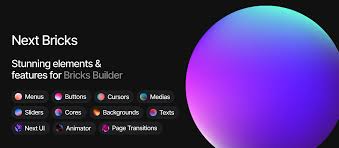


Bricks – Next Bricks is a premium WordPress theme designed for building modern, high-performance websites. It provides a highly customizable, drag-and-drop page builder interface that allows users to create websites without needing to code. Bricks is suitable for a variety of website types, including business sites, portfolios, blogs, and eCommerce stores. The theme’s advanced features and lightweight design make it a top choice for those seeking both style and performance.
Key Features of Bricks – Next Bricks:
- Advanced Page Builder:
- Bricks comes with a built-in drag-and-drop page builder, allowing users to design pages easily. It offers a powerful visual editing experience with a real-time preview, making it simple to customize layouts and content.
- Responsive Design:
- The theme is designed to be fully responsive, ensuring that your website looks great on any device, including desktops, tablets, and smartphones. This is crucial for providing a smooth user experience across multiple platforms.
- Pre-built Demo Templates:
- Next Bricks includes a variety of demo templates that users can import with a single click. These templates are designed for various industries, including business, creative portfolios, eCommerce, and more. Importing demo content helps speed up the setup process.
- Highly Customizable:
- Bricks allows for detailed customization, offering flexibility in typography, colors, and layout options. You can adjust global settings to create a unified design across your site or customize individual pages for more specific needs.
- SEO Optimization:
- The theme is built with SEO best practices in mind, ensuring that your site ranks well in search engines. It offers clean, optimized code, fast loading times, and easy integration with popular SEO plugins like Yoast SEO.
- Built-in Header & Footer Builder:
- With the header and footer builder, users can create custom headers and footers without needing to rely on external plugins or code. You can add logos, navigation menus, call-to-action buttons, and other elements to match your branding.
- Fast Loading Speed:
- Bricks is designed for speed and performance. It’s a lightweight theme that ensures fast loading times, which is essential for both user experience and SEO.
- WooCommerce Support:
- Bricks is compatible with WooCommerce, allowing you to set up an online store to sell products. With integration for product pages, shopping carts, and checkout, you can easily create a full-featured eCommerce site.
- Dynamic Content Integration:
- The theme supports dynamic content integration, which makes it suitable for building complex websites such as blogs, portfolios, news websites, or membership sites. You can use dynamic fields to display custom post types, categories, tags, and more.
- Pre-designed Elements & Widgets:
- Bricks offers a wide range of pre-designed elements like buttons, forms, grids, and sliders. It also includes custom widgets that can be easily added to any page or post.
- Global Styles & Theme Builder:
- With the theme builder, you can set global styles for your website, such as typography, colors, and spacing. This ensures consistency across all pages. The theme builder also allows you to create custom templates for posts, pages, archives, and other types of content.
- Built for Developers:
- For developers, Bricks provides advanced features such as custom CSS support, custom JavaScript integration, and an intuitive backend interface for easy customization.
- GDPR Compliance:
- The theme is designed to be GDPR-compliant, with features that help you create a privacy policy page and add consent forms for users visiting your site, ensuring that your site meets legal requirements.
- Translation & RTL Support:
- Bricks supports multiple languages and comes with RTL (right-to-left) text support. This is especially useful for websites targeting audiences who speak languages such as Arabic or Hebrew.
- Regular Updates & Support:
- Bricks offers regular updates and comprehensive customer support. The theme developers provide excellent documentation and assistance to ensure that users can make the most of its features.
Benefits of Using Bricks – Next Bricks:
- No Coding Required:
- The intuitive drag-and-drop page builder allows anyone, regardless of their technical skill level, to create professional-looking websites without writing a single line of code.
- Fast & Lightweight:
- Bricks is optimized for speed and performance, ensuring fast load times and smooth interactions. This is important not only for user experience but also for SEO rankings.
- Highly Flexible & Customizable:
- The theme offers a high degree of flexibility, allowing you to customize almost every aspect of your website, from layouts and fonts to colors and elements. This helps you achieve a unique look for your site.
- Built for Performance:
- With fast loading speeds, responsive design, and optimized code, Bricks is designed for high performance, making it ideal for websites where user experience and speed are a priority.
- Scalability for Future Growth:
- Whether you’re building a simple business website or a large-scale eCommerce platform, Bricks is scalable and can grow with your needs. The theme supports complex site structures, dynamic content, and WooCommerce integration.
- SEO & Mobile Optimization:
- Bricks is optimized for both SEO and mobile devices. These are crucial for ensuring that your website performs well on search engines and provides a great experience for mobile users, who make up a large portion of web traffic.
- E-commerce Ready:
- WooCommerce compatibility makes it easy to turn your website into an online store. You can sell products, manage inventory, and handle payments all within the WordPress ecosystem.
- Customization for Developers:
- Developers can extend and customize the theme through custom CSS, JavaScript, and the theme builder, making Bricks a suitable choice for both beginners and advanced users.
- Comprehensive Support & Documentation:
- The theme comes with extensive documentation and active support from the development team. If you encounter any issues, you can rely on their customer service to help resolve them.
Ideal Use Cases for Bricks – Next Bricks:
- Business Websites:
- Bricks is perfect for creating business websites that need a professional design with a modern look. The theme is flexible enough to adapt to a wide variety of industries, including tech, consulting, law firms, agencies, and more.
- Creative Portfolios:
- Artists, designers, photographers, and other creatives can use Bricks to showcase their work in an elegant, visually striking portfolio. The dynamic content integration allows for a customized portfolio display.
- Blogs and Magazines:
- Bricks is great for blogs or online magazines. The theme offers multiple blog layouts and allows easy customization of posts, categories, and other content types.
- E-commerce Stores:
- With WooCommerce integration, Bricks is an excellent choice for creating fully functional eCommerce websites. You can sell physical or digital products with ease, and manage all aspects of your online store.
- Personal Websites:
- Bricks is also suitable for personal websites, whether you’re building a personal blog, portfolio, or resume site. The theme’s flexibility and customizability allow for personal branding that matches your style.
How to Set Up Bricks – Next Bricks:
- Install the Theme:
- Download Bricks from the marketplace and install it via the WordPress dashboard (Appearance > Themes > Add New).
- Import Demo Content:
- Import one of the pre-built demo templates to get started quickly. This will provide you with a layout that you can customize to suit your brand.
- Customize Your Site:
- Use the Bricks page builder to customize the layout, design, and content of your site. You can adjust elements like headers, footers, colors, fonts, and more.
- Add Dynamic Content:
- Add dynamic content to your site, such as blog posts, product listings (if using WooCommerce), or portfolio entries, using the theme’s dynamic content features.
- Set Up WooCommerce (if needed):
- Install and configure WooCommerce to set up your online store. Add your products, set up payment gateways, and customize product pages.
- Optimize for SEO:
- Install an SEO plugin (e.g., Yoast SEO), and optimize your site’s content, meta tags, and images to ensure that your website ranks well in search engines.
- Test and Launch:
- Test your website for responsiveness, speed, and functionality. Once you are happy with how it looks and performs, launch your site and begin promoting it.






























