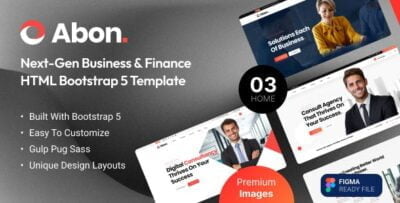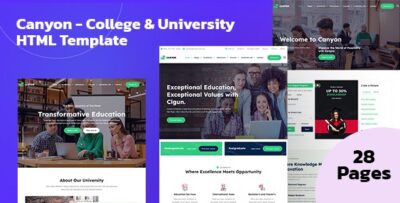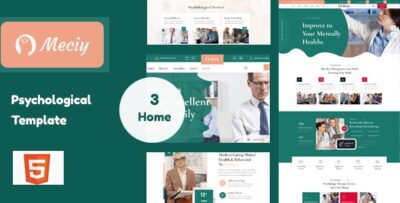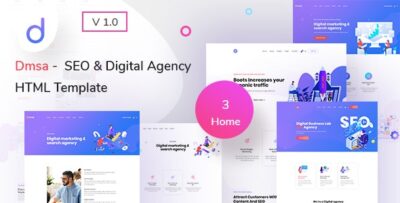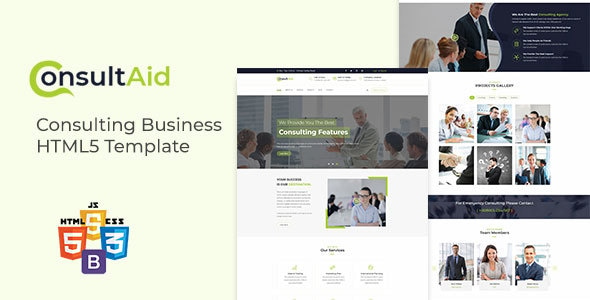
ConsultAid - Consulting Business HTML Template is a modern, professional, and versatile HTML template designed specifically for consulting firms, businesses, and individuals in the consulting industry. Whether you're offering financial advice, business strategy, marketing consulting, IT consulting, or other professional services, ConsultAid provides a clean and stylish layout to effectively present your consulting services and attract potential clients.
Key Features of ConsultAid - Consulting Business HTML Template:
- Professional and Modern Design:
- ConsultAid features a sleek, modern, and professional design that is tailored to the consulting industry. The template emphasizes clean lines, clear typography, and visually appealing sections, creating a trustworthy image for your business.
- Fully Responsive Layout:
- The template is fully responsive, ensuring that your website looks great on all devices, from desktops and laptops to tablets and smartphones. This guarantees an optimal user experience for visitors regardless of the device they're using.
- Pre-Built Pages:
- ConsultAid comes with a variety of pre-built pages that cover all the essential aspects of a consulting business:
- Home Page: A dynamic homepage that introduces your business, with clear calls-to-action (CTAs) to engage visitors.
- About Us: A page to describe your company’s story, mission, and values, helping build trust with potential clients.
- Services: A section that details the different consulting services you offer, along with descriptions, images, and pricing (if applicable).
- Case Studies/Portfolio: Showcase your previous work, case studies, or successful projects to demonstrate your expertise.
- Blog: A blog page where you can share industry insights, tips, and articles to establish your thought leadership.
- Contact Us: A contact page that includes a contact form, business address, phone number, and integrated Google Maps for easy navigation.
- Testimonials: A page or section to display client reviews and testimonials, establishing credibility and trust.
- ConsultAid comes with a variety of pre-built pages that cover all the essential aspects of a consulting business:
- Service Section:
- The template provides dedicated areas to highlight your consulting services. Whether you're offering strategy consulting, management consulting, financial planning, or other specialized services, you can clearly present the benefits and features of your services to potential clients.
- Case Studies or Portfolio:
- ConsultAid includes a portfolio or case study section, which is essential for showcasing your previous consulting projects. You can display successful outcomes, client feedback, and how your services have helped other businesses grow or solve problems.
- Team Introduction:
- The team section allows you to introduce your team members, highlighting their expertise, experience, and roles within your consulting business. This helps clients feel more connected to your company and builds trust in your team’s capabilities.
- Client Testimonials:
- The testimonials section is a powerful tool for building trust with potential clients. Displaying client reviews or feedback from previous projects can encourage others to reach out to your business.
- Call-to-Action (CTA) Buttons:
- ConsultAid includes prominent CTA buttons such as "Get a Free Consultation", "Request a Quote", or "Contact Us", encouraging visitors to take immediate action. These strategically placed buttons are designed to increase conversions.
- Google Maps Integration:
- The Contact Page includes Google Maps integration, making it easy for visitors to find your office location. It’s a simple yet effective way to improve user experience and accessibility.
- SEO Optimized:
- ConsultAid is built with SEO best practices in mind, helping your website rank higher in search engines. The clean and semantic HTML5 code, combined with a structure that prioritizes important content, boosts your site’s visibility.
- Cross-Browser Compatibility:
- The template is compatible with all major browsers like Chrome, Firefox, Safari, and Edge, ensuring your website functions properly across platforms.
- Smooth Scrolling and Animations:
- ConsultAid includes smooth scrolling and subtle CSS animations, which enhance the overall user experience and provide a more polished, interactive feel for your website.
- Font Awesome and Google Fonts Integration:
- The template is integrated with Font Awesome icons for easy social media and feature icons, and Google Fonts for typography customization, allowing you to maintain a modern and professional look.
- Well-Documented:
- ConsultAid comes with comprehensive documentation, making it easy to set up and customize the template. Whether you're a beginner or an experienced developer, the documentation provides clear instructions for working with the template.
Template Pages Overview:
- Home Page: The homepage typically includes a hero section with an engaging introduction, services overview, CTA buttons, and client testimonials.
- About Us: A detailed page that introduces your company, its history, mission, vision, and values.
- Services: A page to showcase the various consulting services you offer, with descriptions, pricing (if applicable), and key benefits.
- Case Studies: Showcases the results of your consulting services through case studies or client success stories, helping build credibility.
- Blog: A blog section for sharing useful content, insights, and articles related to your industry. A blog helps establish authority in your field.
- Contact Us: A page with a contact form, business location, phone number, email, and integrated Google Maps.
- Testimonials: A section or page dedicated to displaying client testimonials, adding social proof and trust to your services.
- Team: Introduce your team, showcasing their expertise and background.
Benefits of Using ConsultAid - Consulting Business HTML Template:
- Tailored for Consulting Businesses:
- The template is specifically designed to meet the needs of consulting firms, making it the ideal choice for businesses in this sector. It includes all the necessary sections to showcase your services, case studies, and team.
- Easy to Set Up:
- With pre-built pages, ConsultAid allows for quick and easy setup. You can launch your consulting business website without having to start from scratch, saving time and effort.
- Engaging User Experience:
- The template provides a professional, engaging user experience, which encourages visitors to explore your services, read your content, and take action.
- Conversion-Oriented:
- With its clear CTAs, testimonials, and service sections, the template is designed to drive conversions, making it easy to turn website visitors into clients.
- SEO-Friendly:
- The template’s SEO optimization helps improve your website’s ranking on search engines, making it easier for potential clients to find your consulting services online.
- Responsive Design:
- The fully responsive design ensures that your website looks great on all devices, from desktops to smartphones, ensuring a wider reach and better engagement from users.
- Professional Appearance:
- ConsultAid has a clean, polished, and professional design that will give your consulting business a credible online presence. A professional website can help build trust and attract high-quality leads.
- Customizable:
- The template is highly customizable, so you can adjust colors, fonts, and layout to match your consulting business’s branding and style.
- Cost-Effective:
- ConsultAid offers an affordable solution for consulting businesses looking to create a professional online presence without the need for expensive custom development.
How to Get Started with ConsultAid - Consulting Business HTML Template:
- Purchase and Download:
- Download ConsultAid from a marketplace like ThemeForest or from the official website.
- Unzip the Files:
- Extract the downloaded zip file and organize the contents.
- Open in Code Editor:
- Open the HTML, CSS, and JavaScript files in a text editor (e.g., Visual Studio Code or Sublime Text).
- Customize the Template:
- Replace the placeholder content with your company information, service descriptions, and team profiles. Update colors, fonts, and images to match your brand.
- Upload to Hosting Provider:
- Once you've finished customization, upload the files to your hosting provider using an FTP client like FileZilla.
- Test the Website:
- Test your website on various devices and browsers to ensure it’s responsive and works properly across platforms.