
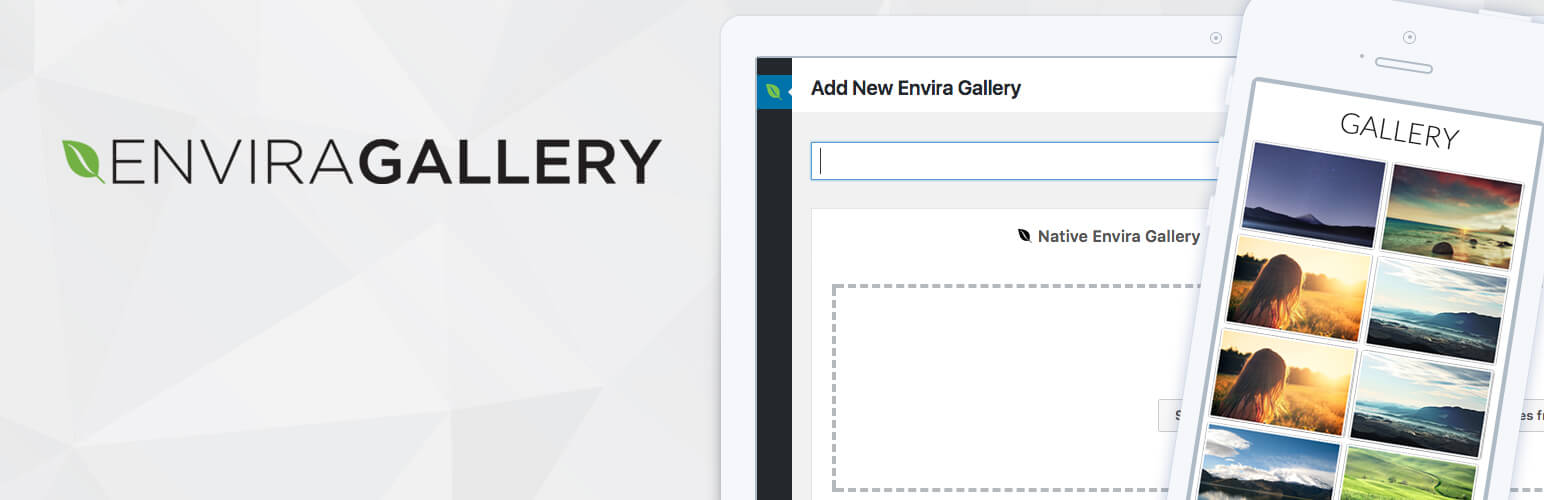


Envira Gallery Pro is a powerful and feature-rich WordPress plugin designed to create stunning image and video galleries with ease. It is known for its user-friendly interface, high performance, and extensive customization options. Whether you are building a photography website, a portfolio, or any site that requires gallery functionality, Envira Gallery Pro is a top choice for creating beautiful, responsive galleries that integrate seamlessly with your WordPress site.
Key Features of Envira Gallery Pro:
- Drag-and-Drop Gallery Builder:
- Envira Gallery Pro provides a simple drag-and-drop interface for creating galleries. You can easily upload images, organize them into galleries, and arrange them in the order you want without any coding knowledge.
- Fully Responsive Galleries:
- The plugin ensures that all galleries are fully responsive, which means they automatically adjust to different screen sizes and devices. Whether your visitors are using a desktop, tablet, or mobile phone, the gallery will look great.
- Lightbox and Popups:
- Envira Gallery Pro includes a lightbox feature that allows images to open in a full-screen view with a smooth transition. Visitors can navigate between images without leaving the gallery page, creating a more interactive and engaging experience.
- You can also set up galleries to open in popups, giving you control over how the content is displayed.
- Albums and Gallery Organization:
- With Envira Gallery Pro, you can group multiple galleries into albums. This feature is especially useful for organizing large numbers of images or creating galleries based on categories, themes, or projects.
- Albums help to organize your media content and provide a more structured viewing experience.
- Social Media Integration:
- Envira Gallery Pro makes it easy to integrate social media sharing buttons within your galleries. Visitors can share their favorite images directly on social platforms like Facebook, Twitter, Pinterest, etc.
- You can control which social networks to include and customize the share icons.
- Video Support:
- Envira Gallery Pro supports not only images but also videos. You can add videos from platforms like YouTube, Vimeo, and self-hosted videos into your galleries, providing more versatility in your content.
- The plugin allows you to manage both images and videos in a unified gallery.
- Customizable Gallery Layouts:
- The plugin provides various gallery layout options such as grid, masonry, justified, and more. You can customize the size of thumbnails, set image spacing, and adjust column numbers to suit your design.
- The customization options extend to colors, borders, and gallery margins, giving you complete control over the appearance of your galleries.
- WooCommerce Integration:
- Envira Gallery Pro integrates seamlessly with WooCommerce. You can use the gallery plugin to create product galleries for your online store, showing off your products with beautiful and responsive image galleries.
- You can even sell images directly from your galleries by integrating with WooCommerce.
- Gallery Themes and Templates:
- Envira Gallery Pro offers various gallery themes and templates, making it easy to set up galleries with a polished, professional look. You can choose from pre-designed templates or create your own custom design to match your brand.
- SEO Optimized:
- The plugin is designed to be SEO-friendly. All images are optimized for search engines, and you can add alt text, titles, and captions for each image, helping improve your gallery's visibility in search results.
- Envira also supports lazy loading, which helps improve page load speed and further enhances SEO performance.
- Watermarking:
- Envira Gallery Pro includes a watermarking feature, which allows you to protect your images by adding a custom watermark. This can prevent unauthorized use of your images and is particularly useful for photographers and content creators.
- Custom Metadata and Tags:
- You can add custom metadata and tags to images in your galleries. This feature allows you to categorize and label images more effectively, improving the user experience and making it easier for visitors to search for specific content.
- Advanced Filtering:
- Envira Gallery Pro includes an advanced filtering system, allowing users to filter galleries based on categories, tags, or custom metadata. This is especially useful if you have a large gallery with multiple types of content.
- Pagination and Infinite Scroll:
- The plugin supports pagination and infinite scroll features, so you can decide whether to split your galleries into multiple pages or let visitors scroll infinitely to view more images. Both options can improve the user experience and help manage large galleries.
- Private Galleries:
- You can create private galleries that are password-protected or restricted to specific user roles. This is useful for clients or members who should only have access to certain galleries.
- Galleries for Any Use Case:
- Envira Gallery Pro is versatile enough for various use cases. Whether you need a photography portfolio, an eCommerce product gallery, an image-based portfolio, or even a video gallery, Envira can handle it all.
- Developer Friendly:
- The plugin is developer-friendly, with hooks and filters available for customization. If you’re comfortable with code, you can further extend the plugin’s capabilities to suit your specific needs.
- Regular Updates and Dedicated Support:
- Envira Gallery Pro offers regular updates to ensure compatibility with the latest WordPress versions and features.
- It also provides dedicated customer support, so you can get assistance with any issues you encounter.
Benefits of Using Envira Gallery Pro:
- Easy Gallery Management:
- Creating and managing galleries is straightforward with Envira Gallery Pro. The drag-and-drop builder, along with features like albums and video support, makes it easy to set up and organize galleries efficiently.
- Professional and Customizable Design:
- The gallery layouts, themes, and customization options give you complete control over the appearance of your galleries. Whether you're running a photography site, a portfolio, or a business website, you can create galleries that reflect your style and brand.
- Optimized for Performance:
- Envira Gallery Pro ensures high performance with optimized image loading, lazy loading, and mobile-friendly design. Visitors will have a smooth browsing experience, which is crucial for user engagement and SEO.
- SEO and Social Media Benefits:
- With SEO optimization and social media sharing options, your galleries are more likely to be found by search engines and shared across social platforms, helping you grow your audience and reach.
- Multimedia Flexibility:
- Supporting both images and videos, Envira Gallery Pro provides the flexibility to create mixed-media galleries. Whether you want to display a portfolio of photos or create a video showcase, the plugin offers the tools to meet your needs.
- High-Quality Customer Support:
- With dedicated customer support and extensive documentation, Envira Gallery Pro makes it easy for you to get help whenever you need it.
- Increased Engagement:
- The lightbox, social media sharing, and video support features help increase user engagement and provide an interactive experience that keeps visitors on your site longer.






![Booknetic - Appointment Booking & Appointment Scheduling & Calendar reservation [SaaS]](https://gplpixel.com/wp-content/uploads/2024/06/Booknetic-Appointment-Booking-Appointment-Scheduling-Calendar-reservation-SaaS-400x203.jpg)























