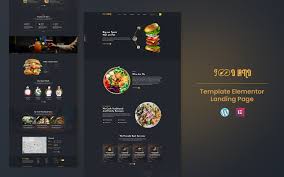


Foodland – Hotel and Restaurant Services Elementor One Page Template is a professional and modern template designed specifically for hotels, restaurants, cafes, catering services, and other food-related businesses. This one-page template uses the popular Elementor page builder, which allows for easy customization and provides a sleek, responsive design to help you create a captivating online presence for your restaurant or hotel services.
Key Features of Foodland – Hotel and Restaurant Services Elementor One Page Template:
- One-Page Design:
- Foodland is designed as a single-page template, which means all content is accessible from one page, making it easy for customers to navigate. This layout is great for businesses that want to showcase their offerings in a concise and visually appealing way.
- Fully Responsive:
- The template is fully responsive, ensuring that your website looks and works great on all devices, including smartphones, tablets, and desktops. This is crucial for providing an optimal browsing experience to customers, especially those who might be visiting from mobile devices.
- Easy-to-Use Elementor Drag-and-Drop Builder:
- Foodland is built using Elementor, one of the most powerful drag-and-drop page builders available for WordPress. This allows you to easily customize the layout, add or remove sections, and adjust colors, fonts, and images without any coding knowledge.
- Modern and Clean Design:
- The template features a modern, clean, and user-friendly design that highlights the key elements of your hotel or restaurant, such as the menu, services, testimonials, location, and booking options. The design is also optimized for a smooth user experience, making it easy for visitors to navigate and find the information they need.
- Menu Section:
- A dedicated menu section allows you to showcase your restaurant’s offerings in a visually appealing manner. You can display food categories, such as appetizers, main courses, desserts, and beverages. Each item can include an image, description, and pricing information, making it easy for customers to explore your menu online.
- Booking and Reservation Integration:
- Foodland includes a reservation system that allows customers to book tables or rooms directly through the website. The booking form is customizable and easy to use, helping you streamline the reservation process and increase bookings.
- About Us and Services Section:
- The template provides an About Us section where you can share information about your hotel or restaurant, your mission, and what sets you apart. Additionally, you can include a services section to highlight special offerings, such as catering, private events, or special packages.
- Testimonial Section:
- To build trust with potential customers, Foodland includes a testimonial section where you can showcase feedback from previous customers. Positive reviews are a great way to attract new clients and create a positive image for your brand.
- Gallery and Image Showcase:
- You can display beautiful images of your food, restaurant ambiance, or hotel rooms in the gallery section. This helps give potential customers a glimpse of what they can expect when they visit or stay at your establishment.
- Contact Information and Google Map Integration:
- The template features a contact section where you can display your restaurant or hotel’s address, phone number, email, and social media links. Google Maps integration helps visitors easily find your location, making it convenient for them to visit you in person.
- Social Media Integration:
- Foodland includes social media buttons, allowing visitors to easily follow your restaurant or hotel on platforms like Instagram, Facebook, and Twitter. Social media is an important tool for marketing and can help drive traffic to your website.
- Fast Loading Speed:
- The template is optimized for fast loading speeds, which is crucial for maintaining a positive user experience and improving your website’s performance on search engines.
- SEO Optimized:
- The template is designed with SEO best practices in mind, which helps improve your website’s search engine ranking. This is essential for making your hotel or restaurant more discoverable online and attracting more organic traffic.
- One-Click Demo Import:
- Foodland offers a one-click demo import feature, making it easy to set up the template with all the pre-designed content, images, and sections. You can then replace the demo content with your own information, saving you time and effort.
- Customization Options:
- With Elementor, you can easily customize various aspects of the template, such as the header, footer, fonts, and colors to match your brand. You can also choose from different layouts and styles for each section to create a unique look and feel for your website.
- Newsletter Subscription:
- Foodland includes an option for a newsletter subscription form, allowing you to collect email addresses from visitors and keep them informed about upcoming events, promotions, and special offers.
- Cross-Browser Compatibility:
- The template is compatible with all major browsers, including Google Chrome, Firefox, Safari, and Microsoft Edge, ensuring that your website looks and works well on different platforms.
How to Use Foodland – Hotel and Restaurant Services Elementor One Page Template:
- Install WordPress:
- Ensure you have WordPress installed on your hosting platform. You can do this through your hosting provider’s dashboard if it's not already installed.
- Install Elementor:
- Elementor is the page builder that powers this template. Install the Elementor plugin from the WordPress repository to easily customize your site.
- Install the Foodland Template:
- After purchasing or downloading Foodland, go to Appearance > Themes in your WordPress dashboard and click Add New. Upload the Foodland theme and activate it.
- Import Demo Content:
- Use the one-click demo import feature to quickly import the demo content. This will provide you with a ready-made layout that you can easily customize with your own information and images.
- Customize Sections:
- Using Elementor, you can customize each section of the template. Edit the text, replace the images, and modify the layout to reflect your restaurant or hotel’s branding.
- Set Up the Menu:
- Add your restaurant’s menu items in the menu section. You can organize your menu by categories and add details such as descriptions, images, and prices for each dish.
- Configure Booking Forms:
- Set up the reservation form to enable customers to book tables or rooms. You can configure fields such as date, time, number of people, and special requests, making the booking process easier for your clients.
- Add Contact Information:
- Fill in your contact section with your restaurant or hotel’s address, phone number, email, and social media links. Use the Google Map integration to add your location for easy reference.
- Optimize for SEO:
- Install an SEO plugin like Yoast SEO or Rank Math to optimize your site’s content, including your menu items, service descriptions, and blog posts, to ensure your website ranks well in search engines.
- Launch Your Site:
- Once you're happy with how the site looks and functions, preview it across different devices to ensure it’s fully responsive. When you're ready, hit Publish to make your restaurant or hotel website live.