
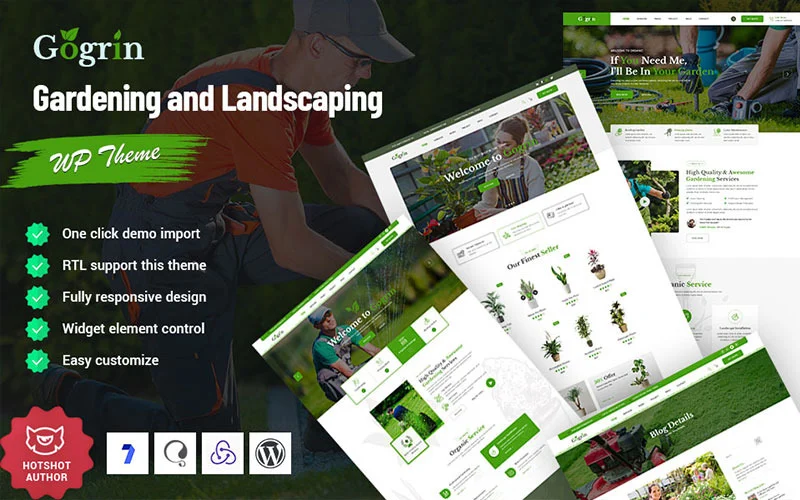


Gogrin – Gardening Plan WordPress Theme is a beautifully designed theme tailored for gardening services, landscapers, horticulturists, and anyone in the gardening or landscaping business. Whether you're a professional gardener, a landscaping company, or a green thumb enthusiast looking to share gardening tips and services, Gogrin provides an elegant and functional platform for showcasing your offerings.
Key Features of Gogrin – Gardening Plan WordPress Theme:
- Attractive, Nature-Inspired Design:
- Gogrin offers a nature-inspired design with a fresh and vibrant color palette, perfectly suited for businesses related to gardening, landscaping, and outdoor services. It provides a clean, organized layout that highlights your services while giving the website a calming and professional feel.
- Pre-Built Demo Layouts:
- The theme includes several pre-built demo layouts to suit a variety of gardening and landscaping services. Whether you're offering lawn care, landscaping design, or garden maintenance, the demos can be customized to showcase your specific services and brand style.
- Service and Project Showcases:
- You can easily display your gardening services and completed projects. Whether it’s garden design, tree trimming, lawn care, or other landscaping tasks, Gogrin offers dedicated sections where you can describe your services in detail and display high-quality images of your work.
- Portfolio and Gallery Features:
- Gogrin offers powerful portfolio and gallery features to showcase before-and-after images of your gardening projects, helping potential clients understand the quality of your work. You can organize your gallery into categories, making it easier for visitors to browse your services.
- Appointment and Booking System:
- Integrated appointment booking system allows your customers to book gardening services online. This feature can significantly improve customer convenience and streamline the booking process for both clients and your business.
- Responsive and Mobile-Optimized:
- Gogrin is designed to be fully responsive, ensuring that your website looks great and functions smoothly across all devices, from desktops to smartphones. This mobile-friendly design is crucial for reaching customers who may access your site from their mobile devices.
- SEO Optimized:
- Built with SEO best practices in mind, Gogrin ensures that your site is optimized for search engines. With clean code and a focus on speed and performance, the theme helps improve your rankings on search engines, making it easier for potential customers to find you online.
- WooCommerce Compatibility:
- Gogrin is WooCommerce-compatible, allowing you to sell gardening products or services directly from your website. Whether you want to sell tools, plants, seeds, or offer consultation services, the integration with WooCommerce makes it easy to set up an online store.
- Custom Widgets:
- The theme includes a variety of custom widgets such as recent posts, services, and testimonials. These widgets can be added to your sidebar or footer, helping to enhance the functionality of your website and improve user experience.
- Social Media Integration:
- Gogrin supports social media integration, so you can easily link to your social media profiles like Facebook, Instagram, and Pinterest. Gardening and landscaping businesses often benefit from showcasing visual content, and social media integration allows you to showcase your work and connect with a larger audience.
- Client Testimonials Section:
- Include a testimonials section where past customers can share their feedback. Positive reviews and testimonials help build trust and attract new clients. Displaying customer testimonials prominently can have a big impact on your credibility.
- Contact Forms and Maps Integration:
- The theme comes with contact forms and Google Maps integration, so visitors can easily get in touch with you and find your physical location if you have a garden center or office. You can customize the form fields to suit your needs.
- Translation Ready:
- Gogrin is translation-ready, making it easier for you to create a multilingual website. This feature is particularly helpful if you serve clients in different regions or countries and want to expand your reach.
- Customizable Layouts and Color Scheme:
- The theme allows for easy customization of the layout and color scheme to match your brand identity. Whether you want to change fonts, colors, or the overall look of the theme, Gogrin provides a user-friendly customization panel to help you do so.
- Regular Updates and Premium Support:
- Gogrin is regularly updated to ensure compatibility with the latest WordPress versions and security patches. Additionally, you’ll have access to premium support in case you need help with customization, troubleshooting, or technical issues.
How to Use Gogrin – Gardening Plan WordPress Theme:
- Install WordPress:
- Make sure you have WordPress installed on your website before getting started.
- Install and Activate the Gogrin Theme:
- Go to Appearance > Themes in your WordPress dashboard, click Add New, upload the Gogrin theme, and activate it.
- Import Demo Content:
- Use the one-click demo import feature to quickly set up the demo content. This gives you a pre-built website structure, which you can easily customize with your own images, text, and branding.
- Customize the Theme:
- Use the WordPress Customizer to adjust the theme’s settings, including colors, typography, logos, and layout. This allows you to personalize the theme and make it fit your gardening business’s branding.
- Create Service Pages:
- Set up dedicated pages for your gardening services. Include detailed descriptions, pricing (if applicable), and beautiful images of your past work. You can create specific pages for services like lawn care, garden design, tree services, and more.
- Showcase Projects in Portfolio or Gallery:
- Upload high-quality images of your past gardening or landscaping projects to your portfolio or gallery. This section will help potential clients see your work and better understand your capabilities.
- Set Up the Booking System:
- Enable the appointment booking system and configure it for your specific services. Patients can book appointments directly from your website, and you can manage the schedule from the backend.
- Add Testimonials:
- Collect feedback from your previous customers and add their testimonials to the site. Positive testimonials will build credibility and help persuade potential clients to choose your services.
- Set Up Social Media:
- Link your social media profiles to your site to build a larger online presence. Gardening businesses often do well on platforms like Instagram and Pinterest, where you can showcase beautiful images of your projects.
- Use the Blog for Gardening Tips:
- Use the built-in blog section to share gardening tips, landscaping ideas, plant care advice, or seasonal maintenance schedules. Providing valuable content will attract traffic to your website and establish you as an authority in the field.
- Enable Online Store (Optional):
- If you want to sell products related to gardening, such as tools, seeds, or plants, you can set up an online store with WooCommerce integration. This allows you to take orders directly from your website.
- Optimize for SEO:
- Use an SEO plugin (such as Yoast SEO or Rank Math) to optimize your website content, helping it rank higher in search engine results. This is especially important for local businesses, as SEO can significantly impact your visibility and ability to attract clients.
- Publish and Promote:
- Once you're satisfied with your site, it’s time to publish it. Promote it on social media, through email marketing, and other channels to attract new clients to your gardening or landscaping business.






























