
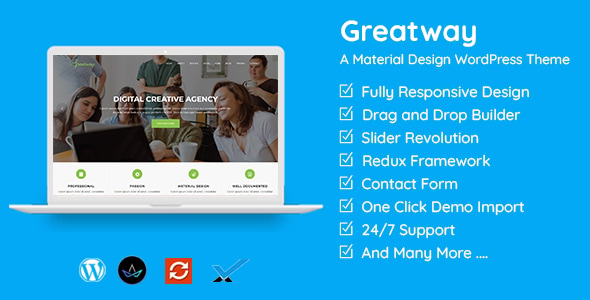


Greatway – Material Design WordPress Theme is a WordPress theme that embraces the Material Design principles by Google. It’s designed to provide a clean, modern, and user-friendly experience, with smooth animations, dynamic layouts, and a visually appealing interface. Material Design focuses on creating intuitive, flat, and responsive designs with clear visual hierarchies and interactive elements that react to user input.
Greatway, as a Material Design WordPress theme, is typically used for websites such as blogs, portfolios, corporate sites, and even e-commerce stores. Its design elements follow Google's Material Design guidelines, focusing on enhancing user experience through simple, functional design, realistic shadows, and motion-based interactions.
Key Features of Greatway – Material Design WordPress Theme:
- Material Design Aesthetic:
- Incorporates Material Design principles such as bold colors, flat surfaces, and depth effects like shadows and lighting.
- Responsive design ensuring compatibility across devices (desktops, tablets, and smartphones).
- Smooth animations and transition effects for a more interactive and engaging user experience.
- Fully Customizable:
- Drag-and-drop page builder compatibility (like Elementor or WPBakery), making it easy for users to create custom layouts without coding knowledge.
- Options to customize typography, color schemes, and layouts directly from the WordPress Customizer.
- Pre-Built Demos:
- Includes several pre-designed demo websites that users can import with a single click, allowing for quick setup and getting started.
- Demos can cover various niches such as business, portfolio, blog, and more.
- Typography and Iconography:
- Integrated with Google Fonts and Material Icons, offering a wide range of typography and icon customization options to enhance the site’s design.
- Typography and icons are optimized for readability and aesthetic appeal, reflecting the Material Design philosophy.
- SEO-Friendly:
- The theme is optimized for SEO, helping your website rank better in search engines.
- Clean and optimized code ensures that search engine crawlers can easily index your content.
- Speed and Performance Optimized:
- Lightweight design that improves loading speeds.
- Optimized CSS and JavaScript to ensure a fast user experience across devices.
- WooCommerce Support:
- If you’re looking to set up an online store, WooCommerce support is included, allowing you to create a fully functional e-commerce site.
- Material Design principles are maintained even within the shop page, providing a seamless user experience.
- Mobile-Friendly:
- Fully responsive and optimized for mobile devices, ensuring a great experience on smartphones and tablets.
- Touch-friendly design elements for an intuitive browsing experience on mobile.
- Integrated Blog:
- Perfect for bloggers, as it supports various post formats such as image, video, gallery, audio, and quote.
- Clean and visually engaging blog layouts that emphasize content.
- Regular Updates & Support:
- Theme developers typically provide regular updates for bug fixes, security patches, and new features.
- Access to customer support for troubleshooting and assistance.
- Custom Widgets and Shortcodes:
- Includes a variety of custom widgets like recent posts, popular posts, social media integration, and more.
- A library of shortcodes to add advanced elements such as buttons, columns, galleries, etc., without coding.
Example Use Cases for Greatway Theme:
- Business Websites:
- Showcase your business or corporate identity with a modern, clean design that highlights your services, team, and portfolio.
- Portfolio Websites:
- Great for creatives like photographers, designers, and developers who want to showcase their work in an organized and visually appealing way.
- Blog Websites:
- Personal blogs, travel blogs, or tech blogs can benefit from the clean, user-friendly blog layouts that prioritize readability.
- E-Commerce Stores:
- Use WooCommerce support to set up a store and sell products while maintaining a modern look and feel.
- Personal Websites:
- Individuals can use it for resumes, personal portfolios, or as a space to share their thoughts or projects.
Installation and Setup of Greatway Theme:
- Install the Theme:
- From the WordPress dashboard, go to Appearance > Themes and click on Add New.
- Upload the Greatway theme zip file if you have it downloaded from the theme provider or marketplace.
- Activate the theme once it’s installed.
- Import Demo Content:
- After activating the theme, you may be prompted to import demo content. This gives you pre-built pages and posts that match the demo website.
- Go to Appearance > Import Demo Data and follow the instructions to get started.
- Customize the Theme:
- After importing demo data, use the WordPress Customizer to adjust the theme settings like logo, colors, fonts, etc.
- Use a page builder plugin (Elementor or WPBakery) if included to create custom page layouts easily.
- Set Up WooCommerce (if applicable):
- If you want to use WooCommerce, install and activate the plugin from the WordPress plugin repository.
- Follow the WooCommerce setup wizard to configure your products, payment methods, and shipping options.






























