
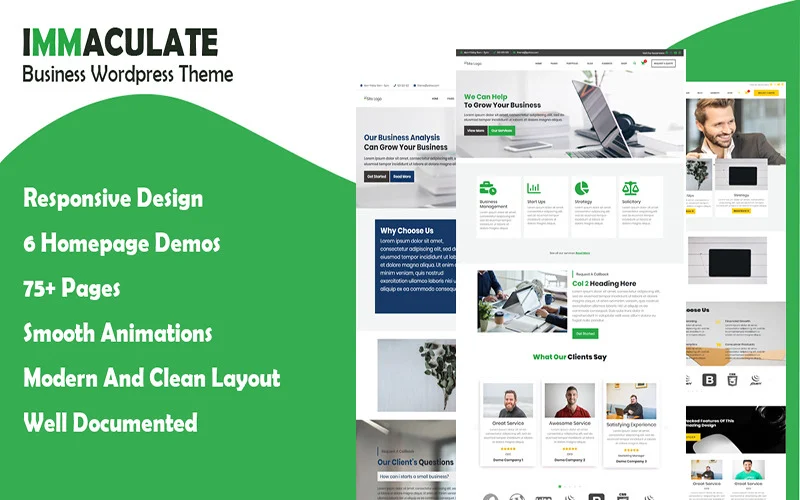


Immaculate Business is a Multipurpose Consulting WordPress Theme designed for businesses and professionals offering consulting services across various industries. Whether you're a financial consultant, marketing agency, management consultant, or business coach, Immaculate Business provides the tools and features needed to create a polished and professional website that showcases your expertise, services, and client success stories.
Key Features of Immaculate Business:
- Multipurpose Design:
- Immaculate Business is built with versatility in mind, offering a range of pre-designed templates that can be customized to suit various types of consulting businesses. It works for management consultants, financial advisors, business coaches, marketing consultants, IT consulting firms, and more.
- The theme comes with a set of layouts and design styles that you can choose from, ensuring that your website looks professional while reflecting your brand’s unique identity.
- Pre-built Demo Content:
- The theme includes several demo import options, allowing you to quickly set up your website with pre-designed content. Whether you’re showcasing your services, team, case studies, or testimonials, these demos make it easier to launch your website without having to design everything from scratch.
- Fully Responsive Design:
- Immaculate Business is fully responsive, ensuring that your website will look and perform well on all devices, from desktop computers to tablets and smartphones. This is important for keeping potential clients engaged, no matter what device they're using.
- One-Click Demo Import:
- The One-Click Demo Import feature enables you to quickly import demo content with just a single click. This is ideal for getting your site up and running fast while giving you a solid base to work from and customize as you like.
- Multiple Homepage Layouts:
- The theme offers multiple homepage layouts, allowing you to choose the style that best represents your business. You can select from options like a traditional grid layout, a modern one-page design, or a layout that highlights your services and client testimonials.
- Service & Consulting Page Templates:
- Immaculate Business includes dedicated pages for showcasing your services, including Service Overview Pages and Consulting Process Pages. You can display what services you offer, how you help clients, and why your consulting business stands out.
- You can also feature case studies or success stories that demonstrate your expertise and show potential clients the results you’ve achieved.
- Team Member Showcase:
- The theme allows you to showcase your team members with detailed profiles, including photos, bios, and their areas of expertise. This feature helps build trust with your audience by highlighting the qualifications and experience of your consultants or staff.
- Case Studies & Portfolio:
- Immaculate Business comes with a portfolio and case study section, making it easy to share past projects or examples of successful work with clients. You can display these using eye-catching layouts and include detailed descriptions of each case study.
- Client Testimonials & Reviews:
- Client testimonials are a powerful way to build credibility. Immaculate Business includes built-in options for displaying client reviews and testimonials in a stylish way. You can add quotes from happy clients, along with their names and images, to show the positive impact your consulting business has had.
- Blog Section:
- The theme comes with a built-in blog section, allowing you to share valuable insights, industry news, or thought leadership pieces. Regularly posting on your blog helps with SEO and provides additional value to potential clients. You can also use it to demonstrate your expertise and engage with your audience.
- Customizable with Drag-and-Drop Builder:
- The theme integrates with Elementor, a popular drag-and-drop page builder plugin. This allows you to easily customize page layouts, sections, and content without needing to write any code. You can simply drag and drop elements like images, text, and buttons to create the design you envision.
- SEO Optimized:
- Immaculate Business is built with SEO best practices in mind. It’s optimized for fast loading times, clean code, and includes SEO-friendly features like customizable meta descriptions and header tags. This helps improve your visibility in search engines, making it easier for potential clients to find you online.
- Speed & Performance Optimized:
- The theme is optimized for fast loading times, helping to improve user experience and search engine rankings. Clients are more likely to stay on your site if it loads quickly, and faster websites tend to rank higher in Google’s search results.
- Custom Widgets:
- Immaculate Business includes custom widgets such as recent posts, client logos, contact forms, and testimonials, which you can easily add to any page or widgetized area of your site.
- WooCommerce Compatibility:
- If you plan to sell any services, courses, or digital products directly from your site, Immaculate Business is fully compatible with WooCommerce, the most popular e-commerce plugin for WordPress. You can set up an online shop for your business and start selling products or services easily.
- Advanced Theme Customization:
- The theme provides an easy-to-use theme options panel where you can modify your website’s layout, color scheme, fonts, and other design elements. You can adjust these settings without needing to touch any code.
- Multi-language & RTL Support:
- If you want to cater to an international audience, Immaculate Business supports multiple languages and right-to-left (RTL) text. You can easily translate your site into other languages or cater to audiences in regions where RTL is used.
- Regular Updates and Support:
- The theme comes with regular updates to ensure it stays compatible with the latest version of WordPress and other plugins. Plus, you’ll receive customer support to help with any technical issues or customization questions you might have.
How to Set Up the Immaculate Business Theme:
- Install WordPress & the Theme:
- First, ensure that WordPress is installed on your site. Then, go to your WordPress dashboard > Appearance > Themes > Add New, and upload the Immaculate Business theme.
- Import Demo Content:
- Use the one-click demo import to import the theme’s pre-built demos, which will quickly set up your site with all the pages, layouts, and content.
- Customize with Elementor:
- Start customizing the pre-built content using Elementor. Change text, images, colors, and section layouts to match your branding and services.
- Add Your Services:
- Update the services pages to include your specific consulting offerings. You can add information about the types of consulting you provide, along with any client success stories or case studies.
- Showcase Your Team:
- Update the team pages with detailed profiles of your consultants. Include their names, roles, photos, and expertise, which helps build trust with potential clients.
- Set Up Testimonials & Case Studies:
- Add client testimonials and case studies to build credibility and showcase your business’s success stories. This will help establish authority in your niche.
- Optimize for SEO:
- Install an SEO plugin like Yoast SEO or RankMath to fine-tune your site for search engine rankings. Customize your meta titles and descriptions for better visibility.
- Launch & Promote:
- Once you’ve completed the customization, test the site on various devices, and make sure everything looks great and works well. Then, promote your new website to your audience via email, social media, and other marketing channels.






























