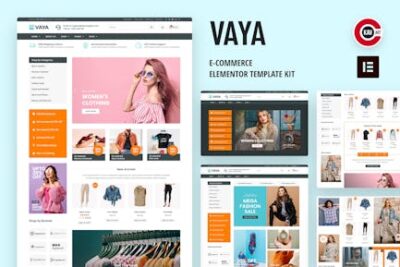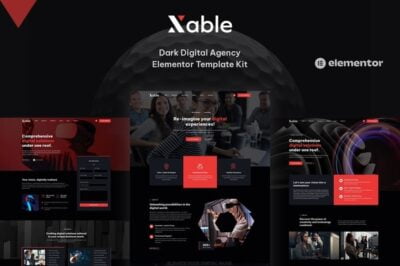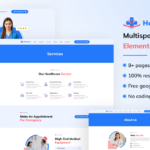

Interiorist is a Ready-to-Use Elementor Kit designed specifically for businesses in the real estate industry, such as property buyers, sellers, agents, or agencies. It helps create a professional and visually appealing website that allows users to showcase properties, list homes for sale or rent, and interact with potential buyers and sellers. This kit makes it easy for real estate professionals to set up a fully functional, user-friendly website without needing to write any code, thanks to its integration with Elementor.
Key Features of Interiorist Elementor Kit:
- Pre-built, Fully Designed Pages:
- Interiorist comes with a complete set of pre-designed pages optimized for real estate purposes. These include:
- Homepage
- Property Listings Page
- Single Property Pages
- About Us Page
- Contact Us Page
- Blog Section
- Services Pages
- FAQ Page
- Testimonials Page
- Property Search Page
- These pages are ready to go and can be customized to suit your brand and property listings.
- Interiorist comes with a complete set of pre-designed pages optimized for real estate purposes. These include:
- Easy Drag-and-Drop Editing with Elementor:
- Since Interiorist is built for Elementor, it offers a drag-and-drop page builder, making customization intuitive and accessible, even for beginners. You can edit every page easily by dragging elements, such as text, images, property listings, and widgets, into place without needing to code.
- Responsive and Mobile-Friendly:
- Interiorist is fully responsive, ensuring your website looks great and works well on all devices, whether it's a desktop, tablet, or smartphone. This is crucial, as many property buyers use mobile devices to browse listings and contact agents.
- Property Listings Display:
- The theme is designed to showcase property listings effectively. You can add details such as property type (apartment, house, office, etc.), location, price, images, and more. It also allows you to include features like virtual tours, floor plans, and other interactive elements to make properties stand out.
- Property Filters allow visitors to easily search for homes based on location, price, bedrooms, and more, improving the overall user experience.
- Advanced Property Search:
- The property search feature allows potential buyers and renters to filter properties based on specific criteria, such as price range, type of property, square footage, and location. This makes it easier for users to find properties that match their needs.
- Property Gallery and Image Lightbox:
- Interiorist lets you create attractive property galleries to display multiple images for each listing. It also includes an image lightbox feature, allowing visitors to click on images for a larger, detailed view. This is essential for real estate websites where high-quality visuals play a key role in attracting potential buyers.
- Single Property Pages:
- Interiorist features detailed single property pages where you can provide comprehensive information about individual listings. You can showcase high-quality images, floor plans, virtual tours, features, agent contact details, and even integrate Google Maps to show the property’s exact location.
- Call to Action (CTA) Buttons:
- The kit includes strategically placed Call-to-Action buttons, like “Schedule a Viewing”, “Request More Information”, and “Contact Agent”. These CTAs help guide users towards taking the next steps in the buying or renting process.
- Integration with Contact Forms and CRM:
- Interiorist integrates with contact form plugins, allowing you to capture leads directly from your website. You can set up forms for property inquiries, general contact, or newsletter sign-ups. It's also compatible with CRM tools, so you can manage leads effectively.
- Pre-designed Blog Section:
- Interiorist includes a blog section where you can post news, articles, and updates related to the real estate industry. This helps with SEO and keeps your audience engaged. Posting about local market trends, buying tips, or property showcases is a great way to drive traffic to your site.
- SEO Optimized:
- The Interiorist kit is built with SEO best practices in mind, ensuring your site is set up to rank well in search engines. From fast loading times to optimized image sizes and metadata, the kit helps improve your visibility online, which is crucial in the competitive real estate market.
- Custom Widgets:
- The theme includes custom widgets such as:
- Featured Listings
- Recent Properties
- Property Search
- Testimonials
- Team Members
- These widgets help you add important information to your homepage or other pages with minimal effort.
- The theme includes custom widgets such as:
- Social Media Integration:
- Interiorist allows you to integrate your social media profiles, such as Facebook, Instagram, Twitter, and LinkedIn, on your site. This helps your visitors connect with your business on multiple platforms and improves your online presence.
- Fast Loading Times:
- Interiorist is optimized for speed, ensuring fast load times even with high-resolution property images. Fast websites create a better user experience and improve your SEO ranking, helping you attract more visitors.
- Regular Updates:
- The Interiorist Elementor Kit receives regular updates, ensuring compatibility with the latest versions of WordPress and Elementor, as well as ongoing improvements to features and security.
How to Set Up the Interiorist Elementor Kit:
- Install WordPress & Elementor:
- First, ensure you have WordPress installed on your website. Next, install the Elementor page builder plugin (the free version will work, but Elementor Pro offers more features for customization).
- Install the Interiorist Kit:
- After downloading Interiorist, you will need to import the kit into Elementor. Go to your WordPress dashboard, then navigate to Elementor > Templates > Kit and upload the kit files. Once uploaded, you’ll be able to use the pre-designed templates within Elementor.
- Import Demo Content:
- If Interiorist comes with a demo import feature, use it to import the pre-built pages and content. This will help you get started quickly with the theme’s structure, and you can customize it with your property details.
- Customize the Pages:
- Once the demo content is imported, start customizing the pages using Elementor. Change text, images, and sections to match your real estate listings. You can add or remove widgets, modify the layout, and adjust colors and fonts to align with your brand.
- Add Your Property Listings:
- Use the property listing pages to add your real estate listings. Include property details like price, location, number of rooms, photos, and floor plans. Make sure to include high-quality images to attract potential buyers or renters.
- Set Up Property Search Filters:
- Set up the property search filters to help users easily find properties based on their preferences (price range, location, property type, etc.).
- Add Call-to-Action (CTA) Buttons:
- Make sure to add clear and compelling CTA buttons such as “Contact Us”, “Request a Viewing”, or “Get More Information” throughout the site to encourage interaction and lead generation.
- Integrate Contact Forms:
- Set up contact forms using plugins like Contact Form 7 or WPForms. These forms allow visitors to inquire about properties or ask for more information. You can also integrate with a CRM system to manage your leads.
- Optimize for SEO:
- Install an SEO plugin like Yoast SEO or RankMath and optimize your website’s pages. Add meta descriptions, alt text for images, and optimize for keywords related to your real estate business and local area.
- Test and Launch:
- Before launching, make sure to test your site for responsiveness on mobile, tablet, and desktop devices. Check that everything functions properly, including the search filters, contact forms, and CTA buttons. Once you're happy with the setup, publish your site!