
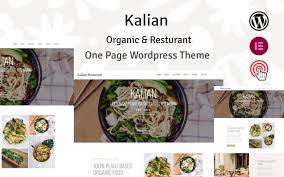


Kalian is a clean, modern, and stylish WordPress theme designed specifically for organic restaurants, cafes, and businesses that focus on healthy eating and organic food. Whether you run a farm-to-table restaurant, a vegan café, or a health-conscious bistro, Kalian offers the perfect design and features to showcase your menu, tell your story, and engage with your customers.
Key Features of the Kalian Theme:
- Organic and Fresh Design:
- Kalian has a fresh, organic look that aligns perfectly with businesses that emphasize healthy and organic food. The theme uses soft, natural colors and clean design elements that create a welcoming atmosphere, perfect for an organic restaurant or café.
- Fully Responsive and Mobile-Friendly:
- The theme is responsive, meaning it looks great on any device, whether it’s a smartphone, tablet, or desktop. A mobile-friendly design ensures that your customers can easily browse your menu, make reservations, or contact you on the go.
- Pre-built Demo Import:
- Kalian comes with pre-built demo content that you can import with just one click. This feature helps you quickly set up your website, giving you a professional design to start with that you can customize to fit your brand.
- Menu Showcase:
- The theme features a beautiful menu display with customizable sections. You can easily showcase your dishes, categorize them (e.g., appetizers, mains, desserts), and even include prices and ingredients. This helps potential customers explore your offerings in a visually appealing way.
- Online Reservation System:
- Kalian supports an online reservation system that allows customers to book a table directly from your website. This feature streamlines the booking process, making it convenient for customers and easy to manage for you.
- WooCommerce Integration:
- The theme is WooCommerce-compatible, so you can set up an online store to sell products like organic ingredients, cooking books, or merchandise. WooCommerce makes it easy to manage products, payments, and shipping for your online sales.
- Event and Promotion Management:
- Kalian includes sections for promoting special events like cooking classes, themed nights, or seasonal promotions. It also lets you highlight any offers, helping you keep your customers updated on upcoming events and deals.
- Customizable Header & Footer:
- You can easily customize the header and footer to fit your branding. The theme supports options like adding your logo, social media links, and contact information, making it easy to connect with customers.
- Image Gallery:
- A gallery section allows you to showcase high-quality images of your organic dishes, ingredients, and restaurant ambiance. Customers can see the quality of your food and environment before visiting, enhancing their decision to dine at your establishment.
- Testimonial Section:
- Kalian comes with a testimonial section where you can showcase feedback from satisfied customers. Testimonials help build trust with potential customers and can be a great way to highlight the positive experiences of people who have dined at your restaurant.
- SEO Optimized:
- The theme is designed with SEO best practices in mind, helping you rank higher in search engine results. This will increase your online visibility, making it easier for customers to find your organic restaurant when searching for healthy dining options in your area.
- Social Media Integration:
- Kalian integrates with social media platforms, allowing you to link your social profiles (e.g., Instagram, Facebook, Twitter). You can also display your social media feeds directly on your website to engage with customers and keep them updated on daily specials and new dishes.
- Blog Layout:
- The theme includes a blog section, where you can share recipes, healthy living tips, sustainability efforts, or any other content that resonates with your brand. Blogging is a great way to engage with your audience and improve SEO by creating valuable content.
- Retina Ready:
- The theme is retina-ready, ensuring that all images and visual elements appear crisp and sharp on high-resolution screens. This is particularly important for showcasing food images, as you want to make your dishes look as appetizing as possible.
- Customization Options:
- Kalian offers customization options through the WordPress customizer and a visual page builder (like Elementor or WPBakery). You can change the colors, fonts, and layout to match your brand identity, creating a website that feels unique to your restaurant.
- Fast Performance:
- The theme is optimized for fast loading speeds, ensuring your website performs smoothly. Faster load times help improve user experience, decrease bounce rates, and positively affect your search engine rankings.
- Regular Updates & Support:
- Kalian offers regular updates to ensure compatibility with the latest version of WordPress and plugins. The theme also comes with dedicated support, ensuring that if you encounter any issues, help is readily available.
How to Set Up the Kalian Theme:
- Install WordPress & Theme:
- First, make sure you have WordPress installed on your hosting. Go to the Appearance > Themes section, click on Add New, upload the Kalian theme ZIP file, and activate it.
- Import Demo Content:
- Use the one-click demo import feature to quickly set up the demo content. This imports pre-designed layouts and sections, saving you time in building the structure of your site.
- Install Required Plugins:
- Install any required plugins, such as WooCommerce (for an online store), Elementor (if you prefer a drag-and-drop page builder), and any other recommended plugins for functionality like reservations or event management.
- Customize the Theme:
- Use the WordPress Customizer to adjust your site’s colors, fonts, and other design elements. You can also use the Elementor page builder to fine-tune your pages and create a unique look for your website.
- Add Your Content:
- Replace the demo content with your own. Add your menu items, restaurant details, event information, and gallery of images. Be sure to include information about your commitment to organic food and sustainability if that’s part of your brand identity.
- Set Up Reservation System:
- Configure the reservation system on your website so customers can book a table directly from your site. There are various plugins available that can handle this functionality, or you can use the default one if included.
- Optimize for SEO:
- Install an SEO plugin like Yoast SEO or RankMath to optimize your website for search engines. Add meta descriptions, keywords, and other on-page SEO elements to improve visibility.
- Test Your Site:
- Before launching, test your website’s responsiveness, forms, and performance on different devices and browsers to ensure everything works smoothly.
- Launch & Promote:
- Once everything is set up, you can launch your website and start promoting your restaurant. Share it on social media, use email marketing to inform customers of promotions, and encourage them to make reservations or order online.






























