

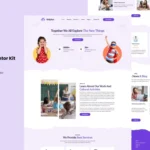

Khushii is a Digital Agency WordPress theme designed for businesses and agencies that offer digital services such as marketing, branding, web design, SEO, social media management, and more. With its clean, professional design and powerful features, Khushii is a great choice for building a modern website to showcase your digital agency’s services and attract new clients.
Key Features of the Khushii Theme:
- Modern & Professional Design:
- Khushii features a sleek and modern design that is both stylish and functional. The theme is crafted to look professional and convey trust, which is essential for digital agencies that want to establish a strong online presence.
- Multiple Pre-Built Demos:
- The theme comes with multiple pre-designed demo layouts that you can import with just a few clicks. This helps you get started quickly with a ready-made design that you can easily customize to reflect your agency’s branding and content.
- Drag-and-Drop Page Builder (Elementor):
- Khushii is compatible with Elementor, a popular page builder plugin for WordPress. This allows you to design and customize your site easily using a drag-and-drop editor—no coding required. You can create stunning pages and layouts by simply dragging and dropping elements into place.
- Service Pages:
- Khushii provides dedicated templates for service pages, so you can clearly present the digital services you offer. Whether it's SEO, PPC, web design, or social media management, the theme lets you organize and showcase your offerings in an engaging and easy-to-navigate manner.
- Portfolio Layouts:
- The theme offers portfolio layouts that allow you to showcase your best work. Whether you’re showing off web design projects, branding campaigns, or marketing results, Khushii has a range of portfolio options that let you present your projects beautifully.
- Client Testimonials:
- Khushii includes testimonial sections where you can display feedback from satisfied clients. Testimonials help build social proof and trust, which are crucial for attracting new clients. You can customize the layout and style of the testimonial section to fit your needs.
- Team & About Pages:
- There are team member sections included, allowing you to showcase your team of digital professionals. You can add their images, titles, skills, and bios. An about page helps tell the story of your agency, your mission, and the values that drive your work.
- One-Click Demo Import:
- With the one-click demo import feature, you can quickly set up your website with the same layout, style, and content as shown in the demo. This eliminates the need for manual setup and allows you to get your site up and running in no time.
- SEO Optimized:
- Khushii is built with SEO best practices in mind, including optimized code and fast load times. This ensures that your website ranks well in search engines, which is important for any digital agency looking to attract organic traffic.
- Responsive & Mobile-Friendly:
- The theme is fully responsive, meaning it will look great on all devices, including smartphones, tablets, and desktops. This is important for providing an optimal user experience for visitors on any device.
- Blog Layout:
- Khushii includes a blog section, which allows you to share industry insights, digital marketing tips, case studies, and other relevant content. Blogging is a great way to engage your audience and improve your site’s SEO.
- WooCommerce Compatibility:
- If you plan to sell digital products (like eBooks, courses, or templates), Khushii is fully compatible with WooCommerce, allowing you to set up an online store to sell your services or products directly from your site.
- Customizable Header & Footer:
- You can easily customize the header and footer of your website to match your branding. The theme offers a range of header styles, including options for sticky headers, minimalist headers, and more. The footer can be customized with social media links, contact information, and more.
- Advanced Theme Options:
- The theme comes with an advanced options panel where you can adjust key settings, including colors, fonts, layouts, and more. This makes it easy to tailor the theme to your brand’s style without needing to edit any code.
- Retina Ready:
- Khushii is retina ready, meaning it will look sharp and crisp on high-resolution screens. This ensures that images, logos, and other design elements appear clear and professional, even on devices with high pixel density.
- Fast Performance:
- The theme is designed to load quickly and provide a smooth user experience. Faster load times help reduce bounce rates and improve your site’s performance in search engine rankings.
- Regular Updates & Support:
- Khushii comes with regular updates to ensure compatibility with the latest version of WordPress and any plugins it uses. Additionally, you have access to dedicated support for any issues or questions you may have while using the theme.
How to Set Up the Khushii Theme:
- Install WordPress & Theme:
- Make sure that WordPress is installed on your hosting platform. Once you’ve installed WordPress, go to the Appearance > Themes > Add New section in your WordPress dashboard, upload the Khushii theme ZIP file, and activate it.
- Import Demo Content:
- Once the theme is activated, you can use the one-click demo import feature to import the demo content, which includes pre-built layouts, pages, and settings. This is a quick way to set up your site exactly like the demo.
- Install Required Plugins:
- The theme may require some additional plugins to function properly. These include Elementor (for page building), WooCommerce (for eCommerce), Contact Form 7 (for forms), and other plugins specified by the theme. Install and activate these plugins.
- Customize the Theme:
- Use the Elementor page builder to customize the design of your website. You can drag and drop widgets, change text, upload images, and create new pages. The theme options panel allows you to customize the header, footer, colors, and fonts.
- Add Your Content:
- Replace the demo content with your own. Add your services, portfolio items, client testimonials, and any other information about your agency. You can also customize the about page to tell your agency’s story and highlight your team members.
- Set Up Your Blog & SEO:
- If you plan to use a blog, start creating posts about topics that interest your target audience. Make sure to optimize your content for SEO to improve your site’s search engine rankings and attract more visitors.
- Set Up Your Contact Form & Social Links:
- Create a contact form using Contact Form 7 to allow potential clients to get in touch with you. Also, add links to your social media profiles in the header, footer, or dedicated social section to connect with clients on other platforms.
- Test Your Website:
- Before launching your site, test all features to make sure everything is functioning correctly, including contact forms, portfolio sections, and service pages. Make sure the site looks great on mobile devices as well.
- Launch & Promote:
- Once you’re satisfied with the design and content, it’s time to launch your website. Share it on your social media channels, send an email announcement to your clients, and start promoting your services online.






























