

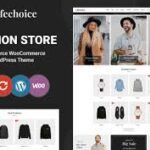

Kinderia is a WooCommerce WordPress theme designed specifically for children’s fashion stores, whether you’re selling clothing, accessories, or other kids-related products. The theme’s modern, colorful, and playful design is perfect for creating an engaging and friendly online store for parents shopping for their children. With various layout options and powerful features, Kinderia is a great choice for creating a professional eCommerce website to sell children’s apparel and related products.
Key Features of the Kinderia Theme:
- Vibrant & Fun Design:
- Kinderia features a playful and colorful design, making it ideal for a kids’ fashion store. The design incorporates fun, eye-catching colors and elements that appeal to both parents and children, helping to create a warm and welcoming shopping environment.
- Pre-built Demo Content:
- The theme comes with multiple demo layouts that you can import with a single click. This gives you a fully designed website structure with all the necessary pages, allowing you to get started quickly and then customize the content to match your brand and products.
- WooCommerce Integration:
- Kinderia is fully integrated with WooCommerce, allowing you to sell products online with ease. It supports various product types (simple, variable, grouped, and external products), along with a range of payment options, shipping methods, and tax calculations.
- Responsive & Mobile-Friendly:
- Kinderia is fully responsive, meaning your online store will look great on all devices, including smartphones, tablets, and desktops. This is particularly important for reaching parents who may be shopping on the go, whether at home or out and about.
- Customizable Shop Pages:
- You can customize the shop page layout to fit your style and product range. The theme offers several options for displaying products, such as grid view, list view, and sidebar options. You can showcase featured products, best-sellers, and new arrivals to help customers find what they need more easily.
- Product Quick View:
- The product quick view feature allows customers to get a closer look at product details without leaving the shop page. They can see product images, descriptions, and prices quickly, making it easier to shop.
- Multiple Header & Footer Layouts:
- Kinderia offers multiple header and footer options that allow you to choose the layout that best fits your store’s branding. You can display key elements like your logo, search bar, cart icon, and navigation menu in a way that enhances the user experience.
- Product Filters & Sorting:
- The theme includes advanced product filters and sorting options, allowing customers to filter by categories such as size, color, price, and brand. This makes it easier for customers to narrow down their search and find the perfect items quickly.
- Wishlist & Compare:
- Kinderia supports wishlist and compare features, allowing customers to save their favorite products for later purchase or compare different products side by side. These features improve the shopping experience and increase the likelihood of future sales.
- Detailed Product Pages:
- Product pages are designed to display all the important details about your products. You can add product descriptions, images, sizes, prices, and customer reviews. The page layout is customizable, so you can tailor it to suit your store’s needs.
- SEO Optimized:
- Kinderia is designed with SEO best practices in mind, which helps improve your search engine ranking. With clean code, fast load times, and customizable metadata, your site will be more likely to rank higher in search engine results.
- Multi-currency & Multi-language Support:
- If you plan to sell internationally, Kinderia offers multi-currency and multi-language support, making it easy for you to cater to a global audience. This feature is crucial for reaching customers across different countries.
- Advanced Theme Customizer:
- Kinderia offers an advanced theme customizer that allows you to easily change global settings such as colors, typography, layouts, and more. You can personalize your store to match your brand’s identity without needing to write any code.
- Product Zoom & Gallery:
- The theme includes a product zoom feature that allows customers to see larger, more detailed images of your products. It also includes a product gallery where customers can view multiple images of the product from different angles.
- Blog Layout:
- Kinderia includes a blog section where you can share fashion tips, trends, product launches, or other content that resonates with your audience. Blogging is a great way to engage with potential customers and improve your store's SEO.
- One-Click Demo Import:
- The one-click demo import feature allows you to quickly set up your website with demo content, so you don’t have to start from scratch. Importing the demo helps you get a basic layout and structure, which you can then tweak to make your own.
- Fast Performance & Lightweight:
- Kinderia is optimized for speed, ensuring that your website loads quickly. This is important for providing a great user experience and reducing bounce rates, especially for visitors on mobile devices.
- Regular Updates & Support:
- Kinderia comes with regular updates to ensure compatibility with the latest version of WordPress and WooCommerce. Additionally, you’ll have access to dedicated customer support to help with any questions or technical issues you may encounter.
How to Set Up the Kinderia Theme:
- Install WordPress & Theme:
- First, ensure you have WordPress installed on your hosting account. Then, go to Appearance > Themes > Add New, upload the Kinderia theme ZIP file, and activate it.
- Import Demo Content:
- To get started quickly, use the one-click demo import feature. This will import the theme’s demo content, including layout, structure, and default settings. You can then begin customizing your site with your own products, images, and content.
- Install Required Plugins:
- Install any recommended plugins, such as WooCommerce (for product management and online sales), Contact Form 7 (for creating contact forms), and Revolution Slider (for advanced sliders). These plugins will add additional features to your website.
- Customize the Website:
- Use the WordPress Customizer to adjust global settings like colors, fonts, and logos. Customize the layout and product pages to match your store’s branding and create a consistent shopping experience.
- Add Products:
- Use WooCommerce to add your children’s fashion products, including images, prices, descriptions, and categories. Organize your products into relevant categories (e.g., clothing, accessories, footwear) to make navigation easier for customers.
- Set Up Payment & Shipping:
- Configure your payment gateways (PayPal, Stripe, etc.) and shipping options in WooCommerce. You can set up different shipping zones, rates, and delivery methods, making it easy to process orders from customers.
- Optimize for SEO:
- Install an SEO plugin like Yoast SEO or Rank Math to improve your site’s search engine ranking. Add relevant keywords, meta descriptions, and alt text for images to boost visibility.
- Test & Launch:
- Before launching your site, test all features like the shopping cart, checkout process, and contact forms. Ensure the site is mobile-friendly and that product images load properly. Once everything is set up, you’re ready to launch!






























