

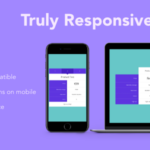

Link Folio is a modern, minimalist WordPress theme designed for personal portfolios, professional showcase websites, and creative portfolios. It is ideal for individuals who want to highlight their work, skills, and achievements in a clean and visually appealing manner. Link Folio features a sleek, professional design with easy-to-use features and customization options that make it easy to build a portfolio website without the need for coding skills.
Key Features of Link Folio:
- Minimalist Design:
- The theme focuses on providing a clean, minimalist design that puts your work front and center. There are no unnecessary distractions, allowing visitors to easily browse and engage with your portfolio.
- Responsive Layout:
- Link Folio is fully responsive, meaning your website will look great on any device, whether it's a desktop, tablet, or smartphone. This ensures that your portfolio is accessible to users across all platforms.
- Customizable Portfolio:
- You can easily add projects, images, videos, and descriptions to showcase your work. Link Folio supports various portfolio styles, such as grids, lists, and carousels, giving you the flexibility to choose how to display your content.
- Easy Customization:
- With the built-in WordPress customizer, you can modify colors, fonts, layouts, and other visual elements without needing to write any code. You can easily adjust the design to match your personal or professional branding.
- SEO-Friendly:
- Link Folio is built with SEO best practices in mind, ensuring your portfolio site is search engine-friendly. This helps improve the visibility of your work and attract more visitors to your site.
- Fast Loading Speed:
- The theme is optimized for speed, ensuring that your website loads quickly. Fast loading times are important for keeping users engaged and improving your site's SEO rankings.
- Social Media Integration:
- Link Folio offers social media integration, making it easy to link your portfolio to your professional social profiles, such as LinkedIn, Twitter, Instagram, or other platforms. This helps increase your online presence and networking opportunities.
- Typography and Font Customization:
- The theme allows you to customize typography settings, including font style, size, and color. You can choose fonts that complement your personal or brand identity.
- One-Click Demo Import:
- Link Folio provides one-click demo import functionality, which makes it easy to import demo content and quickly set up your website to look like the theme demo. This feature is perfect for users who want to launch their website quickly without spending too much time on setup.
- Built-in Contact Form:
- Link Folio comes with a built-in contact form, so you can easily connect with potential clients, collaborators, or employers. The form is simple to use and customize to fit your needs.
- Cross-Browser Compatibility:
- The theme is tested to work well with all major browsers, including Chrome, Firefox, Safari, and Edge, ensuring that your website is accessible to a wide range of users.
- Translation Ready:
- Link Folio is translation-ready, allowing you to easily translate your website into multiple languages if you want to reach an international audience.
- Regular Updates:
- The theme is regularly updated to ensure it stays compatible with the latest WordPress versions. This includes bug fixes, new features, and improvements.
Benefits of Using Link Folio:
- Simplicity:
- With its minimalist design, Link Folio helps you create a sleek, professional portfolio website without the clutter. It focuses on showcasing your work in a clean and organized way.
- Professional Appeal:
- The design and layout are perfect for professionals looking to create an online portfolio that is both visually appealing and easy to navigate. Whether you're a designer, photographer, developer, or any other creative professional, Link Folio allows you to present your work in the best light.
- Customizable and Flexible:
- The theme provides plenty of customization options to adapt it to your personal brand. You can change fonts, colors, layouts, and more, ensuring your website truly reflects your identity.
- User-Friendly:
- Link Folio is easy to set up and use, even for those without technical expertise. The one-click demo import feature and live customizer make it easy to configure your site with minimal effort.
- SEO Optimized:
- The theme's SEO-friendly structure helps ensure that your portfolio is discoverable by search engines. This can help boost your site's visibility and attract more potential clients or employers.
- Fully Responsive:
- With mobile traffic increasing, it's essential to have a responsive design. Link Folio ensures that your portfolio looks great and functions well across all devices, from mobile phones to desktops.
- Built-in Social Features:
- Integrating social media links is a great way to expand your professional network. With Link Folio, you can easily link to your social profiles and encourage visitors to engage with you on different platforms.
- Fast Loading Time:
- Link Folio is designed to load quickly, helping to keep visitors engaged. Fast-loading websites also tend to perform better in search engine rankings, which is another advantage for visibility.
- Easy Portfolio Management:
- Adding, editing, and managing your portfolio items is straightforward with Link Folio. You can quickly upload images, videos, and descriptions to showcase your projects in an organized manner.
How to Set Up Link Folio:
- Install and Activate the Theme:
- Go to your WordPress dashboard and navigate to Appearance > Themes. Click Add New, search for Link Folio, and then click Install and Activate.
- Import Demo Content (Optional):
- If you want to get started quickly, you can use the one-click demo import to add demo content. This will set up your site to resemble the theme demo, allowing you to make quick adjustments.
- Customize Your Website:
- Go to Appearance > Customize to adjust the theme’s settings. You can change colors, fonts, layouts, and more to personalize the look and feel of your site.
- Add Portfolio Items:
- To showcase your work, go to the Portfolio section in your WordPress dashboard. Add images, descriptions, and other details for each project you want to feature on your site.
- Set Up Social Media Links:
- Add links to your social media profiles in the Customizer to make it easy for visitors to connect with you on various platforms.
- Set Up Contact Form:
- Link Folio includes a built-in contact form. You can easily configure it to allow visitors to send you messages, inquiries, or requests.
- Preview and Publish:
- Once you’re satisfied with your setup, preview your site to ensure everything looks good, and then publish it live for the world to see.






























