
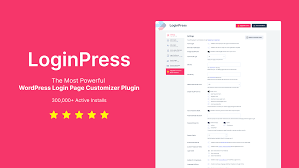
LoginPress Pro is a premium WordPress plugin that allows you to easily customize and enhance the login page of your WordPress website. It provides advanced features for creating a branded, user-friendly, and secure login experience for both site administrators and users. With LoginPress Pro, you can customize the look and feel of your login page without needing to write any code.
Here’s a breakdown of the key features and functionalities of LoginPress Pro:
Key Features:
- Login Page Customization:
- Visual Customizer: LoginPress Pro provides a live preview visual customizer for modifying the login page design. You can make changes in real-time and immediately see how your login page looks.
- Custom Logo: You can upload your own custom logo for the login page, making it reflect your brand identity. It’s a simple and effective way to maintain consistent branding across your site.
- Custom Backgrounds: Set a custom background image or color for your login page. Choose from solid colors or upload a high-quality image that matches your website’s theme.
- Customizable Form Fields: You can style the login form fields, including text boxes, submit buttons, and other elements to match your website's design style.
- Login Form Styling:
- Button Customization: Customize the login button's text, color, size, and style. You can also set hover effects to make the button more interactive.
- Font and Typography: Easily change the fonts and typography for your login page. Select from available fonts, adjust the size, weight, and line height to ensure readability and aesthetic appeal.
- Color Scheme: Customize the color scheme of the login page, including text color, background color, input field color, and more. This gives you full control over how the page appears to users.
- Custom CSS:
- If you have specific design preferences, LoginPress Pro allows you to add custom CSS to further personalize the login page. This is ideal for users who are familiar with CSS or want to implement advanced customizations.
- Custom Redirects:
- Redirect After Login: Set a custom URL for users to be redirected to after they log in. This can be useful if you want users to be directed to a specific page, such as a dashboard or landing page, after they log in.
- Redirect After Logout: Similarly, you can set a custom redirect URL for users after they log out. This allows you to send users to a thank-you page, homepage, or any other URL.
- Security Enhancements:
- Custom Login URL: LoginPress Pro allows you to change the default WordPress login URL (
wp-login.php) to a custom one. This helps to improve the security of your site by preventing brute force login attempts and making your site less vulnerable to attacks. - Login Attempt Limitation: Limit the number of login attempts before a user is locked out. This helps to prevent brute force attacks on your website by stopping hackers from trying multiple password combinations.
- Login Page CAPTCHA: You can add a reCAPTCHA to your login form to prevent automated bots from accessing your site. This adds an extra layer of protection to your login page.
- Custom Login URL: LoginPress Pro allows you to change the default WordPress login URL (
- Login Page Widgets:
- Social Login Integration: Add social media login buttons (e.g., Facebook, Google, Twitter, etc.) to your login page. This allows users to log in quickly using their social media accounts, improving user experience and login speed.
- Custom Message: Display custom messages on the login page, such as privacy policies, terms of service, or other important announcements. This can help provide important information to users without redirecting them to separate pages.
- Multisite Support:
- LoginPress Pro supports WordPress Multisite, allowing you to customize login pages for all sites within a WordPress network. You can create a consistent and branded login experience across multiple sites with ease.
- White Labeling:
- White Label your login page to remove any branding from LoginPress and display your own. This is particularly useful for agencies or developers who want to provide clients with a fully branded login page experience.
- Mobile Optimization:
- LoginPress Pro ensures that your login page is fully responsive, meaning it will look great on all devices, including desktops, tablets, and smartphones. The mobile-friendly design ensures a smooth user experience regardless of the device.
- Advanced Login Customization:
- Custom Login Message: Add a personalized message on the login page, such as a welcome message or any other text you want to show before users enter their credentials.
- Custom Login Error Messages: Customize the error messages that appear when a user enters incorrect login details. This helps in making error messages more user-friendly and in line with your website's tone.
- User-Friendly Interface:
- The plugin features an intuitive and easy-to-use interface that does not require any coding knowledge. With LoginPress Pro, you can make sophisticated customizations through a simple drag-and-drop interface or settings panel.
- Backup and Restore:
- You can backup your login page customizations, which allows you to restore them if needed. This is especially helpful if you need to transfer settings from one website to another or if you make accidental changes.
- Custom Branding:
- With LoginPress Pro, you can implement a custom footer in the login page, adding your branding or business info in the footer area for a professional look.
Ideal For:
- Businesses & Agencies: Agencies and businesses that want a branded login experience for employees, clients, or users can benefit from LoginPress Pro. You can customize the look and feel to align with your brand, improve the user experience, and make the login process more seamless.
- E-commerce Websites: WooCommerce stores or any e-commerce platforms running on WordPress can benefit from customizing the login page to create a unique experience for their customers.
- Membership Sites: If you're running a membership site or online community, customizing your login page will help reinforce your brand and provide a more professional look.
- Multisite Networks: For those managing multiple WordPress sites in a multisite network, LoginPress Pro offers a convenient way to customize all login pages across your network from a central dashboard.
How to Use:
- Install the Plugin:
- Purchase, download, and install LoginPress Pro from the official website. You can upload the plugin directly via the WordPress dashboard under Plugins > Add New > Upload Plugin.
- Activate the Plugin:
- Once the plugin is installed, activate it from the Plugins page.
- Customize the Login Page:
- After activation, go to the LoginPress settings in the WordPress dashboard. From here, you can access the visual customizer and start making changes to the login page’s design, layout, and functionality.
- You can upload logos, change backgrounds, modify form fields, and more.
- Add Custom Redirects:
- If needed, configure the login and logout redirects to guide users to specific pages after they log in or out.
- Add Security Features:
- Enable CAPTCHA for login forms, limit login attempts, and consider changing the login URL for enhanced security.
- Test the Login Page:
- Once you have configured the login page, test it by logging in and checking how the page looks on different devices to ensure it’s responsive and functioning as expected.
- Backup Your Customizations:
- Make sure to back up your settings so that you can easily restore them if you make any future changes to your site.






























