


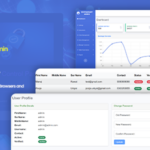
The MainWP Vulnerability Checker Extension is a powerful tool designed to help WordPress website administrators monitor and manage security vulnerabilities across multiple websites from within the MainWP dashboard. This extension is particularly useful for agencies, developers, and WordPress managers who oversee multiple websites and need to ensure that each one is protected from potential security risks.
Key Features of the MainWP Vulnerability Checker Extension:
- Centralized Vulnerability Scanning:
- The extension allows you to scan all connected WordPress sites from a centralized MainWP dashboard, ensuring that you can monitor security risks across multiple sites without having to log in to each one individually.
- Scan for Known Vulnerabilities:
- The Vulnerability Checker scans for known vulnerabilities in WordPress core, themes, and plugins. This includes checking for outdated or vulnerable versions of software components that are often targeted by hackers.
- It helps identify any exposed security risks and alerts administrators to take action before the vulnerabilities can be exploited.
- Real-Time Vulnerability Alerts:
- The extension provides real-time notifications when a vulnerability is detected on one of your WordPress sites. These alerts can be configured to notify you via email or directly within the MainWP dashboard.
- You’ll receive detailed information about the vulnerability, such as the affected plugin or theme, severity level, and possible actions for resolving the issue.
- Comprehensive Vulnerability Database:
- The extension leverages a comprehensive database of known vulnerabilities in WordPress plugins, themes, and the core software. This ensures that your sites are regularly checked against an up-to-date and reliable list of security issues.
- The database is updated regularly to include new vulnerabilities as they are discovered.
- Automatic Vulnerability Detection:
- The extension automatically checks for vulnerabilities on your websites, ensuring that you don’t have to manually run scans each time. This helps maintain proactive security monitoring for all your connected sites.
- You can schedule regular vulnerability checks or run them manually when needed.
- Detailed Reporting:
- After scanning, the Vulnerability Checker provides detailed reports that outline the vulnerabilities found, including information about each vulnerability’s severity level, impact, and recommended fixes.
- You can view a summary of detected vulnerabilities across all sites or dive into individual site details for a closer look at specific issues.
- Integration with WordPress Updates:
- The extension integrates seamlessly with WordPress’ built-in update system, enabling you to directly update outdated plugins, themes, or WordPress core components from within the MainWP dashboard.
- If vulnerabilities are identified in any outdated versions of plugins or themes, you can quickly update them to their latest, secure versions.
- Manual and Automated Fixes:
- Depending on the issue, the extension can either provide automated updates or guide you to take manual action for fixing vulnerabilities.
- In the case of minor issues like outdated plugins or themes, you can update them with just a few clicks. For more complex vulnerabilities, the extension will direct you to the necessary steps for securing the website.
- Compatibility with Third-Party Security Plugins:
- The MainWP Vulnerability Checker Extension works well in conjunction with other WordPress security plugins. While it helps detect vulnerabilities, you can integrate it with security solutions such as firewalls or scanning tools to further enhance your site's security posture.
- Multisite Support:
- Just like other MainWP extensions, the Vulnerability Checker supports multiple WordPress sites. This is ideal for agencies or developers managing several sites, as you can monitor vulnerabilities on all sites from one central location.
How to Use the MainWP Vulnerability Checker Extension:
- Install MainWP and Vulnerability Checker:
- Ensure that MainWP is installed and set up on your WordPress website.
- Then, purchase and install the Vulnerability Checker Extension through the MainWP dashboard. Once installed, activate the extension to enable its features.
- Configure the Extension:
- After activation, you can configure how often the extension should run vulnerability checks. Set a schedule for automatic scans or opt to run them manually when needed.
- Customize the notification settings to receive alerts for detected vulnerabilities via email or directly within the MainWP dashboard.
- Run a Vulnerability Scan:
- To initiate a scan, go to the Vulnerability Checker section in the MainWP dashboard. You can select individual sites or scan all connected sites for vulnerabilities.
- The scan will check each site for outdated plugins, themes, or WordPress core vulnerabilities.
- Review Vulnerability Reports:
- Once the scan is complete, view the report generated by the extension. The report will list any vulnerabilities discovered, along with details such as severity and recommended actions.
- If the extension identifies issues with plugins or themes, it will suggest updates or fixes.
- Take Action:
- Based on the vulnerability report, you can take necessary actions to address the security issues, such as updating outdated plugins and themes.
- For critical vulnerabilities, consider updating or removing the affected plugins or themes entirely to protect the site.
- Ongoing Monitoring:
- To keep your sites protected, set the extension to perform regular scans. MainWP will automatically check for new vulnerabilities as they are discovered and keep you informed with updated reports.
Benefits of the MainWP Vulnerability Checker Extension:
- Proactive Security: Automatically monitors vulnerabilities and alerts you before they can be exploited, reducing the risk of security breaches.
- Centralized Management: Monitor all your sites from one place, saving time and effort compared to managing vulnerabilities individually on each WordPress site.
- Real-Time Alerts: Receive instant notifications of detected vulnerabilities, allowing you to take immediate action to secure your sites.
- Ease of Use: Simplifies vulnerability scanning and reporting, making it easy to maintain a secure WordPress site without requiring advanced technical knowledge.
- Comprehensive Coverage: Scans plugins, themes, and WordPress core for vulnerabilities, providing full coverage for your websites.
- Save Time: Instead of manually checking each site, the extension lets you scan and manage vulnerabilities across all your sites from a single dashboard.






























