
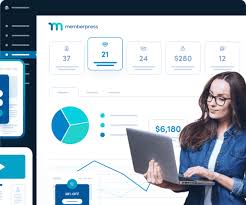
MemberPress – Social Login is an add-on for the MemberPress plugin, which is one of the most popular membership plugins for WordPress. This add-on enables users to log in to your website using their social media accounts, making the login process faster and more convenient. It integrates with several major social networks, allowing users to authenticate themselves through their existing accounts on platforms such as Facebook, Google, Twitter, LinkedIn, and others.
Key Features of MemberPress – Social Login:
- Multiple Social Media Integration:
- The plugin supports a variety of popular social login platforms, including Facebook, Google, Twitter, LinkedIn, Instagram, and others, enabling users to log in without needing to remember separate credentials for your website.
- Seamless User Experience:
- Social login improves the user experience by providing a one-click login option. Users can bypass the need to create a new account or remember passwords, increasing the likelihood of conversions and reducing login friction.
- Easily Integrates with MemberPress:
- This add-on seamlessly integrates with MemberPress, maintaining its powerful membership management features while allowing users to sign up and log in via their social media accounts.
- When users log in through social media, the plugin can create and link a MemberPress account automatically, saving time for both the user and the site owner.
- Customizable Login Buttons:
- The plugin allows you to customize the appearance of the social login buttons. You can modify the design, text, and layout to match the look and feel of your website. This helps maintain consistency with your site's branding.
- Enhanced Registration Process:
- By allowing users to register and log in with their social media accounts, the plugin speeds up the registration process, making it easier for users to access the content or membership area without the friction of filling out long registration forms.
- Access Control Based on Social Login:
- MemberPress allows you to define specific access rules based on user roles. With social login, you can set access control or offer membership restrictions tailored to users who log in via social media. For instance, you could have exclusive content for members who sign up using Facebook or Google.
- Custom Redirects:
- After a successful login via social media, you can set up custom redirects to send users to specific pages (like a dashboard, thank-you page, or member area), enhancing the user experience and guiding them to relevant content after logging in.
- Social Login Analytics:
- The plugin provides analytics on social login activity, allowing you to monitor how many users are logging in through social networks and which platforms are the most popular among your audience. This can help you make informed decisions about which social login options to emphasize.
- Security and Privacy:
- The plugin ensures secure authentication by using industry-standard OAuth protocols for social logins. This helps protect user data while offering an easier and faster way for users to log in.
- MemberPress also respects user privacy, ensuring that no sensitive data is shared with the social media platforms without consent.
- Automatic Account Creation:
- When users log in for the first time using their social media account, the plugin can automatically create a new MemberPress account for them. This ensures that the user has a full account profile and can access member-specific content right away.
- Multi-Account Linking:
- If a user logs in with multiple social media accounts (e.g., Facebook and Google), the plugin allows you to link these accounts to a single MemberPress profile. This feature ensures that the user’s membership details remain intact, regardless of which social media account they use to log in.
- Fully Responsive:
- The social login buttons are fully responsive, meaning they work seamlessly on both desktop and mobile devices, making it easy for users to log in from any device.
- Multi-Language Support:
- The plugin supports multi-language sites, which is especially beneficial for websites with a global audience. Social login buttons and prompts can be displayed in the user's preferred language.
Benefits of Using MemberPress – Social Login:
- Faster Registration and Login:
- Social login simplifies and speeds up the registration and login process, reducing the chances of cart abandonment or drop-off. Users are more likely to sign up if they can use their existing social media credentials rather than create a new account with a separate password.
- Increased Conversion Rates:
- By streamlining the process of joining and logging into your site, you remove barriers for users. This can lead to increased sign-ups, higher engagement, and better conversion rates, particularly for membership or subscription-based websites.
- Higher User Retention:
- The convenience of using social login can improve user retention. Users are more likely to return if they don’t need to remember another password. They can log in quickly with a single click from their social media accounts.
- Improved User Experience:
- Offering multiple ways to log in (social login, email login) gives your users more flexibility. They can choose the login method that works best for them, which leads to a better overall experience on your site.
- Access to Social Profiles:
- With social login, you can potentially gain access to certain profile information (such as the user’s name, email, and profile picture), which can be used to personalize the user experience. This is especially useful for creating tailored content or offering personalized membership options.
- Reduced Support Requests:
- Since users don’t have to remember passwords, the number of login-related support requests decreases. This can save you time and effort on customer support, as users are less likely to encounter login issues.
- Mobile-Friendly:
- The social login feature is mobile-friendly, which is important in today’s mobile-first world. Many users prefer to log in with their social media accounts when browsing websites on their smartphones.
- Enhanced Security:
- Social login provides a secure method of authentication by utilizing established social media platforms that employ strong security measures. This can help reduce the risk of weak passwords or account hijacking.
- Customization for Branding:
- You can customize the appearance of the social login buttons to ensure they match your website’s branding, which is important for creating a cohesive design that aligns with your site's overall look.
- Broader Reach:
- Since you can integrate popular social networks like Facebook and Google, you are providing login options that are familiar to most users, making it easier for them to join your platform. This can help expand your user base.
How to Use MemberPress – Social Login:
- Install and Activate the Add-On:
- First, ensure that you have the MemberPress plugin installed and activated. Then, purchase and install the Social Login add-on from the MemberPress website.
- Once installed, go to MemberPress > Add-ons and activate the Social Login add-on.
- Configure Social Media Accounts:
- After activation, you will need to configure the social login options by connecting your website to the relevant social media platforms. For each platform (like Facebook, Google, etc.), you’ll need to create an app on the social network’s developer platform, retrieve the API keys, and enter them into the plugin’s settings.
- Customize Login Buttons:
- Customize the appearance of the social login buttons to match your website’s branding. You can adjust colors, button styles, and text labels to make the login options look seamless with the rest of your website design.
- Set Redirects and Access Control:
- Choose whether you want users to be redirected to a specific page after logging in, such as the member dashboard, or a welcome page. You can also configure access control settings for users based on their social login credentials.
- Test the Social Login:
- After configuration, test the social login feature to ensure that users can log in successfully through their social media accounts and that their accounts are properly created or linked.
- Monitor and Analyze Social Login Data:
- Keep an eye on the analytics provided by the plugin to see which social media platforms are being used most frequently by your members. This data can help you optimize the user experience further.





![Booknetic - Appointment Booking & Appointment Scheduling & Calendar reservation [SaaS]](https://gplpixel.com/wp-content/uploads/2024/06/Booknetic-Appointment-Booking-Appointment-Scheduling-Calendar-reservation-SaaS-400x203.jpg)
























