
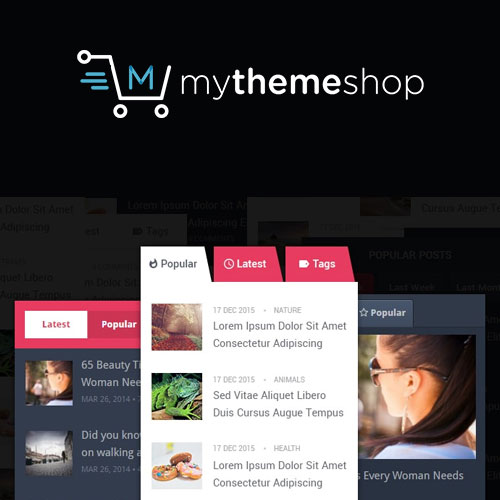

MyThemeShop WP Tab Widget Pro is a WordPress plugin developed by MyThemeShop, designed to add a stylish and functional tabbed content widget to your WordPress site. This plugin enables you to display various types of content such as posts, pages, or custom content in an interactive tabbed layout, making your website more engaging and user-friendly.
MyThemeShop The WP Tab Widget Pro is an enhanced version of the basic tab widget, providing additional customization options and more advanced features. It is particularly useful for websites that want to showcase multiple types of content in a compact, organized manner without taking up too much space.
Key Features of WP Tab Widget Pro:
1. Customizable Tab Design:
- The plugin allows you to fully customize the tab layout. You can choose the style, color, and appearance of the tabs to match your site’s theme. Whether you want vertical or horizontal tabs, you have full control over the design.
2. Multiple Content Types:
- You can display different content types within each tab, including:
- Recent Posts
- Popular Posts
- Custom Posts
- Pages
- Categories
- This flexibility allows you to create dynamic and content-rich tabs that automatically update as you post new content.
3. Fully Responsive Design:
- The widget is fully responsive, meaning it will adapt to any screen size. Whether users are browsing on a desktop, tablet, or mobile, the tabbed content will display neatly and be easy to navigate.
4. Multiple Tab Widgets:
- You can create multiple tab widgets and place them in different areas of your site, such as sidebars, footers, or widgetized sections. This helps you display relevant content to different audience segments on various pages.
5. Drag and Drop Interface:
- The plugin features an intuitive drag-and-drop interface, making it easy to reorder the tabs, change their content, or adjust settings without any coding knowledge.
6. Content Filtering:
- You can filter the content displayed in each tab based on categories, tags, or post types. This feature gives you control over which posts or pages are shown in each tab, improving content organization and user navigation.
7. Advanced Styling Options:
- For users who want more control over the appearance of the widget, WP Tab Widget Pro offers advanced styling options. You can modify tab backgrounds, borders, hover effects, fonts, and more, ensuring the widget fits seamlessly with your site’s design.
8. SEO-Friendly:
- The widget is designed with SEO in mind. It ensures that the content inside the tabs is indexed properly by search engines, so you don’t have to worry about your content being hidden or inaccessible to search engines.
9. Easy Setup:
- Setting up the widget is easy. You simply install and activate the plugin, then configure the tabs through the WordPress widget area or use the provided shortcode to place the widget wherever needed on your site.
10. Fast and Lightweight:
- The plugin is built to be lightweight and optimized for fast performance, ensuring that it won’t slow down your site, even if you have multiple widgets or lots of content inside the tabs.
Benefits of Using WP Tab Widget Pro:
- Better Content Organization:
- The tabbed layout helps you display a variety of content in a compact space, preventing your website from feeling cluttered. This can improve the user experience and make it easier for visitors to find the content they’re interested in.
- Improved User Engagement:
- By providing an interactive and dynamic way to navigate through different types of content, users are more likely to stay on your site and explore more. This can result in higher engagement and lower bounce rates.
- Customization and Flexibility:
- With the ability to adjust colors, fonts, and other design elements, you can ensure that the tabbed content matches your site’s aesthetic and branding.
- Increased Traffic to Important Content:
- Displaying your most popular posts or latest content in tabs can draw attention to key areas of your site, increasing traffic to those pages or posts.
- Seamless Integration:
- The plugin integrates seamlessly with your WordPress site and can be placed anywhere on your site, including sidebars, footers, or within posts. It’s flexible enough to work in various widget areas.
- No Coding Required:
- You don’t need any technical knowledge or coding skills to set up and customize the widget. The intuitive interface and drag-and-drop features make it easy for even beginners to use.
- Content Filtering:
- With the ability to filter content based on categories, tags, or custom post types, you can ensure that the most relevant content is displayed in each tab, catering to different audience needs.
- SEO-Friendly Design:
- The widget ensures that content remains visible and indexable by search engines, so you don’t have to worry about losing SEO benefits when displaying content in tabs.
How to Set Up WP Tab Widget Pro:
- Install and Activate the Plugin:
- First, go to your WordPress dashboard and navigate to Plugins > Add New.
- Search for MyThemeShop WP Tab Widget Pro, then install and activate the plugin.
- Configure the Tab Widget:
- Once activated, go to Appearance > Widgets in the WordPress admin dashboard.
- You will see the WP Tab Widget available in your widgets list. Drag it to the widget area where you want the tabbed content to appear.
- Select the Content Type for Tabs:
- After placing the widget in a sidebar or footer, you can configure the content for each tab. You can choose to display recent posts, popular posts, or other custom content types. Additionally, you can set filters for categories, tags, or post types.
- Customize the Appearance:
- The plugin allows you to customize the tab styles by choosing different colors, fonts, and hover effects. Adjust the settings to match your site’s design and branding.
- Preview and Publish:
- Once you’ve configured the widget and customized the design, preview it to see how it looks. If satisfied, publish the changes, and your tabbed widget will be live on your site.
- Optional Advanced Customization:
- For advanced users, you can use custom CSS to further style the tabs or modify the widget’s functionality if necessary.






























