
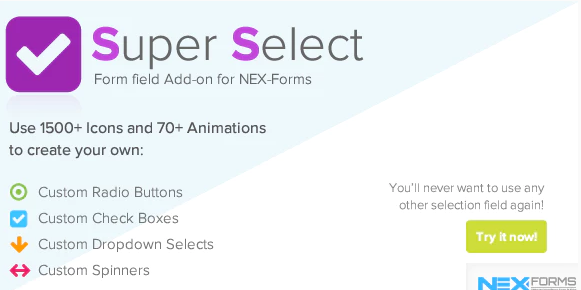


Use 1500+ Icons to create your own custom Radio Buttons, Check-boxes, Drop-down selects and Spinner selects. Absolutely Full Customization…use any on/off colors and any on/off icons for each option individually. Includes 70+ animations for selections made and the ability to attache the selection to other fields.
You will never want to use any other selection field again!
The NEX-Forms – Super Selection Form Field Add-on is an extension for the NEX-Forms WordPress plugin, which is a highly customizable form builder. This add-on enhances the functionality of NEX-Forms by adding a Super Selection field type to your forms. The Super Selection field provides an advanced, customizable, and user-friendly dropdown list or multi-select field that can significantly improve the user experience for form submissions.
Key Features of the Super Selection Form Field Add-on:
- Enhanced Dropdown Options:
- The Super Selection field allows you to create dropdown lists with multiple options. It's designed to be more interactive and visually appealing than standard dropdown fields, allowing users to select multiple options or scroll through large sets of choices efficiently.
- Searchable Dropdown:
- The add-on allows the dropdown field to be searchable, which is especially useful if you have a long list of options. This helps users find their desired selection quickly without scrolling through all the options.
- Multi-Select Capability:
- You can configure the Super Selection field to allow users to select multiple options from the dropdown. This is beneficial for creating more complex forms, such as surveys, registration forms, or order forms where multiple choices are needed.
- Customizable Appearance:
- The add-on offers several styling options to customize the appearance of the dropdown. You can adjust colors, fonts, and overall design to match your website's theme and create a seamless user experience.
- Conditional Logic Support:
- The Super Selection field supports conditional logic integration, meaning you can show or hide the field based on user selections or other form input. This allows for more dynamic and interactive forms that adapt to user input in real-time.
- Responsive Design:
- The field is fully responsive, ensuring it looks great and functions properly on all devices, including desktops, tablets, and smartphones.
- Customizable Option Values:
- You can add custom values for each dropdown option, allowing for better integration with backend systems or data processing requirements.
- Advanced Filtering:
- The Super Selection field comes with advanced filtering options, making it easier for users to quickly locate the options they need when dealing with large lists.
- Built-in Validation:
- Like other NEX-Forms fields, the Super Selection field comes with validation options to ensure that users make a valid selection, whether it’s a required field or one with a specific condition.
- Easy Integration with NEX-Forms:
- The add-on is designed to seamlessly integrate with the NEX-Forms plugin, providing a smooth setup and user experience within the existing form builder interface.
Benefits of Using Super Selection Form Field Add-on:
- Improved User Experience:
- By offering a more interactive and customizable selection process, the Super Selection field improves the user experience, making it easier for visitors to complete the form, especially if there are many options to choose from.
- Efficient for Large Forms:
- When dealing with forms that have many selectable options, such as product orders or surveys, the Super Selection field helps reduce clutter and improve efficiency, especially with its searchable and filterable dropdown.
- Customization for Branding:
- The ability to customize the field’s appearance means you can maintain a consistent design throughout your site, aligning the form with your branding and visual identity.
- Enhanced Functionality:
- The field supports advanced features such as multi-select, conditional logic, and custom values, making it a powerful addition to any form that requires more complex input options.
- Mobile Friendly:
- Since the Super Selection field is fully responsive, it ensures a smooth and user-friendly experience for visitors on mobile devices, which is crucial in today’s mobile-first world.
- Ease of Use:
- NEX-Forms is known for its user-friendly interface, and with the addition of the Super Selection field, form creation becomes even more intuitive and customizable, allowing both beginners and advanced users to create professional forms.
Ideal Use Cases for NEX-Forms – Super Selection Form Field Add-on:
- Surveys and Questionnaires:
- If you need to collect data from users through surveys or questionnaires, the Super Selection field can be used to provide multiple choices, making it easier for respondents to select their answers. The searchability and multi-select options are particularly useful for large-scale surveys.
- Product or Service Selection Forms:
- For businesses offering products or services that require users to choose from a range of options (e.g., colors, sizes, features), the Super Selection field can streamline the selection process, making it more efficient and visually appealing.
- Registration Forms:
- If you’re running an event, course, or membership site, the Super Selection field can be used for selecting categories, preferences, or options during the registration process. Multi-select and searchable dropdowns help users make multiple selections in a simple, efficient way.
- Order Forms:
- For WooCommerce stores or businesses selling services, the Super Selection field can help create detailed order forms where customers can select multiple options such as quantities, types, or variations.
- Contact Forms with Advanced Options:
- Contact forms with multiple departments or services can benefit from the Super Selection field to allow users to select which department they need assistance from or which service they are interested in.
How to Set Up NEX-Forms – Super Selection Form Field Add-on:
- Install NEX-Forms Plugin:
- If you haven’t already, start by installing and activating the NEX-Forms plugin on your WordPress site.
- Install the Super Selection Add-on:
- After activating the NEX-Forms plugin, download and install the Super Selection Add-on. You can do this from the NEX-Forms add-on section in the WordPress dashboard.
- Add Super Selection Field to Your Form:
- Once the add-on is installed, open the NEX-Forms form builder and add the Super Selection field to your form by dragging and dropping it into the form layout.
- Customize the Field:
- Configure the Super Selection field by adding the options you want, enabling multi-select if needed, and adjusting the appearance settings to match your site’s design. You can also set conditional logic to show or hide the field based on other inputs.
- Set Up Validation:
- Add any validation rules to ensure the user selects a valid option or meets certain criteria, such as making the field required.
- Publish the Form:
- Once everything is set up, save and publish the form. The Super Selection field will now be live on your site, ready to use by your visitors.






























