
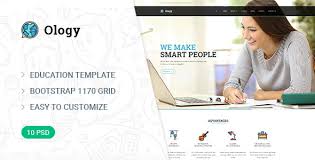


Ology - Education and Courses WordPress Theme is a versatile and feature-rich theme designed specifically for educational websites. It is ideal for creating online learning platforms, universities, schools, colleges, training centers, or any educational institution that wants to offer courses, manage instructors, and create an engaging learning environment.
Here’s a breakdown of the features and benefits of the Ology Education and Courses WordPress Theme:
Key Features of Ology - Education and Courses WordPress Theme:
- Responsive and Mobile-Friendly:
- The theme is fully responsive, meaning it will look great on any device, from desktop computers to smartphones and tablets. This is especially important for online learners who may access courses from a variety of devices.
- Course Management System:
- Ology comes with a built-in course management system that allows you to create and manage various courses easily. You can add course descriptions, lessons, quizzes, and set course prices. This system is user-friendly for both administrators and instructors.
- Online Course Catalog:
- The theme allows you to set up an online course catalog where users can browse different courses by category, difficulty level, or price. This helps potential students find and choose courses that meet their needs.
- Instructor Profiles:
- With Ology, instructors can create detailed profiles showcasing their qualifications, experience, and the courses they teach. This helps build trust with students and enhances the credibility of your courses.
- Learning Management System (LMS) Compatibility:
- Ology is fully compatible with popular LMS plugins like LearnDash and LifterLMS, allowing you to create a more robust learning platform. These plugins help with managing course enrollment, progress tracking, quizzes, certifications, and more.
- User Registration & Profile Management:
- The theme includes user registration and profile management features, allowing students to create accounts, track their course progress, and manage their subscriptions. They can view enrolled courses, certifications, and payment history in their profiles.
- Payment Gateway Integration:
- You can integrate popular payment gateways such as PayPal, Stripe, or other custom gateways for course purchases, membership fees, or subscription payments. This feature ensures a smooth transaction experience for your users.
- Event and Webinar Management:
- Ology also supports event and webinar management, which is essential for educational institutions that host workshops, webinars, or online seminars. You can display event details, allow users to register, and even integrate Zoom or similar tools for live sessions.
- Customizable Design:
- The theme offers a range of customization options, including unlimited color schemes, custom fonts, layouts, and pre-designed templates. You can personalize your website to match your branding and educational focus.
- Pre-built Demo Content:
- Ology comes with several pre-built demo layouts that can be imported with just one click. This feature helps you quickly set up a fully functional site with sample content that you can later modify.
- SEO Optimized:
- Ology is built with SEO best practices in mind. It includes features like fast-loading pages, optimized code, and customizable SEO settings, ensuring your educational website can rank well on search engines.
- Student and Instructor Ratings & Reviews:
- Students can leave ratings and reviews for the courses they have taken, which helps build social proof and credibility. Instructors can also be rated based on their teaching skills and course quality.
- Interactive Quizzes and Exams:
- The theme supports interactive quizzes and exams, which are essential for online learning platforms. You can create multiple-choice questions, true/false questions, and more, and track student performance.
- Multiple Blog Layouts:
- For sharing educational content, news, and articles, Ology offers multiple blog layouts. This allows you to create a blog section to engage your audience with learning tips, course updates, and industry news.
- WooCommerce Integration:
- If you wish to sell physical or digital products related to your courses (like textbooks, guides, or other educational materials), WooCommerce integration allows you to set up an online store.
- Live Chat Integration:
- You can integrate a live chat system to assist students with their inquiries in real-time. This feature improves the user experience and ensures potential students get quick responses to their questions.
- Advanced Typography and Custom Widgets:
- Ology includes customizable typography options, allowing you to choose the perfect fonts for your educational website. The theme also provides custom widgets like recent courses, testimonials, and course search.
- Translation Ready and WPML Compatible:
- Ology is translation-ready, which means you can easily create a multilingual website. It is compatible with the WPML plugin, allowing you to serve students in different languages and expand your reach globally.
- Regular Updates and Support:
- Ology comes with regular theme updates and excellent customer support, ensuring your website stays secure and functional as WordPress and plugins are updated.
Benefits of Using Ology - Education and Courses WordPress Theme:
- All-in-One Solution for Educational Websites:
- Whether you're running a small online course platform or a large educational institution, Ology provides all the tools you need, from course creation to student management and payment systems.
- Easy to Use and Manage:
- The theme is designed to be user-friendly, making it easy for both website administrators and instructors to manage courses, users, and content without needing technical expertise.
- Engaging User Experience:
- With interactive elements like quizzes, ratings, reviews, and event registrations, Ology helps create an engaging learning experience for students, motivating them to interact with the platform.
- Highly Customizable:
- The wide range of design and layout customization options ensures that your educational website looks unique and professional, giving you full control over how your website looks and feels.
- Built for Online Learning:
- Ology is tailored specifically for educational purposes, with features that cater to the needs of both students and instructors. It’s built with the aim of enhancing the online learning experience.
- SEO and Performance Optimized:
- By being optimized for speed and SEO, Ology ensures your website will load fast and perform well on search engines, making it easier for potential students to find your courses.
How to Use Ology - Education and Courses WordPress Theme:
- Install the Theme:
- You can easily install Ology by uploading the theme’s zip file via the WordPress dashboard. Go to Appearance > Themes > Add New, and upload the theme file.
- Import Demo Content:
- Ology comes with a one-click demo import feature. You can import the demo content to quickly set up your website and start customizing it with your own courses, images, and branding.
- Set Up Course Pages:
- Start adding courses, lessons, and quizzes through the course management system. You can define course prices, descriptions, and add multimedia elements like videos and images to enrich the content.
- Configure Payment Gateways:
- Set up your preferred payment gateways (PayPal, Stripe, etc.) to accept payments for course enrollments, memberships, or subscriptions.
- Customize the Design:
- Adjust the theme’s colors, fonts, and layouts to match your branding. You can use the theme options panel or the customizer to make design changes.
- Create and Manage User Profiles:
- Allow students to register, enroll, and track their progress on the site. Instructors can also create their profiles, share their expertise, and manage the courses they teach.
- Publish Events or Webinars:
- Use the event management features to create and promote educational events, workshops, or live webinars. You can integrate video conferencing tools like Zoom for seamless online sessions.
- Launch Your Website:
- Once you’ve customized your website, added courses, and set up all necessary features, you’re ready to launch. Promote your platform on social media, through ads, or via other digital marketing strategies.






























