
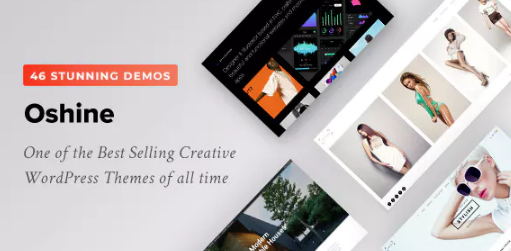


Oshine – Multipurpose Creative Theme is a versatile and highly customizable WordPress theme designed for creative professionals, businesses, and agencies. Known for its visual appeal and flexibility, Oshine is well-suited for creating a variety of websites, from portfolios and blogs to corporate websites and eCommerce stores. Whether you’re a photographer, designer, artist, or a creative agency, Oshine provides the tools you need to showcase your work in an engaging and modern way.
Key Features of Oshine – Multipurpose Creative Theme:
1. Highly Customizable and Flexible Design:
- Oshine offers incredible design flexibility, making it suitable for a wide range of industries and use cases. Whether you want to build a personal portfolio, a business site, or an online store, Oshine can be easily adapted to meet your needs.
- It comes with multiple demos for different niches, including creative agencies, photographers, artists, and online stores, so you can quickly import a pre-built layout and customize it.
2. Multiple Pre-designed Demo Layouts:
- The theme includes a variety of demo layouts, each carefully designed for specific types of websites. These demos cover areas such as:
- Photography portfolios (for photographers, videographers, and visual artists).
- Creative agencies (for design studios, digital agencies, and consultants).
- Blog or magazine style (for content-driven websites).
- E-commerce (integrates with WooCommerce to create an online store).
- Corporate websites (for businesses, startups, and service providers).
- One-click demo import allows you to import a full demo site and start customizing right away.
3. Visual Page Builder – Tatsu:
- Oshine includes the Tatsu Visual Page Builder, a powerful and intuitive drag-and-drop builder that allows you to design your pages without any coding. The builder is extremely flexible, giving you complete control over the design of your site.
- It comes with pre-made elements and sections like grids, sliders, galleries, contact forms, and more that can be easily inserted into your pages with just a few clicks.
- Live preview: As you make changes to your page, you can see them in real-time, making it easy to experiment with designs.
4. Stunning Portfolio & Gallery Layouts:
- Oshine is particularly well-suited for creative professionals who want to showcase their work. It provides a variety of portfolio and gallery layouts, including:
- Masonry grids
- Full-width designs
- Carousel sliders
- Hover effects
- Grid-based layouts
- Interactive galleries: You can create video galleries, image galleries, or a combination of both with beautiful hover effects and animations to captivate visitors.
5. Advanced Typography Options:
- Oshine gives you extensive control over typography, with support for Google Fonts, custom fonts, and a wide range of text styling options. You can customize font sizes, line heights, letter spacing, and more for different elements of your site.
- Typography is essential in design, and Oshine allows you to fine-tune your site’s look to match your brand’s personality.
6. Multiple Header and Footer Styles:
- Oshine comes with a variety of header and footer styles, including options like minimalistic, sticky headers, transparent headers, and centered logos.
- You can also customize the footer layout with widgets, social icons, and custom menus. The flexibility in the header and footer design allows you to match the theme to your brand or style.
7. WooCommerce Integration:
- For those who want to build an eCommerce store, Oshine is fully compatible with WooCommerce, the leading WordPress plugin for building online stores. It includes beautiful shop layouts, including grid and list views.
- You can easily display products, add product categories, and manage inventory. WooCommerce features such as product pages, cart, checkout, and payment gateways are seamlessly integrated.
8. Stunning Sliders and Parallax Effects:
- Oshine offers a selection of premium sliders that can be used for creating beautiful hero sections or showcasing images, products, or featured content.
- The theme includes parallax scrolling effects, which add depth and interactivity to the site, making it visually dynamic and engaging.
9. Responsive and Mobile-Optimized:
- Oshine is fully responsive, meaning it looks great on all screen sizes, from desktop to tablet and mobile devices.
- The theme is optimized for mobile browsing, with touch-friendly navigation, fast loading speeds, and mobile-specific design features that enhance user experience.
10. SEO-Friendly:
- Oshine follows best SEO practices to help your website rank better in search engines. This includes optimized code, fast page loading speeds, and the ability to add custom SEO meta tags.
- It also supports Yoast SEO and All in One SEO plugins, allowing you to manage on-page SEO settings with ease.
11. Multi-Language Support:
- Oshine is WPML compatible, which means you can easily create a multilingual website for global audiences. This is a great feature if you plan to expand your reach and provide content in multiple languages.
12. Content Layouts and Customization Options:
- Oshine provides a wide range of content layouts and customization options for individual posts and pages. You can adjust margins, padding, colors, and background images, as well as customize content spacing and alignment.
- Full control over the layout ensures your site is uniquely tailored to your vision.
13. Custom Widgets:
- Oshine includes a variety of custom widgets such as recent posts, popular posts, social media feeds, newsletter sign-up forms, and contact info. These widgets help you enhance the user experience and engage visitors.
14. Regular Updates and Premium Support:
- Oshine is continuously updated to ensure compatibility with the latest WordPress versions, security patches, and new features.
- Premium support is provided to help you with any technical issues, customizations, or troubleshooting, making it easier to get help when needed.
15. Lightweight and Fast:
- Despite all the features, Oshine is optimized for speed and performance. The theme is lightweight and ensures fast load times, which is essential for both user experience and SEO rankings.
Ideal Use Cases for Oshine – Multipurpose Creative Theme:
- Photography Portfolio:
- Oshine’s clean design and stunning gallery layouts make it perfect for photographers who want to showcase their work in a professional and visually striking way.
- Creative Agencies:
- If you run a creative agency, Oshine’s flexibility allows you to create a stunning portfolio, showcase client work, and present your team and services in a polished, professional layout.
- Personal Portfolios:
- Designers, artists, and other creatives can build a personal portfolio to display their skills, projects, and services in an eye-catching way.
- Blogs and Magazines:
- For bloggers, writers, or online magazines, Oshine’s built-in blogging features make it easy to create and publish content with rich media elements like images, videos, and audio.
- E-Commerce Stores:
- If you want to sell products online, Oshine integrates perfectly with WooCommerce, allowing you to create a professional online store with all the necessary features.
- Corporate or Business Websites:
- Use Oshine to create corporate websites, whether you’re an established business or a startup. It provides professional designs and corporate-style layouts.
- Landing Pages:
- Oshine’s customizability makes it easy to create landing pages for any purpose, such as product launches, event promotions, or lead generation.
Getting Started with Oshine:
- Install WordPress and Oshine Theme:
- Install WordPress and then purchase and install Oshine from a marketplace like ThemeForest.
- Install Required Plugins:
- After installation, you’ll need to install required plugins such as Tatsu Builder, WooCommerce, and others as specified in the theme documentation.
- Import Demo Content:
- Use the one-click demo import feature to set up your site with a pre-built layout.
- Customize Your Site:
- Using the Tatsu Visual Page Builder, customize the theme’s content, colors, fonts, and layout to match your brand and style.
- Add Your Content:
- Start adding your own content, such as images, videos, blog posts, product listings, or portfolio pieces.
- Monetize Your Website:
- If you're building an eCommerce store, add products, set up payment methods, and configure shipping options using WooCommerce.
- Optimize for SEO:
- Use Yoast SEO or similar plugins to optimize your site for search engines and improve organic traffic.
- Launch Your Site:
- After customization, testing, and content creation, launch your website and start promoting it.






























