
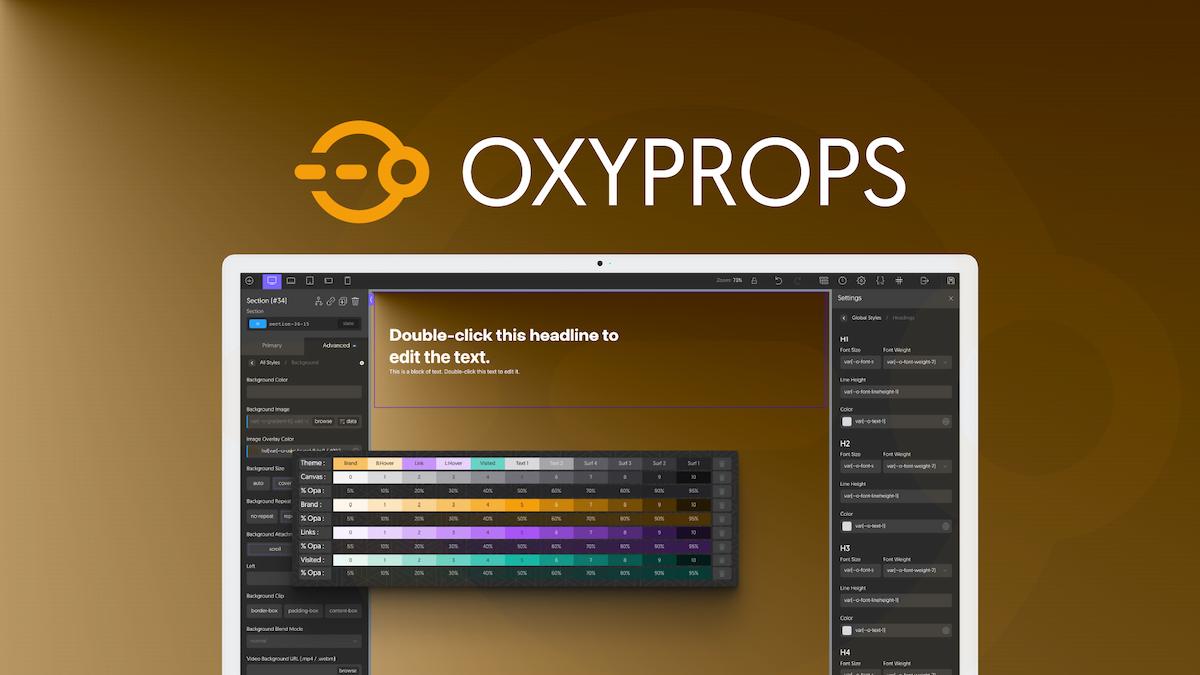

OxyProps is a plugin designed for use with the Oxygen Builder, a popular WordPress page builder that enables users to design highly customizable websites using a visual editor. OxyProps enhances Oxygen Builder by adding additional CSS properties and features that allow users to further extend their design capabilities.
Key Features of OxyProps:
- Extended CSS Properties:
- OxyProps provides a collection of advanced CSS properties that aren't natively available in Oxygen Builder.
- It simplifies adding custom styles to your design elements and includes extra options for CSS grid, flexbox, animation, and other advanced layout and design properties.
- Easy Access to Additional CSS:
- The plugin integrates directly with Oxygen's interface, allowing you to easily apply advanced CSS styles without having to write custom code from scratch.
- You can access additional properties in the Oxygen Builder interface, which enhances the flexibility of your designs.
- Support for Modern Layouts:
- OxyProps includes features like CSS Grid and Flexbox options, which are perfect for building complex, responsive layouts.
- With these tools, you can create grid-based designs and multi-column layouts without needing to manually tweak code.
- Compatibility with Oxygen Builder:
- As a plugin built specifically for Oxygen Builder, OxyProps works seamlessly within the Oxygen environment. It's designed to enhance and complement the existing features of Oxygen Builder, giving you even more power to design custom websites.
- It is regularly updated to stay compatible with new releases of Oxygen Builder, ensuring users have the latest features.
- No Need for Custom Code:
- One of the key benefits of OxyProps is that it reduces the need for writing custom CSS or JavaScript. It exposes additional properties that you can use directly within the Oxygen Builder interface, streamlining the design process.
- Even users who may not be familiar with CSS can take advantage of advanced styling options.
- Custom Animations and Transitions:
- The plugin includes an array of additional animation and transition options to create engaging effects for your elements. This is particularly useful for adding dynamic interactions and hover effects without writing any custom code.
- Responsive Controls:
- OxyProps helps you design more responsive websites by providing extended control over how elements behave on different screen sizes.
- You can use advanced CSS to make sure your layouts look great across all devices, from desktops to tablets and smartphones.
- Simplified Custom Properties:
- It enables you to add custom CSS properties that Oxygen Builder might not offer by default, making your designs even more personalized and tailored to your needs.
- Performance-Friendly:
- OxyProps is designed with performance in mind, adding only the necessary styles and scripts to ensure it does not slow down your website’s load time.
How to Install OxyProps:
- Purchase the Plugin:
- To install OxyProps, you'll first need to purchase the plugin. Go to the OxyProps website or an authorized third-party marketplace where the plugin is sold.
- Download the plugin ZIP file after completing the purchase.
- Install the Plugin:
- Go to your WordPress Dashboard.
- Navigate to Plugins > Add New.
- Click on Upload Plugin, then select the ZIP file you downloaded.
- Click Install Now and then Activate the plugin.
- Start Using OxyProps with Oxygen Builder:
- Once activated, OxyProps will integrate with Oxygen Builder automatically.
- Open any page in Oxygen Builder, and you should see the additional CSS properties available in the interface.
- You can apply them to your design elements through Oxygen’s visual editor.
Use Cases for OxyProps:
- Creating Advanced Layouts: You can build complex layouts such as multi-column grids, cards, and complex containers with more advanced control over spacing, alignment, and positioning.
- Animation Effects: Enhance the visual appeal of your site by adding animations and transitions to elements such as buttons, images, and text. This can include hover effects, fades, slides, and more.
- Responsive Design: Make your website look good on all devices by customizing CSS properties for different screen sizes. OxyProps makes this easier by allowing you to access advanced responsive design options within the Oxygen Builder interface.
- Quick Styling for Developers: Developers who are familiar with CSS but want to speed up their workflow can use OxyProps to apply advanced styles without having to write custom code for each element.






![Booknetic - Appointment Booking & Appointment Scheduling & Calendar reservation [SaaS]](https://gplpixel.com/wp-content/uploads/2024/06/Booknetic-Appointment-Booking-Appointment-Scheduling-Calendar-reservation-SaaS-400x203.jpg)























