
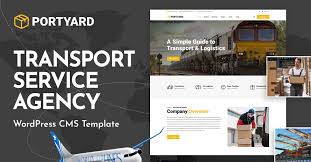


PortYard – Logistics and Transport WordPress Theme is a specialized WordPress theme designed specifically for businesses in the logistics, transportation, and shipping industries. This theme offers a sleek, professional design with all the essential features to create a high-performing, visually appealing website for companies offering services such as freight, cargo, supply chain management, logistics solutions, and transport services.
Whether you're running a logistics company, a shipping business, or a transportation service, PortYard is designed to help you build a strong online presence and showcase your services in a user-friendly and modern way.
Key Features of PortYard – Logistics and Transport WordPress Theme:
- Industry-Specific Design:
- PortYard is tailored specifically for the logistics and transportation industry. The theme includes custom-built pages and sections to highlight your services, fleet, case studies, pricing plans, and more.
- Its design is clean, modern, and professional, offering a trusted and reliable look that fits the nature of logistics and transport services.
- Fully Responsive:
- PortYard is fully responsive, ensuring that your website looks great on all devices, from desktops to tablets and smartphones. This mobile-first approach is essential, as many customers may access your site via mobile devices.
- The responsive design ensures that users have a seamless browsing experience no matter how they access your site.
- Elementor Compatibility:
- The theme integrates perfectly with Elementor, the popular drag-and-drop page builder for WordPress. You can easily design and customize your site without any coding skills.
- With Elementor, you can quickly add custom sections, adjust layouts, and visually enhance your site with the ease of drag-and-drop functionality.
- Pre-built Demo Content:
- PortYard comes with several pre-built demo layouts that you can easily import and customize to kickstart your website. The demo content includes homepages, service pages, portfolio layouts, and contact forms.
- This feature helps you get started quickly, allowing you to simply replace the demo content with your own information.
- Custom Service Pages:
- The theme includes custom-designed service pages, making it easy to showcase different logistics and transportation services like cargo shipping, supply chain management, road freight, air freight, and more.
- You can easily add service descriptions, pricing details, images, and CTAs to each service page.
- Fleet Showcase:
- PortYard allows you to display your fleet of vehicles, such as trucks, ships, airplanes, and delivery vans, in a dedicated section or page.
- This is an excellent way to showcase the scale of your operations, the quality of your vehicles, and the types of transportation services you offer.
- Booking and Request Forms:
- The theme comes with built-in contact forms, including request-a-quote and booking forms. These forms are crucial for logistics businesses as they enable customers to quickly get in touch, request a quote, or book services online.
- Customizable fields can be added to suit your needs, ensuring that you collect the right information from potential clients.
- Pricing Tables:
- PortYard includes pricing table sections where you can display your various pricing plans, whether you’re offering freight pricing, delivery rates, or transportation packages.
- You can highlight key features for each pricing plan and make it easy for customers to compare options and select the plan that works best for them.
- SEO Optimized:
- The theme is built with SEO best practices in mind, helping your website rank higher in search engine results. Clean code, fast loading speeds, and a mobile-friendly design contribute to better SEO performance.
- PortYard is also compatible with SEO plugins like Yoast SEO, allowing you to further optimize your content for search engines.
- WooCommerce Integration:
- For logistics businesses that need to sell products or services online (e.g., shipping services, tracking software, etc.), WooCommerce integration allows you to set up a complete online store.
- You can sell any related products, accept payments, and manage inventory right from your WordPress dashboard.
- Google Maps Integration:
- Google Maps integration allows you to display your business location on the map, making it easier for potential clients to find you.
- This is especially helpful for logistics companies with physical offices, warehouses, or operational hubs.
- Blog Section:
- PortYard includes a blog section, allowing you to post updates, industry news, case studies, and tips related to logistics and transportation.
- A blog is also a great way to improve your website's SEO and engage with visitors by providing useful, informative content.
- Custom Widgets and Shortcodes:
- The theme comes with a set of custom widgets and shortcodes to help you add functionality and content quickly. These widgets can be used to display testimonials, team members, social media feeds, latest news, and more.
- Shortcodes allow you to insert pre-designed elements, such as buttons, pricing tables, and contact forms, anywhere on your pages.
- High-Quality Support:
- PortYard provides excellent customer support with detailed documentation, video tutorials, and a support ticket system.
- The theme is regularly updated to ensure compatibility with the latest version of WordPress, Elementor, and other plugins.
- Translation Ready and RTL Support:
- The theme is translation-ready, making it easy to translate your website into multiple languages using plugins like WPML.
- It also supports right-to-left (RTL) languages, making it suitable for businesses in regions that use RTL languages (e.g., Arabic, Hebrew, etc.).
Benefits of Using PortYard:
- Tailored for Logistics and Transport Businesses: With its industry-specific features, PortYard provides all the necessary elements for creating a professional logistics website. It helps you highlight your services, fleet, pricing, and booking options in a user-friendly way.
- Easy Customization: Thanks to Elementor compatibility, you can customize the layout, colors, fonts, and other elements of your site with ease, without needing to code.
- Comprehensive Features: The theme provides everything you need, including service showcases, pricing tables, booking forms, and Google Maps integration, making it a complete solution for a logistics business website.
- Mobile-Friendly: With responsive design, your website will automatically adjust to different screen sizes, ensuring a positive user experience across devices.
- SEO-Optimized: Built with SEO in mind, PortYard helps you rank higher in search engine results, making it easier for potential customers to find your services.
- Support for WooCommerce: If you want to sell products or services directly from your website, WooCommerce integration makes it simple to create an online store.
- Customer-Friendly Booking: The theme's contact and booking forms make it easy for customers to get quotes, inquire about services, or book transportation.
Who Should Use PortYard?
- Logistics Companies: Ideal for businesses in the logistics and freight industry that offer services like shipping, supply chain management, and transportation.
- Transport Services: Perfect for companies offering road freight, air freight, cargo shipping, and delivery services.
- Freight Forwarders: If you're involved in international shipping or freight forwarding, PortYard can help you showcase your services effectively.
- Warehousing and Storage: If your business also deals with warehousing or storage solutions, the theme can accommodate these services as well.
- Online Logistics Stores: If you're selling logistics-related products like tracking devices, shipping tools, or packaging materials, the theme's WooCommerce integration allows you to create a store easily.
How to Get Started:
- Install and Activate: Purchase and install PortYard from the theme marketplace or a third-party provider, then activate it from your WordPress dashboard.
- Import Demo Content: Use the one-click demo import feature to quickly set up your site with pre-designed templates, or start building your pages from scratch with Elementor.
- Customize Your Site: Using Elementor, customize your pages, adjust the colors and typography, and replace demo content with your own information (e.g., services, pricing, fleet details).
- Set Up Contact and Booking Forms: Customize and configure the contact forms and booking systems to match your business needs.
- Launch Your Website: After completing your setup and customization, publish your site and start promoting your services to potential customers.






























