
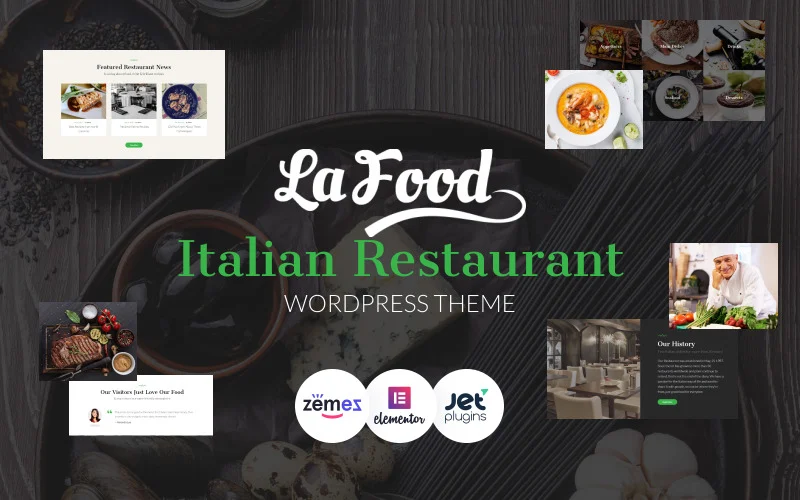

Restaurant - Responsive WordPress Theme is a premium WordPress theme designed specifically for restaurants, cafes, bars, and food-related businesses. It provides an elegant and professional design, making it easy for restaurant owners to showcase their menu, services, and ambience online. The theme is fully responsive, ensuring that it looks great on all devices, from desktops to mobile phones.
Key Features of Restaurant - Responsive WordPress Theme:
1. Responsive Design:
- The theme is mobile-friendly and adapts seamlessly to different screen sizes. Whether your customers are browsing from a desktop, tablet, or smartphone, your restaurant's website will look great.
2. Customizable Menu Layout:
- A key feature for any restaurant website, the theme offers customizable menu layouts that allow you to showcase your food items in an attractive and easy-to-navigate way. You can add descriptions, images, and prices for each item on your menu.
3. Pre-built Demos:
- The theme comes with pre-built demo content to help you get your website up and running quickly. These demos can be easily imported, and you can customize them to fit your brand and style.
4. Online Reservation Integration:
- Many restaurants use online reservation systems to allow customers to book tables directly from their website. This theme integrates with popular booking plugins, so you can accept online reservations and manage bookings efficiently.
5. One-Click Demo Import:
- With one-click demo import, you can easily import the theme’s demo content and settings, making it faster to set up your restaurant website with the same look and feel as the demo.
6. Visual Composer Integration:
- The theme is compatible with Visual Composer, a drag-and-drop page builder plugin that allows you to easily create custom page layouts without needing to write code. It’s perfect for building attractive pages like menus, event listings, and contact forms.
7. Event and Special Offers Sections:
- For restaurants that want to highlight special events, promotions, or offers, the theme includes dedicated sections for events and special offers. This allows you to keep customers informed about upcoming events like live music nights, happy hours, or special discounts.
8. SEO Optimized:
- The theme is designed with SEO best practices in mind. It includes clean code and fast loading times, which are critical for ranking well in search engines like Google. This helps attract more organic traffic to your website.
9. Custom Widgets:
- The theme comes with several custom widgets such as recent posts, Instagram feed, and testimonials, which help enhance your website’s functionality and user engagement.
10. Multiple Header and Footer Styles:
- The theme offers multiple header and footer styles, so you can choose the layout that works best for your restaurant. This allows for greater customization and can help align the website’s design with your restaurant’s branding.
11. WooCommerce Compatibility:
- If you want to sell products directly from your website, the theme is compatible with WooCommerce, the popular eCommerce plugin for WordPress. You can use WooCommerce to sell merchandise, gift cards, or even packaged meals.
12. Gallery & Portfolio Layouts:
- The theme includes gallery and portfolio layouts for showcasing photos of your restaurant, dishes, or events. This is perfect for creating a visual portfolio that highlights the best aspects of your restaurant.
13. Social Media Integration:
- The theme makes it easy to link to your social media profiles. It includes integration for platforms like Instagram, Facebook, and Twitter, allowing you to display social media feeds on your website and engage with customers directly.
14. Contact Form & Google Maps Integration:
- It includes a contact form to allow visitors to get in touch with you easily. Additionally, Google Maps integration makes it simple for customers to find your restaurant’s location.
15. Translation Ready:
- The theme is translation-ready, allowing you to easily translate it into any language. This is particularly useful for restaurants in multicultural areas or for those offering services to international customers.
16. Regular Updates and Support:
- The theme comes with regular updates to ensure compatibility with the latest WordPress versions and web technologies. Additionally, premium customer support is available to assist with any issues or questions you may have.
Benefits of Using Restaurant - Responsive WordPress Theme:
- Attractive and Professional Design:
- The theme is designed with restaurants in mind, offering visually appealing layouts that attract customers. It helps create a professional image for your business, whether you're a small café or a fine dining restaurant.
- Easy to Use and Set Up:
- The user-friendly interface and one-click demo import make it easy for even beginners to set up a restaurant website. You don’t need coding skills to build and manage your site.
- Mobile Optimization:
- With a growing number of people browsing on mobile devices, having a mobile-friendly website is essential. This theme ensures that your restaurant's website looks great on any device, providing an optimal user experience for all visitors.
- Improved Customer Engagement:
- With features like online reservations, event listings, social media integration, and custom widgets, the theme provides several ways to engage with customers, keep them updated, and encourage them to interact with your business.
- SEO Benefits:
- The SEO-optimized code helps improve your website’s visibility in search engines, driving more organic traffic. This is crucial for restaurants looking to attract local customers or people searching for dining options in their area.
- Increased Sales:
- If you offer products for sale, the WooCommerce integration allows you to easily set up an online store for selling merchandise, gift cards, or takeaway services, thus increasing revenue.
- Multi-language Support:
- The translation-ready feature makes it easier to cater to an international audience. If your restaurant is located in a multicultural area or frequented by tourists, this feature will ensure that everyone can read your menu and other important information in their language.
- Great Customer Support:
- The theme comes with professional and prompt support, ensuring that you can get help if any issues arise while setting up or customizing your website.
How to Set Up the Restaurant - Responsive WordPress Theme:
- Install the Theme:
- After purchasing the theme, go to your WordPress dashboard and navigate to Appearance > Themes > Add New. Upload the theme zip file and click Activate.
- Import Demo Content:
- If you want to use the pre-built demo content, go to Appearance > Import Demo Data, then follow the instructions to import the demo content. This will set up your site with the same layout as the demo.
- Customize the Theme:
- Go to Appearance > Customize to adjust various settings such as site colors, typography, layout, and logo. You can also upload your restaurant’s logo and adjust header/footer settings.
- Set Up the Menu:
- To display your restaurant’s menu, go to the Menu Settings in the theme options. You can create a new menu and add categories, dishes, descriptions, prices, and images for each item.
- Set Up Online Reservation:
- If you use a reservation plugin, install and configure it according to your preferences. The theme works well with many popular reservation plugins.
- Add Content:
- Begin adding your restaurant’s content such as text, images, and videos. You can use the Visual Composer page builder to create custom pages for your menu, events, about us, contact, and more.
- Configure Widgets:
- Add widgets like recent posts, Instagram feed, testimonials, and social media links to the sidebar or footer areas to enhance your website’s functionality.
- Launch Your Website:
- Once you’ve configured all the settings and added your content, preview the website on different devices to ensure everything looks perfect. Once you're satisfied, publish your site.






























