Premium Category Products

ScreenCapture – Screen Capture, Recording & Annotation Module for Perfex CRM

ScreenCapture – Screen Capture, Recording & Annotation Module for Perfex CRM

ScreenCapture – Screen Capture, Recording & Annotation Module for Perfex CRM

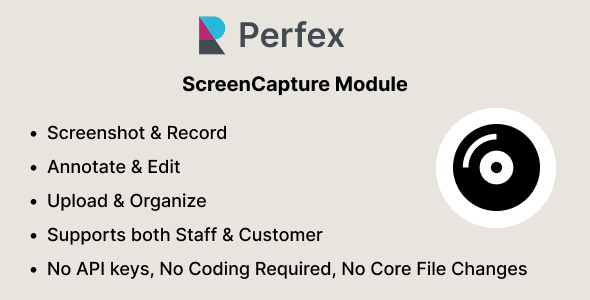
ScreenCapture brings a complete screen capture and visual documentation workflow directly into Perfex CRM. Staff and customers can capture screenshots, record their screens, annotate captured images, upload existing media, and keep everything organized in one centralized workspace. Capture screenshots from your browser, application windows, or entire screen, then use the built-in editor to add annotations and visual highlights. Screen recordings can be created directly from the CRM and automatically uploaded for later viewing and management. With support for image and video uploads, date-based organization, media previews, permissions, lazy loading, and infinite scrolling, ScreenCapture provides a practical way to document issues, explain tasks, provide visual feedback, and share important screen content without leaving Perfex CRM. The module is designed as a plug-and-play Perfex CRM add-on and does not require any modifications to Perfex CRM core files. Tip: When recording your screen, we recommend opening the recorder in a separate browser tab. This allows you to continue using Perfex CRM while the recording is active. What You Can Do Capture Screenshots Capture your browser tab, application window, or entire screen directly from Perfex CRM. Record Your Screen Record screen activity directly from the browser and automatically upload the resulting video to ScreenCapture. Annotate Screenshots Open captured screenshots in the built-in editor and add visual information using text, arrows, shapes, highlights, redaction, crop, zoom, and pan tools. Upload Existing Media Add existing images and videos from your device to the same media workspace. Organize Captures Add titles and descriptions to captures and browse them through a clean gallery organized by date. Preview & Manage Open captures in a detailed preview, view file information, download media, and manage captures according to the user’s permissions. How It Works Open ScreenCapture from the Perfex CRM interface. Choose whether you want to capture a screenshot, record your screen, or upload existing media. Screenshots can be opened directly in the built-in editor for annotation and visual editing. Screen recordings are automatically uploaded after recording is stopped and saved as captures. Add a title and description to provide additional context for each capture. All captures are stored in the ScreenCapture gallery and organized by date. Open any capture to preview the media and view information such as file size, creation date, and video duration where applicable. Captures can be shared with selected staff members or customers, or made available to all staff or all customers depending on the configured sharing options. Image Editor ScreenCapture includes a built-in image editor designed for quickly explaining and highlighting information in screenshots. Add text annotations Draw arrows and shapes Highlight important areas Redact sensitive information Crop captured images Zoom and pan around the canvas Undo and redo editing actions Save the edited capture directly to Perfex CRM Screen Recording Record your screen directly from the browser without installing additional desktop software. Select the screen, application window, or browser content you want to share and start recording. Once recording is stopped, ScreenCapture processes the recording and uploads it automatically. The recording is then available in the media gallery together with its title, description, duration, file size, and thumbnail. Media Gallery Keep screenshots, recordings, and uploaded media together in one organized workspace. Date-based capture grouping Image and video thumbnails Lazy-loaded media Infinite scrolling for large collections Detailed media preview File size and other information Video duration and thumbnail support Title and description management Sharing & Permissions ScreenCapture provides flexible access control so visual information can be shared without giving users unnecessary editing privileges. Users can manage their own captures. Shared captures can be assigned to specific staff members or customers. Captures can be made available to all staff members. Captures can be made available to all customers. Shared users receive view access without ownership of the capture. Administrators can view and manage captures across the system. Features Seamless integration with Perfex CRM (v3.1.0 and above) Capture screenshots from browser tabs, application windows, or the entire screen Built-in screen recording directly from the browser Automatic recording upload and media storage Built-in screenshot annotation and editing tools Text, arrows, shapes, highlights, and redaction tools Crop, zoom, pan, undo, and redo support Upload existing images and videos Centralized image and video gallery Date-based media organization Lazy loading and infinite scrolling for large media collections Detailed media preview with metadata Video thumbnails and duration information Title and description support Staff and customer sharing Share captures with all staff or all customers Owner and viewer permission handling Admin media management No paid third-party API required No Perfex CRM core file modifications Quick installation and straightforward configuration Who Is It For? ScreenCapture is useful for teams that need to communicate visually inside their CRM. Documenting bugs and issues Explaining problems to clients Sharing visual instructions with staff Recording workflows and demonstrations Annotating screenshots for support requests Keeping project-related screenshots and recordings organized  

(Only For Premium Category Products !)

1. All digital products are the most recent version, with no possibility of free updates. After payment, you can request an update to the most recent version for 5 days if a new version is released. We free support within 5 days.

2. If a license is required (Excludes WHMCS license , we provide only method not license), please contact us via email or ticket for assistance with activation. Our license is only valid for activation and does not include support.

3. We provide Mobile, PHP script installation services for $19.90 / ₹1700. Please create a backup after installation as we do not support re-installation. For mobile app source code, we do not offer installation services.

4. If you have any questions, please contact us by email  or create a ticket on this page

5. Please note that any digital products presented on the website do not contain malicious code, viruses or advertising. You will receive the original files from the developers. We do not sell any products that have been downloaded from other websites.

6. The response time can last up to 6 hours.

(Only For Membership Category Products !)

Benefits of our Membership Plans

  • Instant access to all plugins and all themes including all future releases
  • Unlimited domain usage
  • Regular Updates as of when available. Usually, updates are released daily.
  • Before purchasing, please read the Terms and Conditions & Refund Policy.
  • If you have any questions, please first read the FAQs.
  • If you haven’t found the answer to your question, please contact us, and we will respond ASAP.
  • Please note that any digital products on the website do not contain malicious code, viruses, or advertising. We buy the original files from the developers. We do not sell any products downloaded from other sites.
  • Buy or download for FREE by subscribing to our VIP Membership Plan. Join the club of more than 1100+ happy members. This is the same theme as sold by the developer.

Updates:

  • We offer frequent updates for one year from the date of purchase. After this period, you have to purchase the item again to receive further updates, we also offer lifetime updates as a second option.
  • We regularly update products as soon as we are notified about an update, we go and download it from the author and update it on our site, but In case the current version of the product is not the latest, You can request an update for the product by contact form.
  • We send regular emails advising when products have been updated so please be sure to provide an active email address when you sign up.

Support:

  • Our support team is available 24/7, if you have any questions or need help in installing or configuring digital products purchased on the website, please don’t hesitate to contact form.
  • Please note that we are not developers of the provided products, so our technical support capabilities are limited. We do not change product functionality and do not fix developer bugs.

For more information please read FAQs & About Us.

(Only For WHMCS Category Products !)

  • We Only provide WHMCS Module, how you can  nulled any module step only !
  • Instant access to all plugins and all themes 
  • Unlimited domain usage
  • Regular Updates as of when available. Usually, updates are released daily.
  • Before purchasing, please read the Terms and Conditions & Refund Policy.
  • If you have any questions, please first read the FAQs.
  • If you haven’t found the answer to your question, please contact us, and we will respond ASAP.
  • Please note that any digital products on the website do not contain malicious code, viruses, or advertising. We buy the original files from the developers. We do not sell any products downloaded from other sites.

More Like This Products