
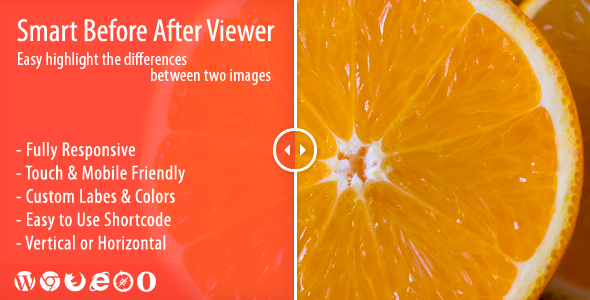


Smart Before After Viewer is a responsive WordPress plugin designed to create interactive image comparison sliders. It allows you to showcase a before-and-after view of images by overlaying two images with a draggable slider, letting users compare the two images easily. This plugin is perfect for industries like photography, real estate, design, cosmetics, and more, where showing the difference between two images (e.g., a property before and after renovation, product transformations, or cosmetic treatments) is essential.
Key Features of Smart Before After Viewer Plugin:
- Responsive Design:
- The plugin is fully responsive, meaning it adjusts to various screen sizes, ensuring that the before and after comparison works seamlessly on desktops, tablets, and mobile devices. This is essential for providing an optimal viewing experience across devices.
- Interactive Before and After Slider:
- Smart Before After Viewer features an interactive slider that allows users to drag a slider to reveal or hide portions of two images. This is great for demonstrating transformations, such as product enhancements, renovations, or makeup changes.
- Easy-to-Use Interface:
- The plugin offers a user-friendly interface. Once installed, you can easily set up before-and-after images by uploading your images and adjusting the slider settings with just a few clicks. You don't need to know any coding or technical skills to use the plugin.
- Drag-and-Drop Slider:
- The plugin provides a drag-and-drop functionality for the comparison slider. This makes it very intuitive for users to compare the images at their own pace by simply dragging the slider left or right.
- Customization Options:
- Smart Before After Viewer allows users to customize the appearance of the slider. You can change the slider handle, slider thickness, opacity of the images, and more to match your site’s theme or branding.
- Multiple Image Comparisons:
- The plugin supports multiple before-and-after images on the same page. You can showcase multiple sliders, each with a different set of images, which is ideal for comparing different products, services, or projects on one page.
- Add Titles, Descriptions, and Captions:
- The plugin allows you to add titles, descriptions, and captions to your images. This can help provide context to the images and guide the user on what they are comparing.
- Customizable Hover Effects:
- Hover effects can be customized, making it more engaging for users. For example, when hovering over the slider, the before and after images can display additional details, or the images can be enhanced with a smooth transition.
- Works with Any WordPress Theme:
- Smart Before After Viewer is compatible with most WordPress themes, ensuring that it can be easily integrated into your existing website without issues.
- SEO Friendly:
- The plugin is designed to be SEO-friendly. It allows search engines to index your images, which can help with search engine optimization, driving more traffic to your website.
- Touch-Support for Mobile Devices:
- The plugin includes touch support for mobile and tablet devices, ensuring that users can swipe to compare images easily on smaller screens. This is crucial for mobile users to have the same smooth experience as on desktop devices.
- Image Quality:
- The plugin does not compress images, allowing for high-quality image comparison. This means you can use high-resolution images without worrying about performance issues or compromising visual clarity.
- Shortcode Support:
- The plugin offers shortcode support, which means you can easily insert the before-and-after comparison slider anywhere on your website. You can use shortcodes within posts, pages, or even in widgets.
- No Coding Required:
- One of the main selling points of the Smart Before After Viewer plugin is that no coding knowledge is required to set it up. With its intuitive drag-and-drop interface, you can create and customize your image comparison sliders in just a few clicks.
- Customizable Slider Style:
- The plugin offers a variety of customizable slider styles. You can adjust the width, height, and orientation of the slider, as well as its position, to best suit the look and feel of your website.
- Multiple Layouts:
- You can display the before and after images in horizontal or vertical layouts, depending on the type of comparison and the space available on your website.
- Lightweight and Fast:
- The plugin is designed to be lightweight and fast, ensuring that it does not slow down your website’s load times, even when using large high-quality images.
- Support and Updates:
- The plugin typically offers regular updates to maintain compatibility with the latest version of WordPress and ensures security and performance improvements. Support is available to help you with setup and any issues you might encounter.
Benefits of Using Smart Before After Viewer:
- Interactive User Experience:
- The drag-and-drop slider provides an interactive and engaging experience for users. This helps increase engagement and time spent on the website, making it a great tool for showcasing transformations.
- Ideal for Various Industries:
- This plugin can be applied across many industries, including photography, real estate, makeovers, product transformations, home improvement, and cosmetics, among others. It provides a simple yet effective way to display visual comparisons.
- Increases Conversions:
- For businesses showcasing products or services, before and after comparisons can significantly increase conversions by demonstrating the effectiveness of their offerings. Whether it’s a cosmetic treatment, home renovation, or product feature, this plugin helps convey the value visually.
- Responsive and Mobile-Friendly:
- The responsive design ensures that users on any device (whether desktop, tablet, or mobile) can interact with the comparison slider seamlessly. This is key to providing a consistent and positive user experience.
- SEO Boost:
- With its SEO-friendly setup, Smart Before After Viewer allows search engines to properly index the images, which can help boost your website’s visibility in search results.
- Time-Saving Setup:
- The intuitive interface and pre-configured settings make it quick and easy to set up. The plugin requires no coding, which saves time for developers and non-technical users alike.
- Customizable Appearance:
- The plugin’s customization options let you fine-tune the appearance of the image comparison slider to match your website's design and branding. This allows for a fully tailored solution.
- User-Friendly for Site Visitors:
- The drag-and-drop slider is intuitive for users of all ages and technical abilities, making it easy to use and enhancing the overall user experience.
- Perfect for Visual Storytelling:
- Smart Before After Viewer is a great tool for visual storytelling, allowing businesses to present their success stories, client transformations, or product demos in an interactive and compelling way.






























