
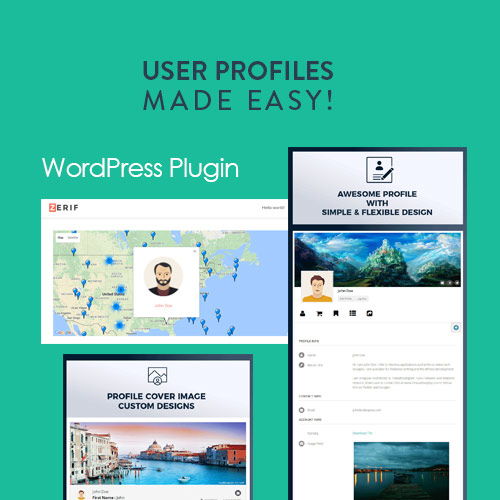


User Profiles Made Easy (UPME) is a versatile and highly customizable WordPress plugin designed to help you manage user profiles, registration, and login processes on your WordPress site. It’s particularly popular for membership sites, social networks, or any website that requires user interaction and engagement. The plugin enables you to create customized user profiles, registration forms, and login pages, allowing for a tailored experience that suits your site's needs.
Key Features of User Profiles Made Easy (UPME):
- Customizable User Registration Forms:
- UPME allows you to create custom user registration forms with various fields. You can collect the necessary data like names, email addresses, phone numbers, custom fields, and more. The forms are easy to design and implement with drag-and-drop functionality.
- You can also enable user email verification to ensure the authenticity of users registering on your site.
- Customizable User Profiles:
- You can customize user profiles with a wide variety of fields, such as bio, profile pictures, social media links, contact information, and more.
- The plugin allows you to organize profile data into tabs, making it easy for users to navigate and edit their information.
- Frontend Profile Management:
- UPME enables frontend profile management, meaning users can view and edit their profile information directly from the frontend of your site, without needing to access the WordPress dashboard.
- This user-friendly feature gives site visitors more control over their information while keeping the WordPress admin area clean and secure.
- Customizable Login & Registration Forms:
- The plugin allows you to create custom login and registration pages. These pages can be designed to match the look and feel of your website, and you can include custom fields that match the specific needs of your site.
- You can also restrict access to these forms and pages based on user roles, ensuring that only authorized users can access certain areas of your site.
- Social Login Integration:
- UPME supports social login integration with popular platforms such as Facebook, Google, and Twitter. This makes it easier for users to sign up or log in using their social media accounts, streamlining the process and reducing friction for registration.
- User Directory:
- You can create a user directory that displays a list of registered users on your website. The directory can be filtered by various criteria such as location, membership level, or profile fields.
- This feature is ideal for membership or community sites where users need to search for or connect with other members.
- User Role Management:
- The plugin supports user role management, enabling you to restrict access to certain profile fields or features based on the user’s role (Administrator, Subscriber, Editor, etc.).
- You can also create custom user roles and assign specific permissions for each, offering more flexibility in controlling what each user can or cannot do.
- Profile Privacy Settings:
- Users can control the privacy settings for their profiles. You can allow them to make their profiles public or restrict visibility to certain roles or users.
- This is particularly useful for social or community-based websites where users may want to limit who sees their personal information.
- Email Notifications:
- The plugin includes email notifications for various user actions. For example, users can receive notifications when their profile is updated, when they are approved for membership, or when they get a new message.
- These notifications help keep users informed and engaged.
- Profile Shortcodes:
- UPME offers various shortcodes to display user profile-related content, such as login forms, registration forms, and profile details. You can insert these shortcodes anywhere on your site.
- You can also customize the appearance and layout of the user profile pages using these shortcodes.
- Multisite Support:
- The plugin is compatible with WordPress Multisite, allowing you to use it across multiple sites within a network, making it a great choice for larger platforms with multiple communities or membership sites.
- WooCommerce Integration:
- UPME integrates seamlessly with WooCommerce, making it ideal for e-commerce websites that want to allow users to manage their profiles and orders from a unified interface.
- You can include WooCommerce-specific fields in user profiles or allow users to view their order history and manage account information through the UPME profile page.
- User Search and Filters:
- UPME provides an advanced user search and filter functionality, allowing visitors or users to search for profiles based on specific criteria such as location, skills, or membership level. This is especially helpful in large communities or membership sites.
- Restrict Content by User Profile:
- You can use UPME to restrict content based on user profiles. This is useful if you have content that should only be accessible to certain users, such as premium members or users who have completed specific registration fields.
- User Dashboard:
- UPME provides a customizable user dashboard where users can view and manage their profile details, recent activity, and more.
- You can add widgets to the dashboard to provide additional functionality, such as showing recent messages or providing quick links to important pages.
- Customizable User Fields:
- UPME allows you to create custom fields in the user registration and profile forms. You can define the type of field (text, radio button, checkbox, date, etc.) and make them required or optional.
- This gives you the flexibility to collect and display any information you need from your users.
- Security:
- The plugin ensures that user data is kept secure by offering password protection and secure form submissions.
- It also includes CAPTCHA support to prevent spam registrations and login attempts.
How to Install and Set Up User Profiles Made Easy (UPME):
- Install the Plugin:
- Purchase UPME from a reliable source like CodeCanyon.
- Go to your WordPress Dashboard and navigate to Plugins > Add New > Upload Plugin. Upload the ZIP file you downloaded and click Install Now.
- Once installed, click Activate to enable the plugin.
- Configure Plugin Settings:
- After activation, you will find a new menu item called UPME in your WordPress dashboard.
- Go to UPME > Settings and configure the plugin to suit your site. Set up user roles, profile fields, and customization options for registration and login forms.
- Create Custom User Registration Forms:
- Under the Forms tab, you can create custom registration forms by adding various fields.
- Customize the look and feel of your forms using the built-in styling options.
- Add Social Login Options:
- If you want to allow social login, go to the Social Login tab in the settings and connect your site with services like Facebook, Google, and Twitter.
- Create User Profiles:
- Customize the user profile page to include the fields you want users to complete. Use the drag-and-drop interface to arrange profile fields in the desired order.
- Set Up Frontend Profile Management:
- You can create a dedicated page for user profile management using the shortcodes provided by the plugin.
- Embed the [upme_profile] shortcode where you want the profile page to appear, and users can edit their details directly on this page.
- Create Login and Registration Pages:
- Create dedicated login and registration pages using the shortcodes for login and registration forms.
- Customize the pages and set them as the default login/registration pages for your site.
- Display User Directory:
- If you want to show a directory of users, use the [upme_user_directory] shortcode to display a list of registered users. You can filter this directory based on different criteria.
- Test the User Flow:
- After setting up the registration, profile, and login pages, test the user experience to ensure the forms work as expected, social login is enabled, and users can successfully register, log in, and manage their profiles.






![Booknetic - Appointment Booking & Appointment Scheduling & Calendar reservation [SaaS]](https://gplpixel.com/wp-content/uploads/2024/06/Booknetic-Appointment-Booking-Appointment-Scheduling-Calendar-reservation-SaaS-400x203.jpg)























