
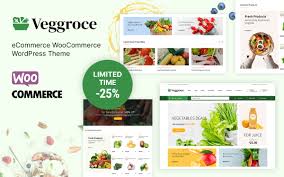


The Veggroce - Vegetable and Grocery WooCommerce Theme is a specialized WordPress theme designed specifically for online grocery stores, focusing on the sale of fresh vegetables, fruits, organic products, and other grocery essentials. If you're looking to create a professional and user-friendly e-commerce website for selling groceries, this theme is an excellent choice. It’s designed to provide an optimized shopping experience for customers who want to buy fresh products online.
Key Features of Veggroce - Vegetable and Grocery WooCommerce Theme:
- Fully Integrated with WooCommerce: The Veggroce theme is fully compatible with WooCommerce, the most popular e-commerce platform for WordPress. This integration allows you to easily set up your grocery store, manage inventory, process payments, and offer shipping options—all in one place.
- Responsive and Mobile-Friendly: Veggroce is designed to be fully responsive, meaning your website will look and function well on all devices—desktops, tablets, and mobile phones. This ensures that your customers can shop from any device, anywhere, at any time.
- Pre-Built Demo Content: The theme comes with pre-built demo content that you can easily import with a single click. This will help you quickly set up your website with example pages, product categories, and designs, so you can focus on customizing it to your needs rather than starting from scratch.
- Modern and Clean Design: Veggroce has a clean, modern, and attractive design tailored for the grocery business. Its visually appealing layout makes it easy for customers to browse through different categories of products and find what they need with ease.
- Product Showcase: The theme includes beautiful product pages, optimized to display fresh vegetables, fruits, and other grocery items. It offers features like product images, descriptions, pricing, nutritional information (if applicable), and add-to-cart buttons, allowing customers to view all the information they need to make a purchase.
- Advanced Product Filtering: With Veggroce, you can provide an advanced product filtering system that allows customers to filter products by categories, price range, dietary needs (e.g., vegan, gluten-free), and other attributes. This makes shopping easier and faster for users.
- Quick View and Add to Cart: The theme includes a quick view feature for products, enabling customers to preview product details without navigating away from the main page. The "Add to Cart" functionality is also smooth and user-friendly, enhancing the shopping experience.
- Customizable Homepages: Veggroce provides a variety of customizable homepage layouts that you can modify to fit your store’s branding. You can display featured products, promotions, bestsellers, or seasonal offerings right on the homepage.
- SEO Optimized: Veggroce is built with SEO best practices in mind, ensuring that your website has the best chance of ranking higher in search engine results. This helps attract organic traffic to your online grocery store and can lead to higher sales.
- Integrated Blog Layout: The theme includes a blog section where you can share recipes, nutrition tips, product news, or lifestyle content related to food and groceries. Blogging is a great way to engage with your customers and improve SEO.
- Multi-Language and Currency Support: Veggroce is fully compatible with WPML (WordPress Multilingual Plugin), so you can create a multilingual website for a global audience. It also supports multiple currencies, making it easier for customers from different countries to shop.
- Product Wishlist: Veggroce supports a wishlist feature, allowing customers to save their favorite products for future purchases. This enhances user experience and can drive repeat visits to your site.
- Social Media Integration: The theme allows you to integrate social media icons and feeds on your site. This lets you connect with your audience on platforms like Facebook, Instagram, and Twitter, and encourage them to follow and share your products.
- Multiple Payment Gateways: Veggroce supports a variety of payment gateways such as PayPal, Stripe, and bank transfers, allowing your customers to complete their purchases using their preferred payment methods.
- Easy Customization: Using the WordPress Customizer, you can change colors, fonts, layouts, and other design elements without needing to code. Veggroce also works well with popular page builders like Elementor, so you can drag-and-drop elements to create custom layouts.
- WooCommerce Subscriptions and Memberships: For recurring purchases, Veggroce integrates with WooCommerce subscription plugins, allowing you to offer subscription-based services such as weekly vegetable delivery or organic food boxes.
- Fast Loading Speed: The theme is optimized for fast loading times, which improves user experience, reduces bounce rates, and positively impacts SEO.
- Dedicated Customer Support: Veggroce comes with dedicated customer support, ensuring you have access to help when needed. Additionally, the theme receives regular updates to stay compatible with the latest WordPress and WooCommerce versions.
How to Use It:
- Install WordPress: Install WordPress on your hosting platform. Most hosting providers offer easy one-click installations for WordPress.
- Install the Veggroce Theme: In your WordPress dashboard, go to Appearance > Themes and click Add New to upload and activate the Veggroce theme.
- Import Demo Content: With the one-click demo import feature, you can easily import the demo content to quickly set up your website with pre-built pages, product categories, and layout designs.
- Install WooCommerce: Install and configure the WooCommerce plugin to enable e-commerce functionality. Add your products, set up payment gateways, and configure shipping and tax options.
- Customize Your Website: Use the WordPress Customizer to change your site’s colors, fonts, and layout. If you prefer, you can also use a page builder like Elementor to customize your homepage and product pages.
- Add Products: Add your grocery products to the store, including images, descriptions, prices, and any additional information (e.g., nutritional facts, product weight, etc.).
- Configure Payments and Shipping: Set up your preferred payment gateways (PayPal, Stripe, etc.) and define your shipping methods and rates. Veggroce supports various payment and shipping options, so you can cater to your customers’ preferences.
- Optimize for SEO: Install an SEO plugin like Yoast SEO to optimize product pages and other content on your website. This will improve your chances of ranking higher on search engines.
- Launch Your Site: Once everything is set up, it’s time to launch your online grocery store. Promote your store on social media, through email marketing, and via other channels to attract customers.
Why Choose Veggroce?
- Specialized for Grocery Stores: Veggroce is specifically built for grocery businesses, offering a design and features that cater to selling fresh produce, packaged groceries, and organic products.
- WooCommerce Integration: Full compatibility with WooCommerce makes it easy to set up a fully functioning online store with payment gateways, inventory management, and shipping options.
- Advanced Filtering: Customers can easily find and filter products by category, price, and other attributes, improving the shopping experience.
- Mobile-Friendly: With more people shopping on mobile devices, Veggroce ensures a responsive and smooth experience across all screen sizes.
- SEO and Speed Optimized: The theme is designed to load quickly and be SEO-friendly, ensuring that your site ranks higher in search engine results and provides a seamless experience for users.
- Customizable: Whether you want to tweak the theme’s design or completely overhaul the layout, Veggroce offers customization flexibility without needing to code.






























