
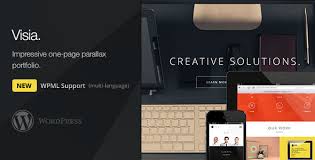

Visia – Responsive One Page Retina WordPress Theme is a modern and visually striking WordPress theme designed for those who want a sleek, one-page website. This theme is perfect for personal portfolios, small businesses, or any website that wants to showcase a single page with beautiful design elements. It's fully responsive, retina-ready, and optimized for speed, ensuring that your website looks fantastic on any device.
Here’s a comprehensive overview of the Visia WordPress theme:
Key Features of Visia – Responsive One Page Retina WordPress Theme:
- Responsive Design:
- Visia is built to be fully responsive, meaning it automatically adjusts to fit any screen size, whether viewed on a desktop, tablet, or smartphone.
- This ensures that your visitors get a seamless experience across all devices, which is critical for user engagement and SEO.
- Retina-Ready:
- The theme is retina-ready, which means that your website’s images and content will look crisp and sharp on devices with high-resolution screens (like the latest iPhones, tablets, and MacBooks).
- You can ensure a premium visual experience for users with Retina displays, delivering stunning imagery.
- One-Page Layout:
- Visia is a one-page theme, which means all the content is accessible on a single page. This layout is ideal for users who want a minimalist, focused approach to showcasing content, whether it's a portfolio, a business website, or a personal introduction.
- The one-page design is often more engaging and easier for users to navigate, improving the overall user experience.
- Smooth Parallax Scrolling:
- The theme includes smooth parallax scrolling effects, where background images move at a different speed than the foreground, creating a more dynamic and immersive browsing experience.
- This effect adds depth to the design and enhances the visual storytelling of the website.
- Customizable Layout:
- Visia offers customization options that allow you to personalize the theme according to your needs. You can adjust colors, fonts, sections, and other design elements through the WordPress Customizer.
- The theme provides several pre-designed sections such as portfolio galleries, about us sections, team profiles, and contact forms, which can be rearranged as needed.
- Built-In Portfolio:
- The Visia theme includes a portfolio section, perfect for showcasing your work, projects, or products.
- You can easily create visually appealing portfolios with images and descriptions that highlight your skills and accomplishments.
- SEO Optimized:
- Visia is optimized for SEO, meaning the theme's structure supports search engine visibility. The clean, well-structured code helps search engines crawl your site more effectively, giving you a better chance of ranking higher in search results.
- Built-in SEO options help you further optimize the site’s meta titles, descriptions, and keywords.
- Visual Composer Compatibility:
- Visia is fully compatible with the Visual Composer plugin (now known as WPBakery Page Builder), which is a popular drag-and-drop page builder plugin.
- This integration makes it easy for users to build custom layouts without any coding knowledge. You can simply drag and drop different elements, such as text blocks, images, and videos, to create the perfect page.
- Mega Menu Support:
- The theme includes mega menu support, allowing you to display large, multi-column menus in a clean and organized way.
- You can display categories, subcategories, and other important content in the menu, making navigation more intuitive for users.
- Smooth Animations:
- Visia incorporates smooth animations that add elegance and style to the overall website. These animations can be applied to various elements such as images, text, and buttons to give the site a modern feel.
- It’s easy to control how and when the animations appear as users scroll or interact with different sections of the page.
- Easy Demo Import:
- Visia provides one-click demo import, which allows you to easily import demo content to quickly set up your site.
- You can use this demo content as a starting point and then customize it according to your specific needs. This is particularly helpful for users who want a fast setup process.
- Fast Loading Speed:
- The theme is optimized for performance, ensuring fast loading times even with high-resolution images and complex design elements. This is important for user experience and SEO since fast-loading websites tend to rank better in search engine results.
- Contact Form Integration:
- Visia includes built-in support for contact forms, allowing you to create easy-to-use forms that users can use to reach out to you directly from the website.
- The contact form is fully customizable, and it integrates seamlessly with the theme design.
- Translation and WPML Ready:
- Visia is translation-ready and supports WPML, which is a popular multilingual plugin for WordPress.
- You can create a website in multiple languages, allowing you to reach a global audience.
- Regular Updates and Support:
- The theme comes with regular updates to keep it compatible with the latest versions of WordPress and to fix any bugs or issues.
- Dedicated customer support is available if you run into any issues or need assistance with setup.
How to Set Up the Visia Theme:
Step 1: Install and Activate the Theme
- Download the Visia theme from the theme marketplace or the developer’s website.
- In your WordPress dashboard, go to Appearance > Themes > Add New and click Upload Theme.
- Choose the downloaded theme file and click Install Now.
- After installation, activate the theme.
Step 2: Import Demo Content (Optional)
- After activation, you can import demo content to set up your site quickly. This can be done by going to the Theme Options or Import Demo option.
- Click Import Demo to load the demo content, which includes predefined sections and layout settings.
- Once imported, you can begin customizing the content, images, and text.
Step 3: Customize the Theme
- Go to Appearance > Customize to modify various theme settings, such as colors, fonts, typography, and layout.
- You can also customize the homepage sections, change the logo, and adjust other design elements to match your brand.
Step 4: Add Content
- Use the Visual Composer (or any page builder of your choice) to create custom pages and sections.
- Add content such as text, images, videos, portfolios, and contact forms using the available widgets and modules.
- Rearrange sections and add animations to create a unique design.
Step 5: Set Up Navigation
- Go to Appearance > Menus to set up the navigation menu for your site.
- You can create a one-page navigation by linking to specific sections of the homepage.
Step 6: Publish and Go Live
- After customizing your site, publish the changes and make your website live.
- Test the website on different devices to ensure it’s fully responsive and visually appealing.






























