
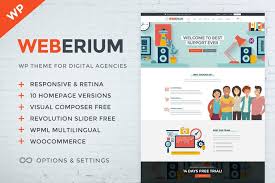


Weberium is a responsive WordPress theme designed with a focus on providing a clean, modern, and customizable design. It’s tailored to meet the needs of various types of websites, such as business websites, corporate sites, portfolio sites, and blogging platforms. The theme provides user-friendly features and robust customization options, allowing users to create a professional online presence without any coding skills.
Here are some of the key features and details of Weberium - Responsive WordPress Theme:
Key Features of Weberium Responsive WordPress Theme:
1. Fully Responsive Design:
- The Weberium theme is built with a fully responsive layout, which means it automatically adjusts to different screen sizes, providing a seamless experience across devices (desktop, tablet, and mobile).
2. Multiple Demo Layouts:
- Weberium comes with several demo layouts to cater to various types of websites. These layouts can be easily imported with a one-click demo import feature, helping you get started quickly and with ease.
- These demos are suitable for corporate websites, blogs, portfolio websites, eCommerce sites, and personal websites.
3. Drag-and-Drop Page Builder Support:
- The theme supports popular page builders like WPBakery Page Builder or Elementor. This feature allows users to create and modify pages easily with a drag-and-drop interface, making it easy to design custom layouts without writing code.
4. Customization Options:
- Weberium includes a robust theme options panel that allows you to customize the theme’s appearance to fit your brand. You can adjust colors, fonts, layouts, and more, offering a highly personalized look.
- The live preview feature in the customizer helps you see changes in real time as you tweak various settings.
5. SEO Optimized:
- The theme is designed with SEO best practices in mind. This ensures that your website is more likely to rank well in search engines, helping drive organic traffic to your site.
- Features like fast loading speeds, proper HTML markup, and clean code also contribute to better performance and SEO results.
6. Pre-Built Header and Footer Options:
- Weberium includes multiple header and footer designs that can be customized easily. Whether you want a traditional header, a sticky header, or a minimalist design, this theme gives you flexible options to choose from.
7. Portfolio Layouts:
- For creatives or businesses looking to showcase their work, Weberium provides several portfolio layout options, such as grid and masonry layouts, with support for filtering and categorization.
- These layouts are perfect for photographers, designers, or any professional who needs to display their portfolio in an attractive manner.
8. Blog Layouts:
- Whether you're running a personal blog or a business blog, Weberium offers several pre-designed blog layouts. You can choose from classic blog styles, grid layouts, and more to present your content beautifully.
- The theme also supports multiple post formats, including standard, video, audio, and gallery posts.
9. One-Click Demo Import:
- The One-Click Demo Import feature allows users to import demo content with a single click. This helps you get a fully functional site with sample content, images, and pages, making the setup process faster and easier.
10. WooCommerce Integration:
- Weberium is compatible with WooCommerce, allowing you to easily set up an online store. You can sell products, manage inventory, offer discounts, handle payments, and more.
- The theme provides a clean and minimal design for your shop pages to make the products stand out.
11. Translation Ready:
- The theme is translation-ready and can be easily localized into any language. If you're running a multilingual website, you can use plugins like WPML or Polylang to translate the theme’s content and make it accessible to a global audience.
12. Built-In Widgets:
- Weberium includes several useful widgets to add extra functionality to your site, such as recent posts, popular posts, social media feeds, and more. These widgets can be placed in sidebars, footers, or other widget-ready areas.
13. Google Fonts Integration:
- The theme comes with integrated support for Google Fonts, giving you access to a wide range of fonts to personalize your website’s typography. You can choose fonts that match your brand’s tone and style.
14. Retina Ready:
- Weberium is retina-ready, which ensures that images and graphics look sharp and crisp on high-resolution screens, like Retina displays on Apple devices. This helps deliver a visually pleasing experience to users.
15. Regular Updates and Support:
- The theme is regularly updated to ensure compatibility with the latest versions of WordPress and plugins. It also comes with dedicated support for users who need help with installation, customization, or troubleshooting.
Benefits of Using Weberium:
- Ease of Use:
- With its intuitive interface, drag-and-drop builder, and customizable options, even beginners can create a professional-looking website with minimal effort.
- Responsive and Mobile-Friendly:
- Weberium’s responsive design ensures that your website looks great on mobile devices, which is essential for reaching users who shop or browse on smartphones and tablets.
- Customizable and Flexible:
- Whether you're building a corporate site, a portfolio, or a blog, the theme provides a flexible foundation for building different types of websites. The wide range of customization options allows you to tweak the design to fit your brand.
- Fast and SEO-Friendly:
- The theme's optimized code and fast loading speeds contribute to better SEO performance, which can help you rank higher in search results and improve user engagement.
- Multiple Demo Designs:
- The variety of pre-designed demo layouts gives you a solid starting point. You can pick the demo that fits your needs and customize it further, reducing the time spent on creating content from scratch.
- WooCommerce Integration:
- Weberium's compatibility with WooCommerce makes it easy to set up an online store with a sleek design that complements your products. The ability to sell goods alongside content is an added advantage for businesses.
- Cross-Browser Compatibility:
- The theme works seamlessly across all major browsers, including Chrome, Firefox, Safari, and Edge, ensuring a consistent experience for all users.
How to Set Up Weberium Responsive WordPress Theme:
- Install the Theme:
- Navigate to Appearance > Themes in your WordPress dashboard and click Add New. Upload the Weberium theme ZIP file and click Install Now. After installation, click Activate.
- Import Demo Content (Optional):
- If you want your website to resemble the theme demo, use the One-Click Demo Import feature to bring in demo content, pages, and settings.
- Customize the Theme:
- Head to Appearance > Customize to adjust theme settings. You can modify colors, fonts, headers, and layout options here. The live preview helps you make changes and see them in real-time.
- Install Required Plugins:
- Install any necessary plugins, such as WPBakery Page Builder or Elementor, WooCommerce, and others recommended for extra functionality.
- Create Pages and Add Content:
- Build your homepage, about page, portfolio, shop pages, and other content. You can easily use the drag-and-drop builder to arrange elements and customize layouts.
- Publish Your Site:
- Once you’ve completed customization and added content, preview your website and then publish it to make it live.






























