

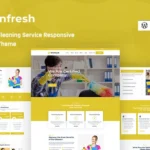

The Wonderland Landscaping and Gardening Services WordPress Theme is a specialized theme designed for businesses in the landscaping, gardening, and outdoor services industry. Whether you're running a landscaping company, offering lawn care, tree trimming, garden design, or other outdoor-related services, Wonderland provides a beautiful and functional platform to promote your services, showcase your work, and attract customers.
Key Features of Wonderland Landscaping and Gardening Services WordPress Theme:
- Industry-Specific Design: Wonderland offers a design that's perfectly tailored for landscaping and gardening businesses. It combines nature-inspired colors and layouts with modern, professional elements to showcase your services in a visually appealing way.
- Responsive and Mobile-Friendly: This theme is fully responsive, meaning it will look great on all screen sizes—from desktop computers to tablets and smartphones. With more people browsing on mobile devices, this feature ensures your website provides a smooth experience on any device.
- One-Click Demo Import: Wonderland includes a one-click demo import feature that helps you get started quickly. You can import demo content to see how the site will look, and then customize it with your own branding, text, images, and services.
- Service Showcase: The theme is designed to help you showcase your services clearly. You can create pages dedicated to individual services like lawn care, garden maintenance, landscaping design, irrigation systems, and more. These pages can be fully customized with pricing, descriptions, and images.
- Gallery and Portfolio: Wonderland offers a gallery and portfolio functionality, making it easy to display images of your past landscaping and gardening projects. This is a great way to highlight your work and demonstrate the quality of your services to potential clients.
- Contact Forms & Appointment Booking: Wonderland includes pre-built contact forms that allow clients to reach out for inquiries or quotes. You can also integrate an appointment booking system, so customers can easily schedule consultations or services directly through your website.
- Customizable Layouts: Wonderland offers several layout options, including grid-based, list, or full-width layouts. You can customize the structure of your pages to suit your brand and ensure a unique design that matches your business's identity.
- SEO Optimized: The theme is built with SEO best practices in mind, helping your site rank higher in search engine results. Additionally, you can install plugins like Yoast SEO to further optimize your content for better visibility.
- Blog Section: Wonderland includes a blog section where you can share gardening tips, landscaping advice, seasonal maintenance guides, and more. This not only helps engage your audience but also improves your site's SEO by adding fresh content regularly.
- Client Testimonials: A testimonials section allows you to display customer reviews and feedback. This helps build trust and credibility with potential clients, showing them that you have a track record of satisfied customers.
- Multilingual Support: Wonderland is translation-ready and supports RTL (Right-to-Left) languages, making it ideal for businesses targeting an international audience or different language groups.
- E-commerce Integration: If you sell products related to landscaping or gardening (like plants, tools, fertilizers, etc.), Wonderland supports WooCommerce. You can set up an online store to sell these products directly through your website.
- Social Media Integration: Wonderland allows you to connect your website with your social media profiles. You can display social media feeds or include social sharing buttons on your pages and blog posts, encouraging customers to follow and share your content.
- Fast Loading Speed: The theme is optimized for speed, ensuring that your website loads quickly. This is critical for user experience, as slow-loading pages can lead to higher bounce rates and lower rankings on search engines.
- Built with Elementor: Wonderland is compatible with Elementor, a popular drag-and-drop page builder. This allows you to easily customize your site’s layout and design without needing any coding knowledge.
- Regular Updates and Support: The theme comes with ongoing updates, ensuring it stays compatible with the latest versions of WordPress and other plugins. You’ll also get support from the theme developers if you need any assistance with setup or troubleshooting.
How to Use It:
- Install WordPress: First, make sure that WordPress is installed and set up on your hosting platform.
- Install the Wonderland Theme: Upload and activate the Wonderland theme through the WordPress dashboard under the Appearance > Themes section.
- Import Demo Content: Use the one-click demo import feature to quickly get your site set up to resemble the demo. This is helpful to get an initial layout that you can easily customize with your content.
- Install Required Plugins: Wonderland may recommend installing certain plugins, such as Elementor (for easy drag-and-drop page building), WooCommerce (for e-commerce features), and Contact Form 7 (for forms).
- Customize the Theme: Use the WordPress Customizer or Elementor to modify colors, fonts, images, and layouts. Adjust the homepage, service pages, and contact forms to fit your brand.
- Add Your Services and Projects: Start by adding your services, creating pages for each service type, and showcasing past projects in the portfolio section.
- Set Up the Blog: If you plan to create content related to gardening tips, landscaping ideas, or seasonal advice, set up the blog section. Regular blog posts can drive more traffic and provide value to your customers.
- Integrate Social Media: Link your social media accounts to your site and display your feeds or social sharing buttons to make it easier for users to engage with your brand.
- Set Up WooCommerce: If you’re selling gardening tools, plants, or other products, configure WooCommerce by adding your products, setting up payment gateways, and adjusting shipping options.
- Optimize for SEO: Use an SEO plugin like Yoast SEO to optimize your website’s pages, services, and blog posts. This will help improve your rankings on search engines.
- Launch Your Site: After completing your customizations, testing, and content additions, you’re ready to launch your website!
Why Choose Wonderland?
- Tailored for Landscaping & Gardening: Wonderland is specifically designed for businesses in the landscaping, gardening, and outdoor services industry, making it easier for you to set up a relevant and professional website without unnecessary customization.
- User-Friendly: Whether you're a business owner or a website designer, Wonderland is designed for ease of use. The theme offers simple customization options and works seamlessly with drag-and-drop page builders like Elementor.
- Perfect for Showcasing Projects: The gallery and portfolio features are ideal for displaying your past landscaping projects. This can help potential customers get an idea of the quality of your work and inspire them to book your services.
- Built for Growth: With features like WooCommerce integration and the ability to add a blog, Wonderland allows your business to grow by adding an online store or regularly posting content to engage your audience.
- SEO & Mobile Optimized: The theme is built with SEO in mind, helping your website rank higher in search engines, while the responsive design ensures it looks great on any device.
- Ongoing Support & Updates: Wonderland comes with regular theme updates, ensuring it remains compatible with the latest WordPress versions. You'll also get access to support if you need help with any aspect of the theme.






























