
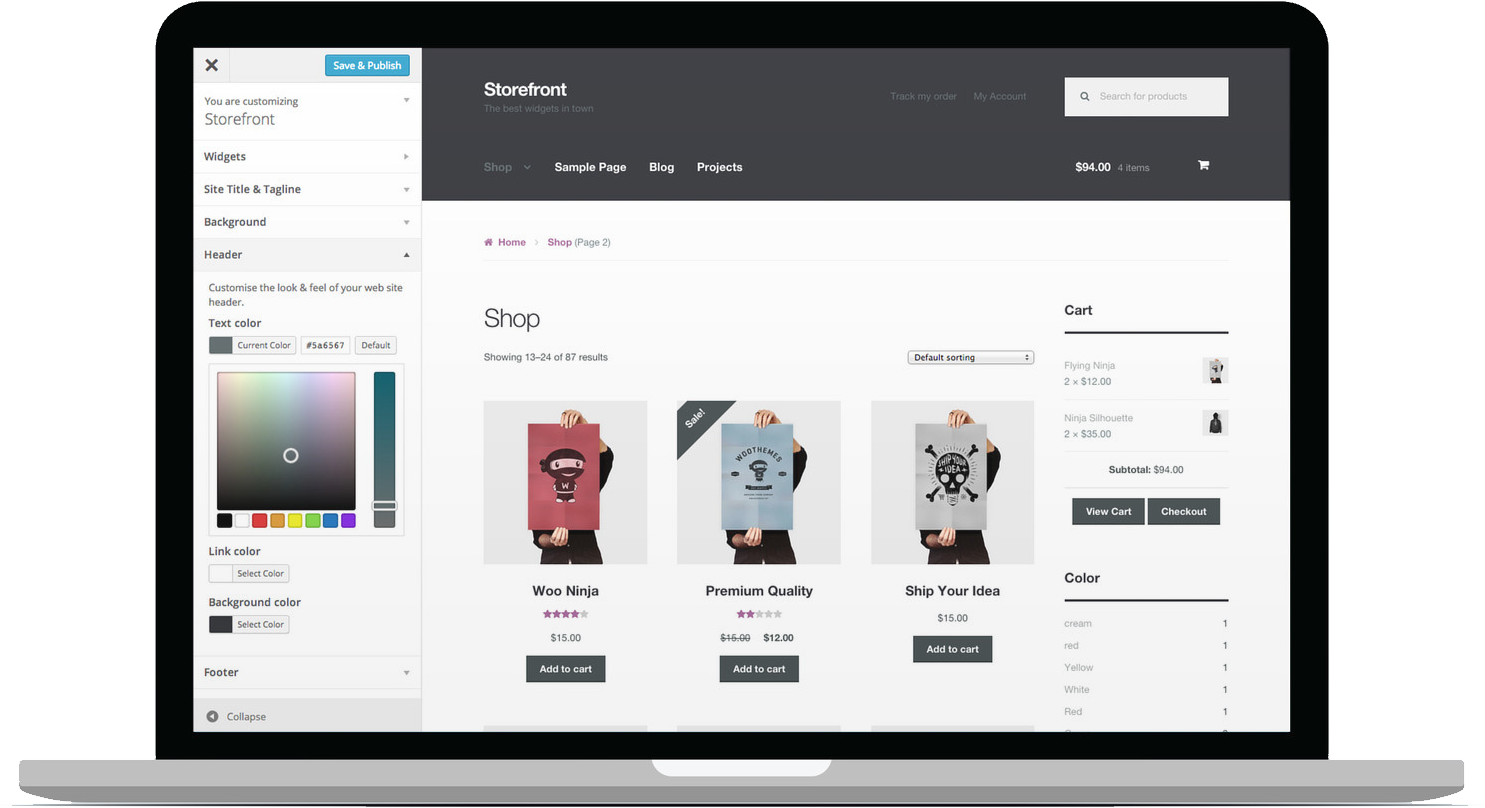

WooCommerce Storefront Blog Customiser is a plugin designed to enhance the appearance and functionality of the blog pages on WooCommerce websites that use the Storefront theme. The Storefront theme is the official theme for WooCommerce, but it has limited customization options for blog pages. This plugin provides additional customization tools specifically for the blog section of your WooCommerce site, allowing you to tailor the design and layout to match your branding and desired user experience.
Key Features of WooCommerce Storefront Blog Customiser
- Customizable Blog Layouts
- The plugin allows you to modify the layout of the blog page, offering options for both the single post view and blog archive pages (category, tag, or date-based archives).
- Choose from several layout options, such as:
- Grid layout (to display blog posts in a grid format)
- List layout (display blog posts in a vertical list format)
- Masonry layout (with adjustable columns for a more dynamic look)
- Enhanced Post Excerpts and Meta Information
- Customize the length of post excerpts displayed on the blog page, allowing you to decide how much content to show before users click through to read more.
- Easily hide or display post meta information (such as author, date, categories, tags, comments) to suit your design preferences.
- Option to modify the order of meta elements or completely disable them.
- Customizable Blog Sidebar
- The plugin enables you to adjust the sidebar layout on your blog pages, giving you control over whether you want a left, right, or no sidebar.
- You can also customize the widgets in the sidebar, enhancing the blog's functionality and appearance.
- Typography & Color Settings
- Customize fonts, sizes, colors, and styles for various blog elements, such as titles, post content, metadata, and links.
- Tailor typography to match your brand's identity and improve readability.
- Post Content Styling
- Modify the appearance of post content to make it visually appealing and consistent with the rest of your website. Adjust padding, margins, and other spacing elements for a more polished look.
- Customizable Blog Title and Breadcrumbs
- You can customize the blog page title (such as changing it from "Blog" to something else) and modify the breadcrumb navigation for a cleaner, more user-friendly structure.
- Adjust Post Image Display
- Configure how images appear on your blog, such as adjusting their size, aspect ratio, or the use of featured images. The plugin also allows you to change the default behavior of images on blog pages to create a more visually appealing layout.
- Category, Tag, and Author Customization
- Customize how categories, tags, and author names appear on blog posts, allowing for greater flexibility in organizing and displaying your content.
- You can hide, reorder, or customize the labels associated with your blog's taxonomy.
- Pagination Settings
- Customize the pagination settings for blog posts, including how many posts are displayed per page and the type of pagination style (numeric, next/previous buttons, or infinite scroll).
- Mobile Optimization
- Ensure that the customizations made to the blog layout are fully responsive and optimized for mobile devices. The plugin ensures your blog content looks great on all screen sizes.
- Custom CSS Options
- For advanced users, the plugin offers the ability to add custom CSS to further personalize the design of the blog. This can be especially useful if you want to make more granular design adjustments.
- Compatibility with WooCommerce
- The plugin is designed to work seamlessly with WooCommerce, meaning it won’t interfere with your online store functionality. The customizations are focused solely on the blog pages and don’t affect other parts of your site.
Benefits of Using WooCommerce Storefront Blog Customiser
- Improved Visual Appeal
- By allowing full control over blog layouts, typography, images, and colors, the plugin enables you to make your blog look more professional and visually engaging, which can help retain visitors and keep them coming back for more content.
- Enhanced User Experience
- With better control over meta information, content display, and sidebar positioning, you can optimize the user experience on your blog pages, making it easier for visitors to navigate, find content, and interact with your posts.
- Increased Branding Flexibility
- The custom design and styling options give you the ability to align your blog's design with your brand, ensuring consistency across all pages of your site.
- SEO Benefits
- A well-structured and aesthetically appealing blog can lead to improved engagement metrics, such as time on page and lower bounce rates, both of which are important factors for SEO.
- Additionally, the plugin’s options for metadata and customization help make your blog more user-friendly, indirectly benefiting your SEO efforts.
- Save Time with Easy Customization
- The plugin’s user-friendly interface allows you to make changes without needing to write any code. Even if you have limited technical experience, you can still make professional-looking customizations to your blog.
- Complete Control Over Post Elements
- You have total control over which elements appear on your blog page, such as post excerpts, featured images, meta data, and more. This level of customization ensures that your blog page is precisely how you want it.
- Seamless Integration with Storefront Theme
- Since it is built specifically for the Storefront theme, WooCommerce Storefront Blog Customiser integrates flawlessly with your website without conflicts, ensuring that your blog customization doesn't interfere with other elements of your site.
- Mobile-Responsive Designs
- The plugin ensures that all customizations are fully responsive, meaning your blog will look great on any device, whether it's a desktop, tablet, or smartphone.
- Easier Blog Management
- With this plugin, managing your blog’s design is simplified. You no longer need to modify theme files or hire a developer to achieve a unique and customized blog page.
How to Use WooCommerce Storefront Blog Customiser
- Install the Plugin
- Install the WooCommerce Storefront Blog Customiser plugin by uploading it to your WordPress website or directly from the WordPress plugin repository.
- Activate the Plugin
- After installation, activate the plugin through the WordPress admin panel.
- Access Customization Settings
- Once activated, navigate to the Customiser section of your WordPress dashboard, where you’ll find a new section for WooCommerce Blog Customiser.
- Configure Blog Layout
- Start by selecting the layout for your blog page (e.g., grid, list, masonry) and adjust the appearance of blog posts, including excerpt length, featured images, and post meta data.
- Adjust Typography and Colors
- Customize the fonts, colors, and sizes of headings, paragraphs, and links to align with your website’s branding.
- Sidebar and Widget Customization
- Decide whether you want a left, right, or no sidebar, and configure the widgets that should appear in the sidebar.
- Preview and Publish
- Once you’ve made all your desired customizations, preview the changes to ensure everything looks as expected. When satisfied, publish the changes to your live site.






























