
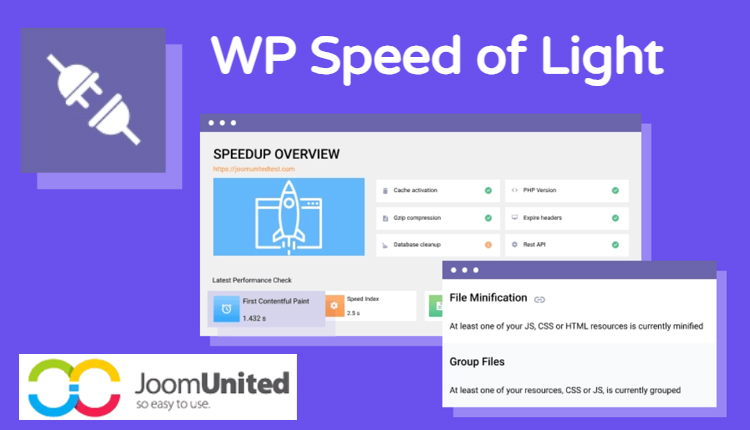


The WP Speed of Light PRO Addon is an advanced performance optimization tool designed to improve the speed and overall performance of WordPress websites. It is an addon for the WP Speed of Light plugin, which focuses on enhancing website loading times by leveraging various optimization techniques. This PRO version adds additional features and capabilities that allow for even more fine-tuned control over how a WordPress site performs, particularly regarding its speed, efficiency, and user experience.
Key Features of WP Speed of Light PRO Addon:
- Advanced Caching:
- Server-side caching: The PRO version includes advanced server-side caching options that allow for quicker loading times by storing static files (like HTML, CSS, JavaScript) to be served to users faster, reducing the server load.
- Browser caching: With browser caching, frequently used assets are stored in the user’s browser, meaning they don’t need to be re-downloaded on subsequent visits, improving speed.
- Lazy Load:
- Lazy Loading of Images and Videos: The PRO addon enables lazy loading for images and videos, meaning these elements are only loaded when they enter the viewport (i.e., when they’re visible on the user's screen). This reduces the page load time by deferring the loading of non-critical elements until they are needed.
- CSS & JavaScript Minification:
- Minification of CSS, JavaScript, and HTML files: This feature reduces the file size of these resources by removing unnecessary characters like spaces, comments, and line breaks. Smaller file sizes lead to faster loading times and improved performance.
- Concatenation: This tool combines multiple CSS or JavaScript files into one to reduce the number of HTTP requests made by the browser, speeding up the page load process.
- GZIP Compression:
- GZIP Compression is enabled for your website's files to reduce their size before they are sent to the browser. This means your site’s data is transmitted in a compressed form, improving the loading speed significantly, particularly for large websites with lots of content.
- Database Optimization:
- Database Cleanup: The PRO addon helps optimize the database by removing unnecessary data, such as post revisions, trashed posts, spam comments, and transient options. This cleanup reduces the size of the database and improves the performance of the website.
- Optimization of Database Queries: The addon helps reduce the load on your database by optimizing SQL queries, further improving website speed.
- Image Optimization:
- Image Compression and Optimization: The PRO version provides advanced tools for compressing and optimizing images without losing quality. Optimizing images can drastically reduce their file size, which in turn boosts website performance.
- WebP Support: The PRO version may include the ability to serve images in the WebP format, which is a highly optimized image format designed for the web, providing a significant reduction in image size without compromising visual quality.
- Content Delivery Network (CDN) Integration:
- CDN Support: The PRO version allows integration with CDN services to serve content (images, CSS, JavaScript, etc.) from multiple servers located across different regions. This ensures that website content is delivered quickly to users from the server closest to them, further improving loading speeds.
- Critical CSS Optimization:
- Critical CSS Generation: The plugin generates and optimizes critical CSS, which is the CSS needed to render the above-the-fold content. This helps to render the page faster by ensuring the browser doesn’t have to wait for all CSS to load before showing the user the content they need.
- Defer Parsing of JavaScript:
- Deferring JavaScript Parsing: The plugin allows JavaScript files to be deferred, meaning they are loaded only after the main content of the page has loaded. This can greatly reduce the initial page load time and enhance the user experience, especially on mobile devices.
- Heartbeat Control:
- Heartbeat API Control: The Heartbeat API in WordPress can cause unnecessary server requests, particularly on admin pages. The PRO addon allows you to control the frequency of these requests, reducing the load on the server and improving overall website performance.
- Font Optimization:
- Font Loading Optimization: The PRO addon provides features for optimizing font loading by using font-display options like swap, fallback, or optional, ensuring that text is rendered quickly even before the font files have fully loaded.
- Mobile Optimization:
- The addon focuses on improving mobile performance, ensuring that mobile users have a faster and smoother browsing experience. This can include adjustments to image sizes, lazy loading for mobile, and minimizing resource usage for mobile devices.
- Performance Insights:
- The PRO addon may also include performance analytics, providing insights into your website’s speed, identifying bottlenecks, and offering recommendations for further optimization.
- One-click Optimizations:
- The plugin may include one-click optimization features that allow users to enable several performance tweaks at once, making it easy to improve website speed without requiring technical knowledge.
- Advanced Support:
- As part of the PRO version, users may have access to priority support for troubleshooting performance-related issues, ensuring fast resolution of any technical challenges related to optimization.
Benefits of Using WP Speed of Light PRO Addon:
- Improved Website Speed: By using advanced techniques like caching, minification, image optimization, and CDN integration, your website's load time will improve, which leads to better user experience and higher engagement.
- Better SEO: Page speed is a significant factor for SEO rankings. Faster websites are more likely to rank higher on search engines like Google, improving your website’s visibility.
- Enhanced User Experience: Faster load times mean users are less likely to leave your site due to slow performance. This results in lower bounce rates and higher user satisfaction.
- Mobile Optimization: With mobile traffic increasing every year, having a website that loads quickly on mobile devices is crucial. The PRO addon helps ensure that mobile users have a smooth and fast experience.
- Reduced Server Load: By optimizing your website’s resources and enabling caching, the load on your server will decrease, leading to better scalability and the ability to handle more visitors.
- Easier Maintenance: The database optimization and cleanup tools help maintain a lean and efficient website, reducing overhead and improving performance over time.
- Increased Conversions: Faster websites generally lead to better conversion rates, as users are more likely to complete purchases or interact with the site when it loads quickly.
How to Use WP Speed of Light PRO Addon:
- Install WP Speed of Light Plugin: First, ensure that you have the base WP Speed of Light plugin installed and activated on your WordPress website.
- Install the PRO Addon: After purchasing the PRO addon, install and activate it via the Plugins section in the WordPress admin dashboard.
- Configure Optimization Settings: Navigate to the WP Speed of Light PRO settings panel where you can configure all available optimization features. Start by enabling caching, image optimization, and JavaScript deferring.
- Test Your Website: After configuring the plugin, test your website’s performance using tools like Google PageSpeed Insights or GTMetrix to evaluate the improvements and make additional adjustments as needed.
- Monitor Performance: Regularly check the performance insights to ensure that your site’s speed remains optimal over time and make any necessary adjustments as your website grows.






























