
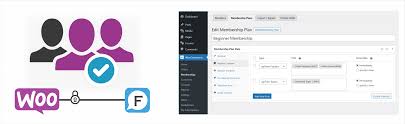

The WPForo – WooCommerce Memberships integration allows store owners to combine the features of WPForo (a WordPress forum plugin) with WooCommerce Memberships, providing an enhanced membership experience for customers in an online store. With this integration, you can easily create exclusive membership areas or content within your community forum, where access is granted based on WooCommerce membership plans.
Key Features of WPForo – WooCommerce Memberships:
- Create Membership-Based Forum Access:
- The integration allows store owners to restrict forum access or specific forum threads based on WooCommerce membership plans. For example, only customers with a premium membership or higher-tier subscription can access certain forums or discussions.
- This feature is ideal for building an exclusive community for members or offering premium content in your forum that is accessible only to paying customers.
- Automatic Role Assignment:
- When a user purchases a membership through WooCommerce Memberships, the system can automatically assign them a specific role in WPForo. This role determines what content and features they can access in the forum.
- For example, a member who subscribes to a Silver membership might gain access to certain discussion boards, while a Gold member might have access to all forums, including VIP-only sections.
- Membership-Only Forum Sections:
- WPForo enables you to create membership-only forum sections. These sections can be restricted to users who have a specific WooCommerce membership level.
- This feature allows store owners to manage different types of content (such as discussions, Q&A, or support forums) for different membership levels, enhancing the user experience and fostering a sense of exclusivity.
- Customized Content for Members:
- You can customize the content available to different membership levels. For example, premium members might have access to exclusive threads, topics, or forums, while basic members can only access public content.
- This helps in creating a more personalized and valuable experience for your members, improving engagement within your community.
- Seamless Integration with WooCommerce Memberships:
- The integration works seamlessly with WooCommerce Memberships, meaning you can manage memberships, subscriptions, and content protection from a single place. Members can purchase their plans via WooCommerce, and based on their membership level, they can gain access to the appropriate forum content.
- WooCommerce’s flexible membership system enables you to create different membership tiers, which can be linked to specific access rights in the forum.
- Subscription-Based Memberships:
- If you offer subscription-based memberships, the integration will help ensure that only active subscribers can access membership-restricted forum content.
- If a member’s subscription expires or is canceled, their forum access will be automatically revoked based on the rules set in the WooCommerce Memberships plugin.
- Access Control for Topics, Threads, and Forums:
- The integration allows you to control access to individual threads, topics, and even entire forum categories. You can set up forum areas that are available exclusively for certain membership levels, creating a segmented and tailored experience for different members.
- User Registration and Profile Sync:
- The integration allows for smooth synchronization of user profiles between WPForo and WooCommerce. When a user registers on your WooCommerce store, they can automatically be added to WPForo as a forum user, ensuring consistent user experiences across both platforms.
- Profile information such as username, membership level, and other details can be synced, which helps users maintain a unified experience across their membership and forum interactions.
- Enhanced Community Engagement:
- With this integration, you can enhance community engagement by incentivizing users to purchase memberships. Members who gain access to exclusive forum content are more likely to participate actively, ask questions, share insights, and contribute to discussions.
- This increases the overall value of the membership and helps build a loyal, engaged community around your brand.
- Customizable Forum Permissions:
- The integration allows you to define custom forum permissions for each membership level. This ensures that members only see content relevant to them, and prevents unauthorized users from accessing premium areas.
- You can also assign specific forum features (like posting, commenting, or creating threads) to different user roles, giving you granular control over how users interact with the forum.
How to Set Up WPForo – WooCommerce Memberships Integration:
- Install WPForo and WooCommerce Memberships:
- First, ensure you have both the WPForo plugin and the WooCommerce Memberships plugin installed and activated on your WordPress site. WPForo is the forum plugin, while WooCommerce Memberships handles the membership access control.
- Configure WooCommerce Membership Plans:
- In your WooCommerce store, set up different membership plans using WooCommerce Memberships. These could be based on a variety of criteria, such as paid subscriptions, free trials, or one-time purchases.
- Each membership plan can have specific access rights, content restrictions, and other benefits.
- Link Membership Plans to WPForo:
- Once the membership plans are set up, you can configure the access restrictions for WPForo. You will define which membership plans can access specific forum sections, threads, or topics in WPForo.
- You can map WooCommerce membership levels to WPForo user roles to control the permissions in the forum.
- Customize Forum Permissions:
- In WPForo, create forum sections that are exclusive to certain membership levels. For example, a "VIP Members Only" section could be restricted to users with higher-tier memberships.
- Assign the appropriate roles and permissions for each membership level to ensure the right users can access the relevant content.
- Sync User Profiles:
- When a user registers for a WooCommerce Membership, make sure their profile is automatically created and synced with WPForo. This ensures that members have access to the right forum areas based on their subscription.
- Monitor Membership Status:
- The system will automatically manage access control based on membership status. If a member's subscription expires or they downgrade their membership, WPForo will restrict their access to specific forum areas according to the new membership level.
Benefits of Using WPForo – WooCommerce Memberships Integration:
- Exclusive Community Access: Create an exclusive space for paying members to interact, share insights, and access premium content.
- Automated Member Role Assignment: Automatically assign roles based on membership plans, ensuring members get the appropriate forum access.
- Enhanced Engagement: Members are more likely to engage with the community if they have access to exclusive content and discussions.
- Easy Management: Manage both your store's membership and forum access from one place, reducing administrative work.
- Scalable Membership System: Easily scale your membership offerings, allowing for multiple tiers and benefits for each level.
- Personalized Content: Provide personalized content and discussions based on membership levels, increasing the perceived value of each plan.
- Increased Member Retention: Offering exclusive content in your forum can lead to higher member retention rates and ongoing subscriptions.








![Booknetic - Appointment Booking & Appointment Scheduling & Calendar reservation [SaaS]](https://gplpixel.com/wp-content/uploads/2024/06/Booknetic-Appointment-Booking-Appointment-Scheduling-Calendar-reservation-SaaS-400x203.jpg)





















