
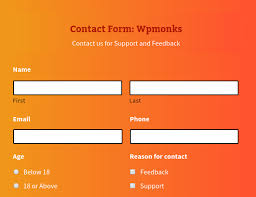

WPMonks – Themes Addon is an extension designed to work with the WPMonks suite of plugins for Gravity Forms. This addon allows you to apply pre-designed themes and styles to your Gravity Forms, providing an easy way to give your forms a polished and professional look without needing to write custom CSS or HTML. The addon offers a variety of visually appealing themes and styling options that can be applied to forms, ensuring that your forms align with the design of your website.
Key Features of WPMonks – Themes Addon:
- Pre-Designed Themes for Gravity Forms:
- The addon provides a collection of pre-designed themes that can be easily applied to your Gravity Forms.
- These themes cover a variety of styles, from minimalist and modern to more complex and vibrant designs.
- No coding skills are required to apply these themes; they can be easily selected and implemented through the plugin's interface.
- Customizable Styles:
- While the addon provides pre-designed themes, you can still customize the colors, fonts, and layout to match your website’s branding.
- Adjust styles like background colors, text colors, input field borders, and hover effects.
- Quick Theme Switcher:
- With just a few clicks, you can switch between different themes for your forms, making it easy to test different styles and see what works best for your website and users.
- Mobile and Tablet Optimized:
- The themes are fully responsive, ensuring that your Gravity Forms look great on all devices, including desktops, tablets, and smartphones.
- This ensures a seamless experience for users, regardless of the device they are using.
- Cross-Browser Compatibility:
- The themes are designed to work across all major browsers, ensuring that your forms look consistent and perform well for all visitors.
- No Coding Required:
- You don’t need to have any knowledge of CSS or HTML to use the WPMonks Themes Addon. The plugin provides an easy-to-use interface for applying themes to your forms.
- This makes it perfect for users who want to improve the appearance of their forms but don’t have coding skills.
- Enhanced User Experience:
- By adding attractive themes to your Gravity Forms, you can create a more engaging and visually appealing experience for your users.
- Well-styled forms can increase form submissions by improving the user interface and making the form easier to use.
- Works Seamlessly with Other WPMonks Plugins:
- The addon is designed to work seamlessly with other WPMonks plugins, such as the Field Icons for Gravity Forms and Checkbox & Radio Inputs Styler. This allows you to create a fully customized form with icons, field styling, and attractive themes all in one place.
How to Use WPMonks – Themes Addon:
- Install the Plugin:
- First, install and activate the WPMonks Themes Addon on your WordPress website.
- You will also need the Gravity Forms plugin installed and activated to use the addon.
- Access Theme Settings:
- After activation, navigate to Forms > Settings in the WordPress admin panel, where you’ll find the settings for the WPMonks Themes Addon.
- Select a Theme:
- From the plugin’s settings, you can browse the available themes and select one that suits your site’s design.
- The themes are categorized, making it easy to find one that matches the overall style of your site.
- Customize the Theme:
- After selecting a theme, you can further customize it by adjusting the form’s colors, fonts, borders, and spacing.
- Use the provided customization options to ensure that the form matches your branding and visual preferences.
- Apply and Preview:
- Once you’ve chosen and customized a theme, save your settings.
- Preview the form on your website to ensure the theme looks great and performs as expected.
- Test Across Devices:
- Since the themes are responsive, test your forms on different devices to ensure they maintain their appearance and usability.
Use Cases:
- Contact Forms: Apply a clean and modern theme to your contact form to make it visually appealing and easy to use.
- Registration Forms: Use a professional, branded theme to give your registration forms a polished look, encouraging users to complete the process.
- Survey Forms: For feedback or survey forms, apply an engaging theme to make users feel comfortable and motivated to participate.
- WooCommerce Product Forms: Apply customized themes to product inquiry or customization forms to match your store’s aesthetic.






![Booknetic - Appointment Booking & Appointment Scheduling & Calendar reservation [SaaS]](https://gplpixel.com/wp-content/uploads/2024/06/Booknetic-Appointment-Booking-Appointment-Scheduling-Calendar-reservation-SaaS-400x203.jpg)























