
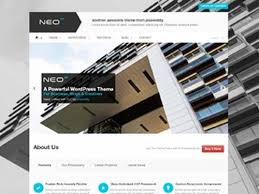

The Neo WordPress Theme by ZigZagPress is a clean, modern, and highly versatile theme designed for users who want a professional and elegant website. It caters to a wide range of industries and business types, including agencies, portfolios, freelancers, and small businesses. The theme focuses on simplicity, functionality, and customization, making it easy for anyone to create a unique, visually appealing website without the need for extensive design experience.
Key Features of the Neo WordPress Theme:
- Modern and Clean Design:
- The Neo theme offers a sleek and minimalist design that focuses on content with a clean, professional layout. It is ideal for users who want a modern design without being too flashy or complicated.
- Fully Responsive and Mobile-Optimized:
- Neo is built to be fully responsive, meaning your website will look great on all devices, from desktop to mobile. This is critical for ensuring that your site delivers a great user experience regardless of the device being used.
- One-Click Demo Import:
- The one-click demo import feature allows you to quickly import demo content, including layouts, pages, and posts, so you can get your website up and running in no time. This provides a solid foundation that you can customize to fit your needs.
- Drag-and-Drop Page Builder Support:
- Neo is compatible with popular drag-and-drop page builders like Elementor and WPBakery (formerly Visual Composer). This gives you the ability to design custom pages without any coding skills, making the customization process easy and intuitive.
- Multiple Pre-built Layouts:
- The theme offers a variety of pre-designed layouts that can be easily customized. Whether you're creating a portfolio, business site, blog, or online store, there’s a layout that will work for your content.
- Customizable Header and Footer:
- The theme offers flexible header and footer customization options. You can adjust the design of these sections to suit your brand, such as adding logos, menus, social media icons, contact information, or even custom widgets.
- Portfolio and Gallery Features:
- The Neo theme comes with built-in portfolio and gallery features, allowing you to easily display your work. This is ideal for creatives such as designers, photographers, and artists who want to showcase their projects in a visually appealing way.
- SEO Optimized:
- Neo is designed with SEO best practices in mind. The theme's clean code, fast loading times, and mobile optimization are all factors that help improve your website's performance on search engines. Additionally, you can enhance your SEO with plugins like Yoast SEO.
- WooCommerce Compatibility:
- If you're looking to create an online store, Neo is fully compatible with WooCommerce, one of the most popular e-commerce plugins for WordPress. You can easily set up an online shop, sell products, manage inventory, and handle payments.
- Social Media Integration:
- The theme allows for easy social media integration, allowing you to link your social media profiles and even display live feeds from platforms like Instagram, Twitter, or Facebook directly on your website.
- Translation Ready:
- Neo is translation-ready, making it easy to create a multilingual website. You can translate the theme's content using plugins like WPML or Polylang, which is great for reaching a global audience.
- Custom Widgets:
- The theme includes custom widgets such as recent posts, social media icons, contact details, and more. These widgets can be added to sidebars or footers to improve site functionality and user engagement.
- Regular Updates and Support:
- Neo comes with regular theme updates, ensuring compatibility with the latest version of WordPress and maintaining security standards. Additionally, ZigZagPress offers reliable customer support for any technical assistance or issues you may encounter.
- Built-In Contact Forms:
- The theme includes built-in contact forms, making it easy to collect inquiries from your visitors. You can customize these forms according to your needs, such as adding fields for specific information or configuring email notifications.
- Fast Loading Speed:
- Neo is optimized for fast loading speeds. This is important both for user experience and SEO, as search engines like Google prioritize fast-loading websites in search rankings.
- Regular Updates and Support:
- As with all ZigZagPress themes, Neo comes with regular updates to ensure compatibility with the latest WordPress version and security patches. Plus, you get access to dedicated customer support if you need help with theme setup or any technical issues.
How to Set Up the Neo WordPress Theme:
- Install the Theme:
- To get started with Neo, go to your WordPress Dashboard > Appearance > Themes > Add New and upload the theme file you downloaded from ZigZagPress or a theme marketplace.
- Import Demo Content:
- After installing the theme, you can use the one-click demo import feature to import the pre-designed demo content. This will set up your website with the layout, pages, and structure similar to the theme’s demo site, providing a great starting point.
- Customize with Page Builders:
- You can now use a drag-and-drop page builder like Elementor or WPBakery to customize your pages. These builders allow you to easily add and arrange elements like text, images, buttons, and more.
- Add Content:
- Start adding your own content, such as portfolio items, blog posts, or product listings if you're setting up an e-commerce site. Customize each page’s design and content to fit your brand.
- Configure WooCommerce (Optional):
- If you're creating an online store, you can install WooCommerce and begin configuring your product pages, checkout process, and payment gateways.
- Optimize Your Site:
- Before launching your site, ensure that it is SEO optimized and functioning correctly on all devices. You can install an SEO plugin like Yoast SEO to further enhance your site's search engine visibility.
- Launch Your Website:
- Once you're happy with the design and functionality of your website, it’s time to go live. Make sure to test all forms, links, and interactive features before publishing.






























